EasyManua.ls Logo

Roland V-1200HDR - User Manual

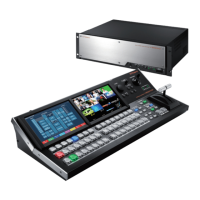
Roland V-1200HDR
16 pages
Print Icon
To Next Page IconTo Next Page
Loading...
Ver. 1.2 and Later
Before using the V-1200HDR, ensure that its system program is at the most recent version. For information on available upgrades for the
system program, see the Roland website (http://proav.roland.com).
You can check the version of the system program by going to the ROOT MENU screen and selecting CONTROL SURFACE <SETUP> g “VERSION.
Owners Manual (this document)
Read this rst. It explains the basic things you need to know in
order to use the V-1200HDR.
PDF Manual (download from the Web)
5 V-1200HDR / V-1200HD RCS Remote Control Guide
This describes in detail the operation methods and settings when using
this unit or V-1200HD RCS remote-control software to control a V-1200HD.
To obtain the PDF manual
1. Enter the following URL in your computer.
http://proav.roland.com
I
2. Go to the V-1200HDR product page and click
the “Support tab.
Copyright © 2016 ROLAND CORPORATION

Other manuals for Roland V-1200HDR

Questions and Answers

Summary

Using the Unit Safely: Prevention

Fire, Shock, Injury Prevention

Details specific warnings and cautions related to fire, electric shock, and personal injury.

Understanding Safety Symbols

Explains the meaning and usage of warning, caution, and mandatory symbols.

General Safety Observations

Lists critical safety precautions related to power, disassembly, repairs, environment, and usage.

Using the Unit Safely: Handling

Power Cord and Plug Precautions

Provides essential precautions for handling power cords, plugs, and the unit itself to prevent damage or shock.

Important Notes: Operations and Precautions

Power Supply and Placement Notes

Details precautions related to power supply, AC adapter heat, and optimal unit placement.

Panel Descriptions: Top Panel Overview

Panel Descriptions: Input and Output Controls

Panel Descriptions: Rear Panel Connections

Panel Descriptions: Network and Audio Ports

Basic Operation: Power and Display

Powering the Unit On and Off

Provides a step-by-step guide for safely turning the unit on and off.

Basic Operation: Menus and Video Switching

Performing Video Transitions

Details the process of selecting and switching video sources using cross-point buttons and the fader.

Basic Operation: Video Switching and Reset

Performing a Factory Reset

Explains how to reset the unit's settings to their factory defaults.

Appendices: Troubleshooting and Specifications

Troubleshooting Common Issues

Lists common problems, their causes, and recommended actions for resolution.

Main Technical Specifications

Details the technical specifications of the Roland V-1200HDR Control Surface.

Compliance and Safety Information

Mains Lead Wiring and FCC Compliance

Explains UK mains lead wiring and FCC interference statement rules.

Summary

Using the Unit Safely: Prevention

Fire, Shock, Injury Prevention

Details specific warnings and cautions related to fire, electric shock, and personal injury.

Understanding Safety Symbols

Explains the meaning and usage of warning, caution, and mandatory symbols.

General Safety Observations

Lists critical safety precautions related to power, disassembly, repairs, environment, and usage.

Using the Unit Safely: Handling

Power Cord and Plug Precautions

Provides essential precautions for handling power cords, plugs, and the unit itself to prevent damage or shock.

Important Notes: Operations and Precautions

Power Supply and Placement Notes

Details precautions related to power supply, AC adapter heat, and optimal unit placement.

Panel Descriptions: Top Panel Overview

Panel Descriptions: Input and Output Controls

Panel Descriptions: Rear Panel Connections

Panel Descriptions: Network and Audio Ports

Basic Operation: Power and Display

Powering the Unit On and Off

Provides a step-by-step guide for safely turning the unit on and off.

Basic Operation: Menus and Video Switching

Performing Video Transitions

Details the process of selecting and switching video sources using cross-point buttons and the fader.

Basic Operation: Video Switching and Reset

Performing a Factory Reset

Explains how to reset the unit's settings to their factory defaults.

Appendices: Troubleshooting and Specifications

Troubleshooting Common Issues

Lists common problems, their causes, and recommended actions for resolution.

Main Technical Specifications

Details the technical specifications of the Roland V-1200HDR Control Surface.

Compliance and Safety Information

Mains Lead Wiring and FCC Compliance

Explains UK mains lead wiring and FCC interference statement rules.

Roland V-1200HDR Specifications

General IconGeneral
BrandRoland
ModelV-1200HDR
CategoryController
LanguageEnglish

Related product manuals