Need help?
Do you have a question about the Roland VC-1-DMX and is the answer not in the manual?
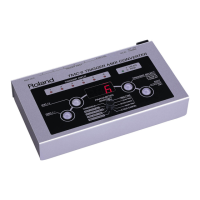
The Roland VC-1-DMX is a video lighting converter designed to synchronize DMX lighting with video and audio signals. This device allows users to control DMX lighting equipment based on various inputs, including HDMI video, audio, and MIDI signals, offering a dynamic and immersive lighting experience.
The core function of the VC-1-DMX is to convert incoming video, audio, or MIDI signals into DMX control signals for lighting equipment. It features an HDMI IN connector that accepts video signals up to full HD (1080/60p), including HDCP-protected content. The unit also includes an HDMI THRU connector, which outputs the incoming video signal as-is, allowing for simultaneous display on a monitor.
For audio input, the device is equipped with AUDIO IN/OUT jacks, enabling it to analyze audio signals and generate DMX lighting effects synchronized with the beat. This "beat flash" feature can be configured to flash lights in time with detected audio, with options to adjust brightness and color. The unit can flash with a set color or a color that matches the video on the screen, adding a layer of visual harmony.
MIDI IN connectivity allows for external MIDI devices to control DMX lighting, providing another layer of creative control for users who prefer MIDI-based setups.
The VC-1-DMX offers extensive configurability through its DMX configuration software, which runs on a connected computer. This software enables users to precisely set up DMX channels and other detailed operational parameters. The device supports 512 DMX channels (1 universe) and provides both 5-pin and 3-pin DMX OUT connectors to accommodate various lighting equipment.
The unit's internal processing includes a main processor, an audio analyzer, and a video analyzer, which work in conjunction to interpret incoming signals and translate them into appropriate DMX commands. This allows for video-synchronized lighting control, audio-synchronized lighting control, and MIDI-synchronized lighting control, along with lighting speed control and HDMI audio de-embedding.
The VC-1-DMX is designed for straightforward operation, with both front and rear panel controls and connectors. The front panel features a POWER indicator, a USB port for connecting to a computer for DMX configuration, and a series of SETTING switches (1-8). These switches allow for quick adjustments to key operational settings without needing a computer, such as how fast DMX signals change, DMX channel map selection, beat flash activation, beat flash brightness, beat flash color, and behavior when input sound is silent.
The DMX channel map feature is particularly useful, as the VC-1-DMX has four maps, allowing users to save different settings to each one and switch between them as needed. This provides flexibility for various lighting scenarios or performances.
Connecting the device involves plugging in the included AC adaptor to the DC IN jack on the rear panel. The POWER indicator on the front panel lights up red when the unit is powered on. For optimal performance and to prevent malfunction, it is recommended to always turn down the volume of connected audio devices before powering the unit on or off.
The device can be placed on a table or other flat surface. For stability, rubber feet are included and can be attached to the bottom of the unit. For permanent installations, the unit can also be affixed to a wall or other surface using screws or bands. A plug holder is also provided to secure the AC adaptor plug, preventing accidental disconnections.
The USB port on the front panel is crucial for accessing the DMX configuration software. Users can download the dedicated software from the Roland website. This software allows for more detailed settings beyond what is available through the front panel switches. It's important to use a USB cable designed for data transmission, not just charging, when connecting to a computer.
The ground terminal on the rear panel should be connected to an external earth or ground when necessary, ensuring proper electrical safety.
Maintaining the VC-1-DMX involves a few key practices to ensure its longevity and reliable performance.
Software Updates: Roland regularly releases system program updates for the VC-1-DMX. Users should check the Roland website periodically for available upgrades to ensure the unit is running the most recent version of its software. Keeping the system program updated can improve performance, add new features, or resolve potential issues.
Data Backup: While the VC-1-DMX stores configuration settings, it's always a good practice to back up important data, especially before sending the unit for repairs. Although Roland strives to preserve user data during service, physical damage to memory sections can make data restoration impossible. Users are encouraged to regularly create backups of their settings to prevent irretrievable loss.
By adhering to these usage and maintenance guidelines, users can ensure their Roland VC-1-DMX operates effectively and reliably for an extended period.
 General
| Category | Media Converter |
|---|---|
| Manufacturer | Roland |
| Model | VC-1-DMX |
| Audio Input | HDMI embedded audio |
| Audio Output | HDMI embedded audio |
| Connectors | HDMI, DMX |
| Output | DMX |
| DMX Output | 1x 5-pin DMX |


 To Next Page