Other Features
44
Turning O the Power Automatically
(Auto O)
Auto O is a feature that automatically turns o the power after no
operation for a specic period of time. This helps prevent wasting
electrical power.
By factory default, the Auto O function is set on. When the states
described below persist for 240 minutes, the Auto O function acts
to automatically turn o the power.
• No operation (including remote-control operation) performed
on the VR-3EX
• No audio or video input
To turn the Auto O function o or on, follow the steps below to
change the setting.
MEMO
When the power has been turned o by the Auto O function,
to restart, rst press the [POWER] button to return it, then turn
on the power.
1. Press the [MENU] button to display the menu screen.
2. Touch <SETUP>.
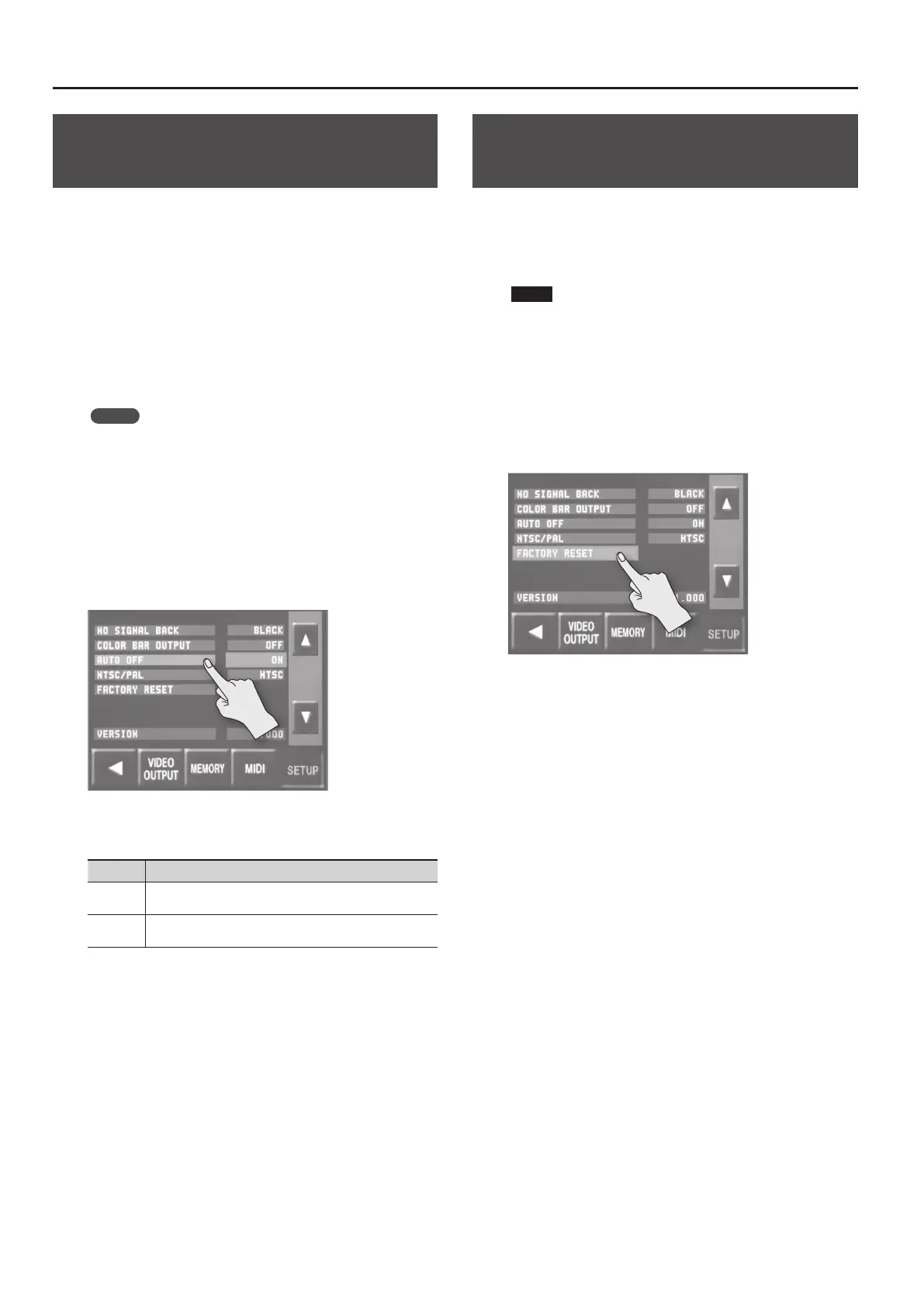
The SETUP menu is displayed.
3. Touch <AUTO OFF>.
4. Turn the [VALUE] knob to set the Auto O function on or
o.
Value Explanation
ON
The Auto O function is turned on. Power is turned o
automatically.
OFF
The Auto O function is turned o. Power is not turned o
automatically.
5. Press the [MENU] button twice to quit the menu screen.
Returning Settings to the Factory-
default State (Factory Reset)
You can return the values of settings on the VR-3EX to their factory
defaults.
If operation that diers from what is described in the owner’s
manual occurs even when the steps described are followed
correctly, try performing a factory reset.
NOTE
Performing a factory reset causes all settings made and values
saved in memory (p. 42) to be lost.
1. Press the [MENU] button to display the menu screen.
2. Touch <SETUP>.
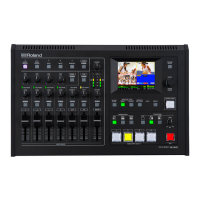
The SETUP menu is displayed.
3. Touch <FACTORY RESET>.
4. Check the message and press the [VALUE] knob.
(If you want to quit, press the [MENU] button.)
A factory reset is executed.
5. Press the [MENU] button twice to quit the menu screen.



 To Next Page