6 EN
Closing the Back Cover
Taking Photos
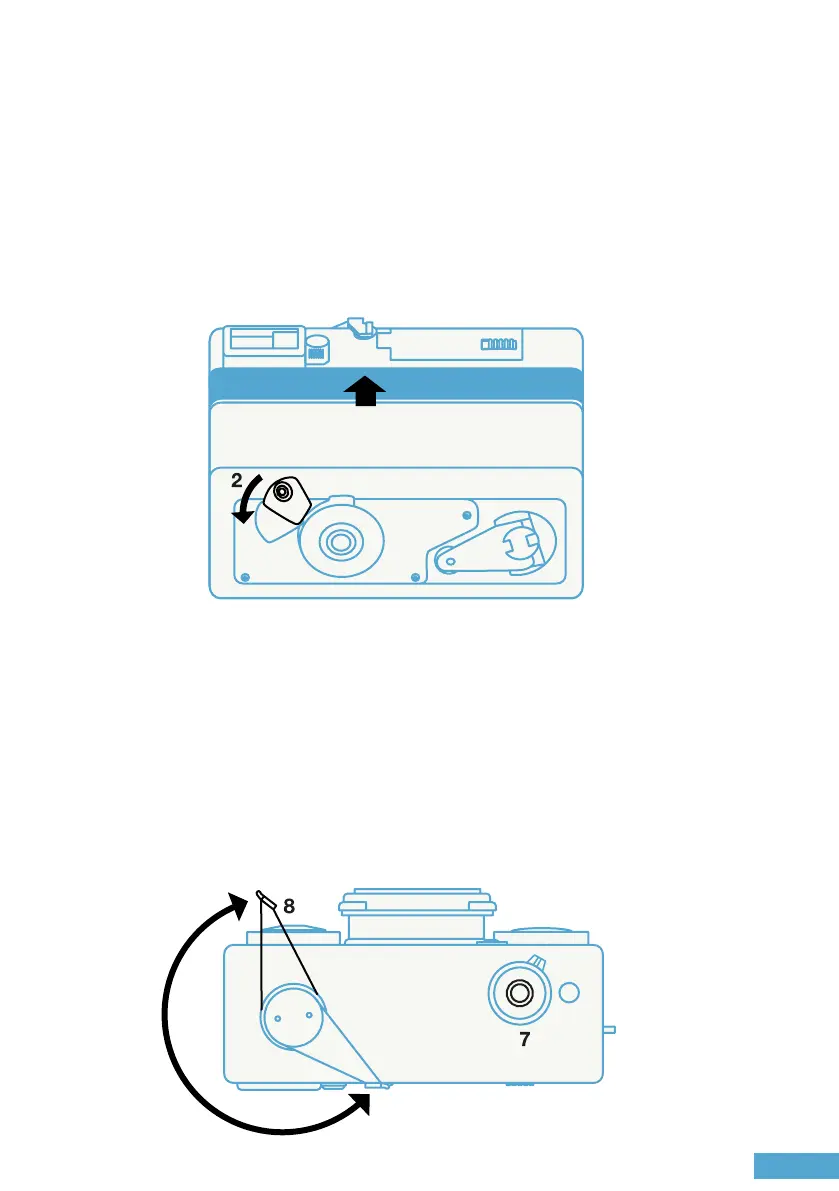
Push the camera back cover back in place, and close the back cover
lock (2) to its stop.
Check that the back is rmly secured and the ISO on the OLED
display matches that of your lm.
Press the shutter release button (7) rmly all the way down to take a
shot.
To get the camera ready for the next shot, rotate the advance lever (8)
out as far as it will go.


 To Next Page