17 EN
Symbols
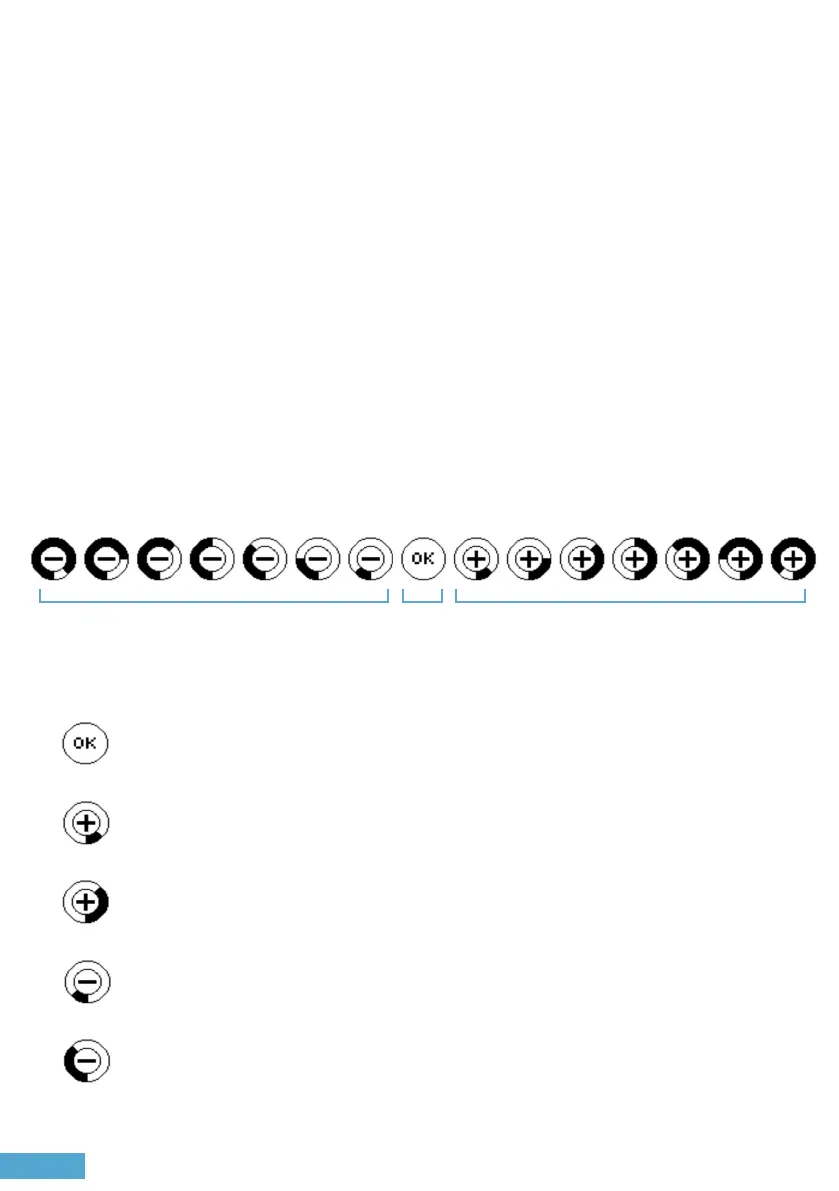
What do these symbols mean?
Too brightToo dark Good
In order to take a light meter reading, half-press the shutter release
button. An icon will appear indicating if the current exposure setting is
too bright, too dark, or just right for the scene. e icon also indicates the
number of stops the current settings are over or underexposing the scene
by. To take another reading, half-press the shutter release button again.
OK = Good expsoure, let’s take the picture!
+ = Overexposure. Please adjust your aperture or shutter speed.
-
= Underexposure. Please adjust your aperture or shutter speed.
In this example, the current setting is 3 stops too bright for the scene.
In this example, the current setting is 3 stops too dark for the scene.
OLED Display


 To Next Page