10 EN
What the Indicator Lights Mean
Autofocusing (Continuous From 70cm to ∞ )
Enabling precise focusing from 70cm up to innity, the state-of-the-art
LiDAR technology eliminates the need to guess the focus distance. With
autofocus, the process becomes much faster, easier, and more user-friendly.
Half-pressing the shutter button will activate the autofocus, holding onto
the half-press will lock the distance. e green and orange indicator light
will also turn on whilst half-pressing the shutter button, indicating whether
or not the focus or the ash is ready to capture the shot.
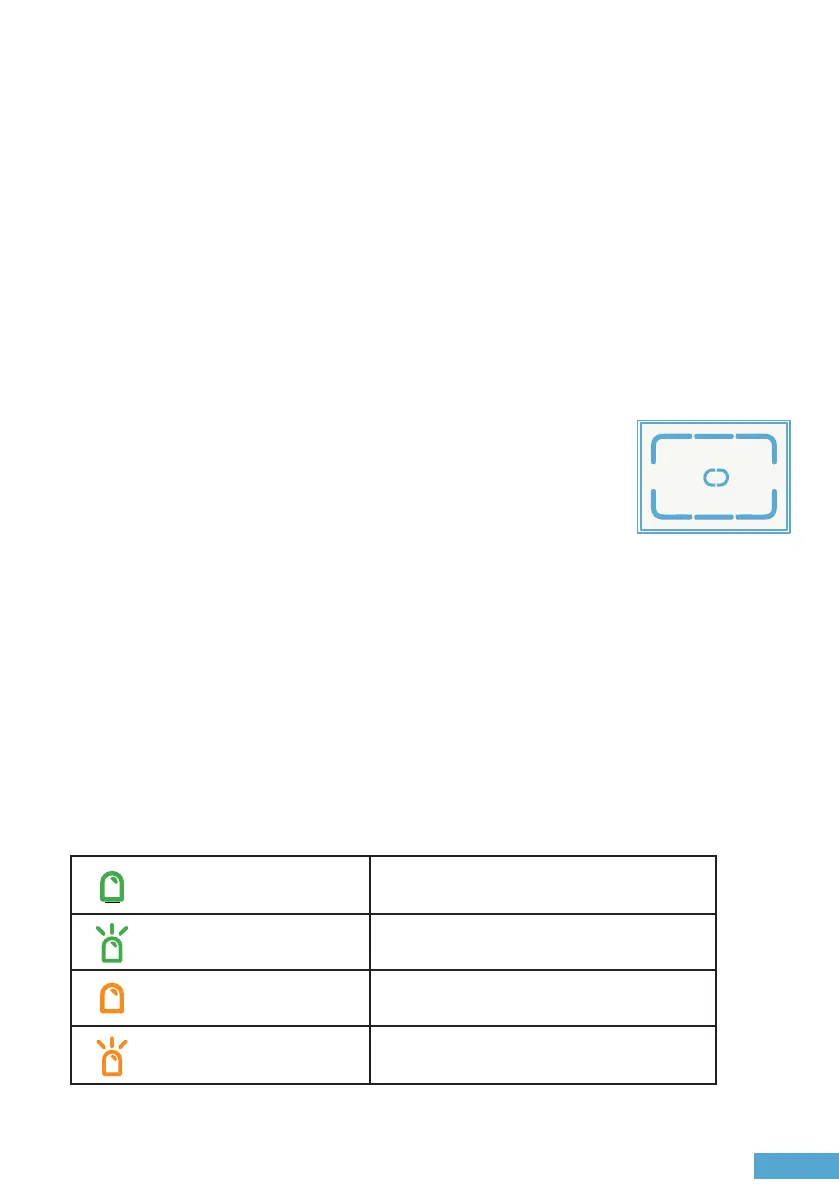
Keep the intended subject within the central spot of the
frame, ensuring there are no visible obstructions between
the camera and the subject.
Centre Spot for Autofocus
Autofocusing
Green Focus ready
Focus distance too close
Flash ready
Flash charging
Orange
Flashing green
Flashing orange


 To Next Page