11
B. Delete Files
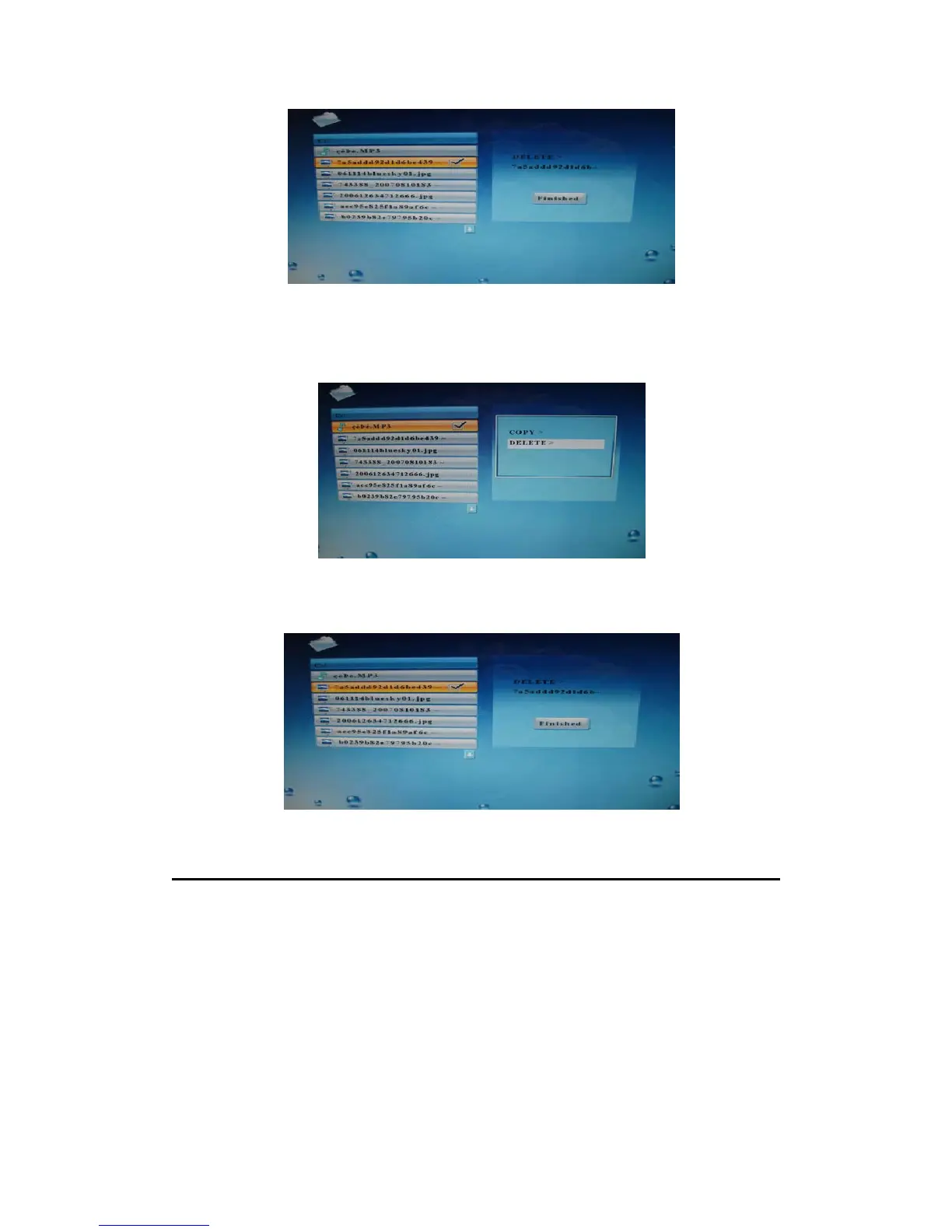
Use ▲ or ▼ to select the file you want to delete and press the right arrow key, then press
OSD and the screen will display the information as follows.
Select DELETE press ENTER and select “
√” press ENTER to start to delete the selected
file. The player will delete the file. After deleting the file successfully, the screen will display
the information as follow.
Setting
Setting
Use the navigation buttons on the remote control to select the “setup” button and press
ENTER, the screen will display as follows:


 To Next Page