3
3‑22
DAILY CHECKS
OL1D-SM-GB02D
3.2 Daily safety check -
safety light curtain
The following check should be carried out in addition
to Daily safety checks for the waste container lifting
device.
1. Energise the control panels.
2. Check that the tailgate area is clear.
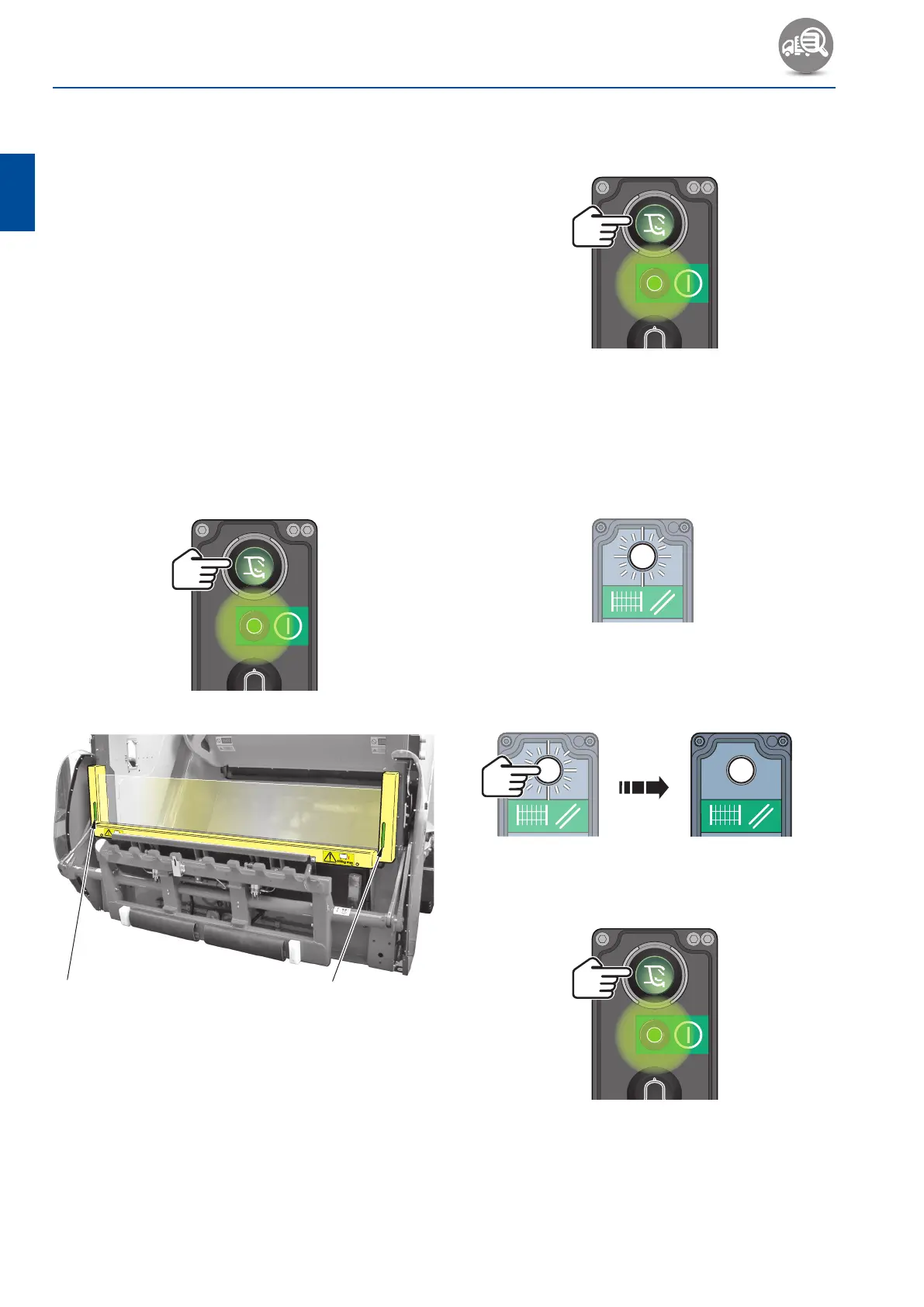
3. Check the status indicator lamps in each light
emitter/ receiver column (see Fig. 3‑1, 1).
• A group of 5 green lights and a single green
light should be visible.
4. Observe the status indicator lights and place a
suitable soft object into the light curtain.
• The green lights should extinguish and a single
red light should illuminate.
5. Remove the soft object from the light curtain.
6. Press and release the ‘Start pack cycle’ push‑
button.
1
Fig. 3-1 Safety light curtain status indicator
lamps
7. While the packer plate is closing and the carriage
plate is moving upwards, place a suitable soft
object into the light curtain.
• The mechanism should continue to operate and
complete the packing cycle.
8. Remove the soft object from the light curtain.
9. Press and release the ‘Start pack cycle’ push‑
button.
10. As the carriage plate is moving downwards, place a
suitable soft object into the light curtain.
• The compaction mechanism should stop
immediately.
• The ‘Safety light curtain reset’ push‑button
should flash.
1642-01-OL1-GB
11. Remove the soft object from the light curtain.
12. Press and release the ‘Light curtain reset’ push‑
button.
13. Press and release the ‘Start pack cycle’ push‑
button.
• The cycle should now complete automatically.



 To Next Page