NK-Hub User Guide (v01) Operating the NK-Hub • 5–5
Configure Breakaways to Match Router Levels
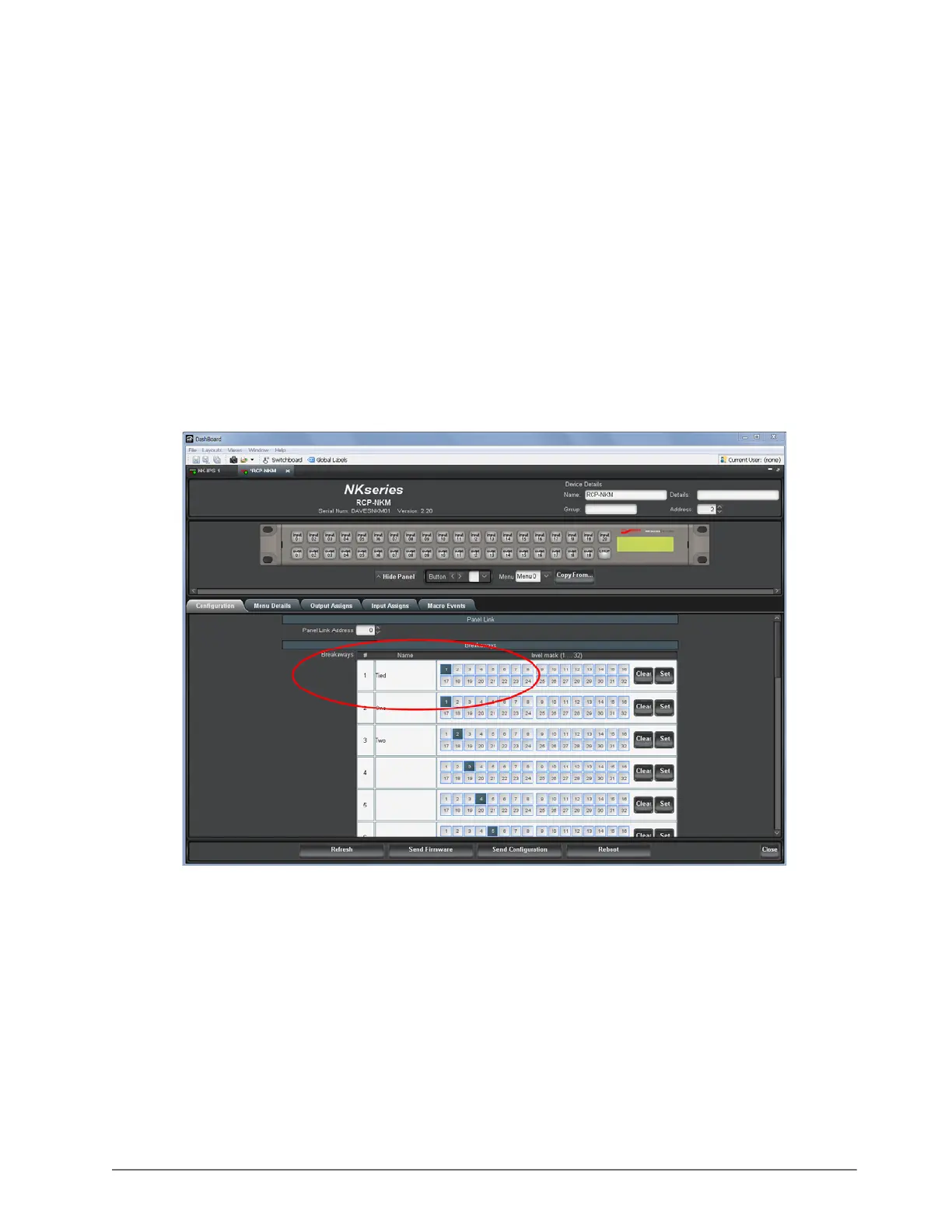
Configuring breakaways to match router levels is recommended procedure with the NK Series, but it is especially
important when using the NK-Hub.
If the panel breakaway contains levels that do not correspond to a connected router, it will retry those levels until it
times out. When retry delays are around 10ms, this is not noticeable. With the retry delay set to 250ms, the panel
will take seconds to respond to button presses.
To set the breakaway:
1. In DashBoard, double-click the control panel in the Basic Tree View.
A tab for the control panel opens in the main window.
2. In the Breakaways section, change the default breakaway to match only the levels present in the NK Series
router system.
3. Press Send Configuration to send the changes to the control panel.
For example, a system with a single NK-3G34 router on level 1 would be configured as shown in the following
image:
If this value is set and button presses still take longer than expected, configure a key as the default breakaway
key. Press this key on the panel to ensure that the new default breakaway is selected.













 To Next Page