16
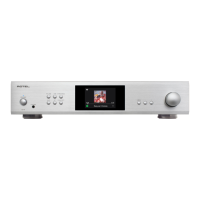
RAS-5000 Amplied Streamer
Internet radio services can be utilized on the RAS-5000 using the supported
Apps and various streaming methods.
The RAS-5000 may also include additional streaming services in the
future. For the latest information on streaming services please check the
Owner’s Manual on the www.rotel.com website under the Support tab.
For more information on the offerings available from each streaming
service please check with the service provides.
Tidal Connect
The RAS-5000 supports Tidal Connect streaming allowing access to a vast
library of music including high-resolution music. To utilizes Tidal Connect
open the Tidal App on your phone, tablet or computer and select the
RAS-5000 as the streaming device.
Overview of Buttons and
Controls
This section provides a basic overview of the buttons and controls on
the front panel and remote control. Detailed instructions on the use of
these buttons are provided in the more complete operating instructions
in the following sections.
Navigating and OK B Buttons: Use the navigation buttons ///
B and the “OK“ on the remote control to access the various menus and
operate the unit settings.
MENU, - / + and ENTER 7 Buttons : Use the MENU button, the -/+ and
ENTER buttons on the front panel to access the various menus and
operate the unit settings.
Power 1A: The Power button on the front panel and on the remote
control activate or deactivate the unit. To power on the unit, the rear panel
master POWER switch must be in the ON position for the front panel
and the remote standby function to operate.
Power On - To power on the unit push and release the Power 1 button
on the front panel or PUSH-HOLD the remote control Power A button
for 2 seconds until the unit powers on (up to 7 seconds).
Power Off/Standby - To power off the unit to standby push and release
the front panel Power 1 button or PUSH-HOLD the remote control
Power A button for 2 seconds until the unit powers off (up to 3 seconds).
Button C: Push the button once to mute the audio. An indication
appears in the front panel display. Press the button again to restore the
previous volume level.
VOLUME Knob 6 and VOL +/- Buttons D: The VOLUME +/- buttons on
the remote and the rotary control on the front panel provide the master
VOLUME control, adjusting the output level.
Source Button 4E: Press the corresponding input button on the front
panel
4
or remote control
E
to select the desired listening source.
Push the front panel source buttons to select STREAMING, BLUETOOTH,
PC-USB, COAX/OPT, AUX, eARC and USB or use the dedicated source
button on the remote control. The COAX/OPT and USB/PC-USB are toggle
source input and will switch between the Coaxial and Optical also the
USB and PC-USB inputs when pressed repeatedly.
Preset Buttons F: The Preset buttons are used to memorize and recall
a Spotify playlists. To save a preset PUSH-HOLD the preset button for 3
seconds. To recall a preset simply push and release the desired button.
NOTE: Preset functions are not available for all streaming services.
Button G: The SETUP button activates the setup menu on the front
display. Push the SETUP button again to move to the next setup menu
option.
Button H:
or exits the setup menu if you are in the top menu level.
Playback Control Buttons I: Press the Play /Pause button to
start playing or stop. and buttons are used to select tracks of the
selected audio source.
Main Menu
Setup
Bass
Treble
Balance
+ / - to Navigate, Enter to change
You can enter the Setup menu from the front panel by pressing the
G button on the remote control or the MENU
7
button on the front
panel. To select the desired menu, use the +/-
7
button on the front
panel or the /
B
arrow buttons on the remote control to toggle
between the menus and press ENTER button
7
on the front panel or
values of the selected setting by pressing the - or + button on the front
panel or the /
B
arrow buttons on the remote control then press the
“OK” button on the remote control or the ENTER button
7
on the front
panel to save and to return to the previous menu.
Bass: Bass level can be changed to desired settings.
Options include: -10 - +10.
Treble: Treble level can be changed to desired settings.
Options include: -10 - +10.
Balance: Adjusts the left-to-right balance of the sound output. The factory
default is the center position or “0”.
Options include: L15 - R15.



 To Next Page