3
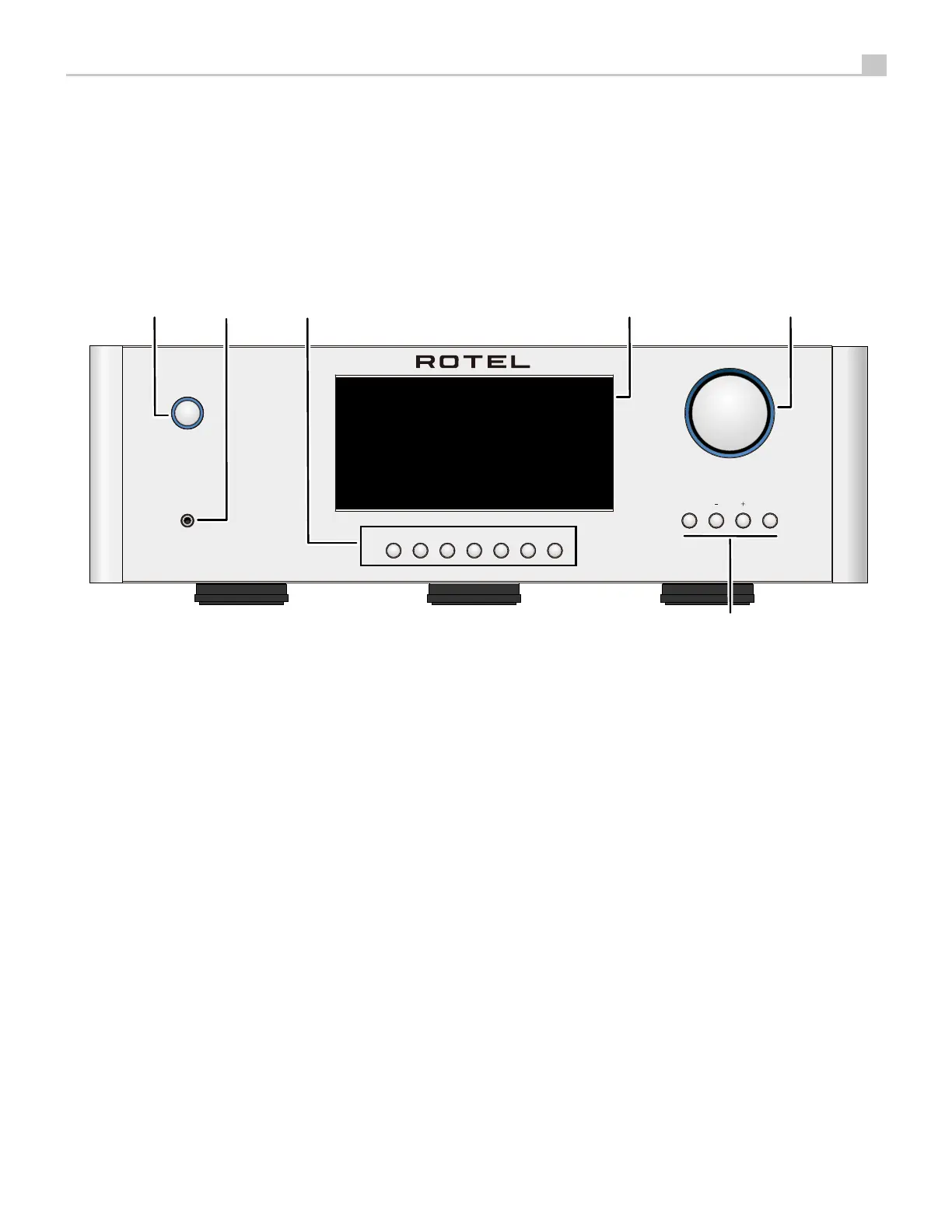
Figure 1-1: Controls and Connections
Commandes et Branchements
Bedienelemente und Anschlüsse
Controles y Conexiones
Controlli e connessioni
De bedieningsorganen en aansluitingen
Kontroller och anslutningar
Органы управления и разъемы
1
: Power Button
Activate the unit or put it into standby mode
2
: Power LED
3
: Headphone Output
Connect headphones for private listening.
4
: Source Button
Selects the input signal source.
5
: Display
6
: Volume Knob
Adjust the volume output level.
7
: MENU and - / + buttons
Access the various menus and operate the Amplifier
settings.
POWER
RAS-5000
COAX/OPTeARCUSBSTREAMING AUX BTPC-USB
PHONES MENU ENTER
SERIAL NUMBER:
This device complies with Part 15 of the FCC Rules.
Its operation is subject to the following two conditions:
(1) This device may not cause harmful interference,
(2) This device must accept any interference received,
including interference that may cause undesired operation.
SPEAKER IMPEDANCE 8 OHMS NOMINAL
CLASS 2 WIRING
BLUETOOTH WIFIWIFI
OPT
COAX
AUX
L
R
SPEAKER
RIGHT
+
LEFT
+
- -
NETWORKPC-USB USB
5V/2.0A
ONOFF
CAUTION :
Replace with same type
T10AL 250V fuse
AC FUSE: T10AL 250V
100-120V/220-240V~50/60Hz
SUB
OUT
PRE
OUTIN
Chromecast built-in is a trademark of Google LLC
8
9
0
-
=
q
w
e
r
u
o i
yt
p
12 3
4
5
6
7



 To Next Page