4 Operation
User reference guide
11
RHBX04+08DA
ROTEX HPSU low temperature Bi‑bloc
4P495261-1 – 2017.12
For the procedure to set the gas price, see "To set the gas price"on
page10.
To set the electricity price in case of an incentive per kWh
renewable energy
Calculate the value for the electricity price with following formula:
▪ Actual electricity price+Incentive/kWh
For the procedure to set the electricity price, see "To set the
electricity price"on page10.
Example
This is an example and the prices and/or values used in this
example are NOT accurate.
Data Price/kWh
Gas price 4.08
Electricity price 12.49
Renewable heat incentive per
kWh
5
Calculation of the gas price:
Gas price=Actual gas price+(Incentive/kWh×0.9)
Gas price=4.08+(5×0.9)
Gas price=8.58
Calculation of the electricity price:
Electricity price=Actual electricity price+Incentive/kWh
Electricity price=12.49+5
Electricity price=17.49
Price Value in breadcrumb
Gas: 4.08/kWh [7.6]=8.6
Electricity: 12.49/kWh [7.5.1]=17
4.7.3 Using and programming schedules
About schedules
Depending on your system layout and installer configuration,
schedules for multiple controls may be available.
You can:
▪ Select which schedules you currently want to use.
▪ Program your own schedules if the predefined schedules are not
satisfactory. The actions you can program are control specific.
Possible scheduling screens
Name and location Usage
[1.2] Room > Heating
schedule
Program the desired room temperature
in heating mode.
[2.2] Main zone > Heating
schedule
Program the desired leaving water
temperature for the main zone in
heating mode.
[3.2] Additional zone >
Heating schedule
Program the desired leaving water
temperature for the additional zone in
heating mode.
[4.2] Space heating/
cooling > Operation mode
schedule
See "4.4.2Setting the space operation
mode"on page6.
[5.5] Tank > Schedule Program the domestic hot water tank
temperature for your normal domestic
hot water needs:
▪ Comfort setpoint
▪ Eco setpoint
▪ Reheat setpoint
Name and location Usage
[7.4.2] User settings >
Quiet > Schedule
Program when the unit has to use which
quiet mode level:
▪ Off
▪ Quiet
▪ More quiet
▪ Most quiet
[7.5.4] User settings >
Electricity price >
Schedule
Program when a certain electricity tariff
is valid.
Example of programming a schedule
See "4.7.4Schedule screen: Example"on page11.
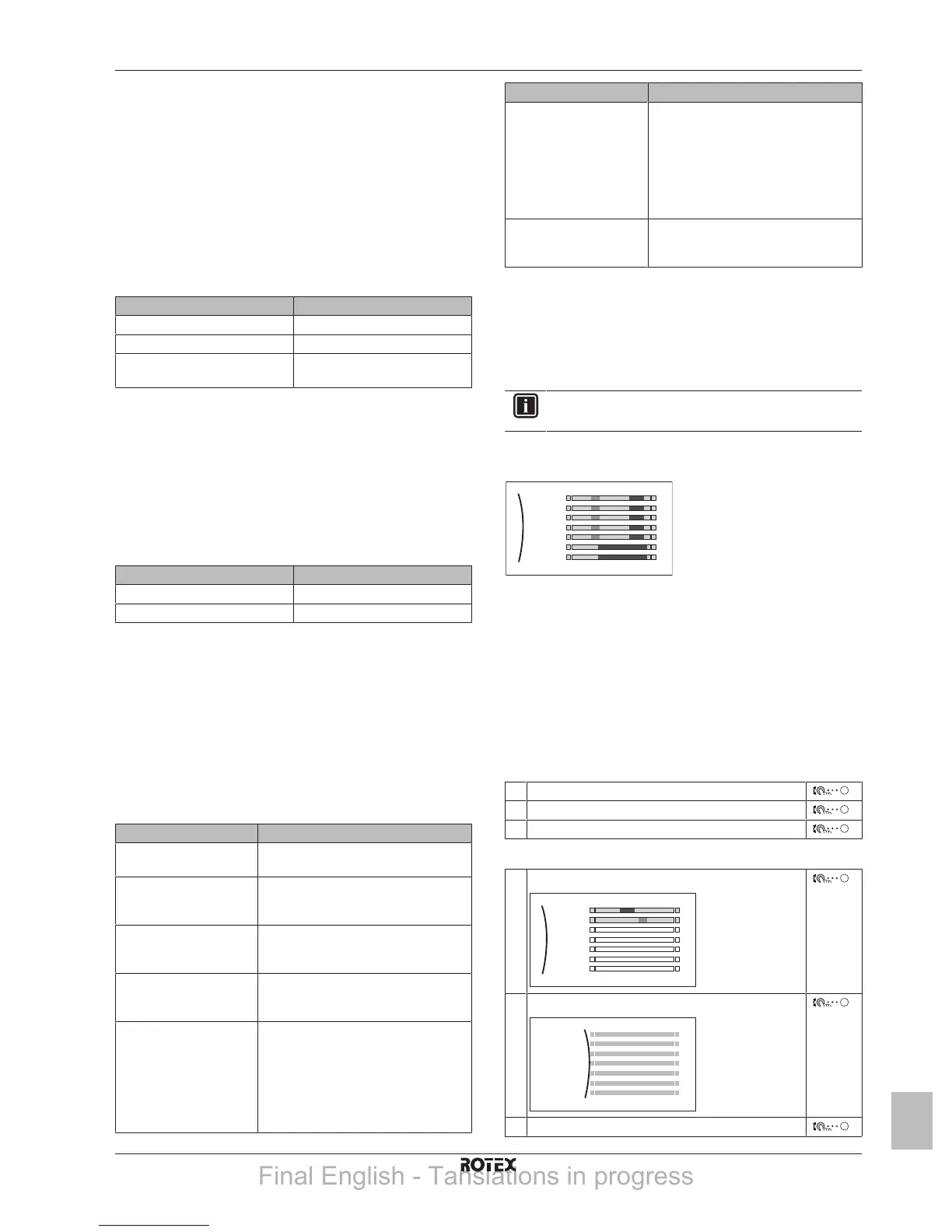
4.7.4 Schedule screen: Example
This example shows how to set a room temperature schedule in
heating mode for the main zone.
INFORMATION
The procedures to program other schedules are similar.
To program the schedule
Example: You want to program the following schedule:
Mon
Sat
Wed
Fri
Thu
Tue
Sun
User defined 1
Prerequisite: The room temperature schedule is only available if
room thermostat control is active. If leaving water temperature
control is active, you can program the main zone schedule instead.
1 Go to the schedule.
2 Clear the contents of the schedule (optional).
3 Program the schedule for Monday.
4 Copy the schedule to the other weekdays.
5 Program the schedule for Saturday and copy it to Sunday.
6 Give the schedule a name.
To go to the schedule:
1 Go to [1.1]: Room > Schedule.
2 Set scheduling to Yes.
3 Go to [1.2]: Room > Heating schedule.
To clear the contents of the schedule:
1 Select the name of the current schedule.
Mon
Sat
Wed
Fri
Thu
Tue
Sun
User defined 1
2 Select Delete.
3 Select OK to confirm.
Final English - Tanslations in progress



 To Next Page