4 Operation
User reference guide
6
RHBX04+08DA
ROTEX HPSU low temperature Bi‑bloc
4P495261-1 – 2017.12
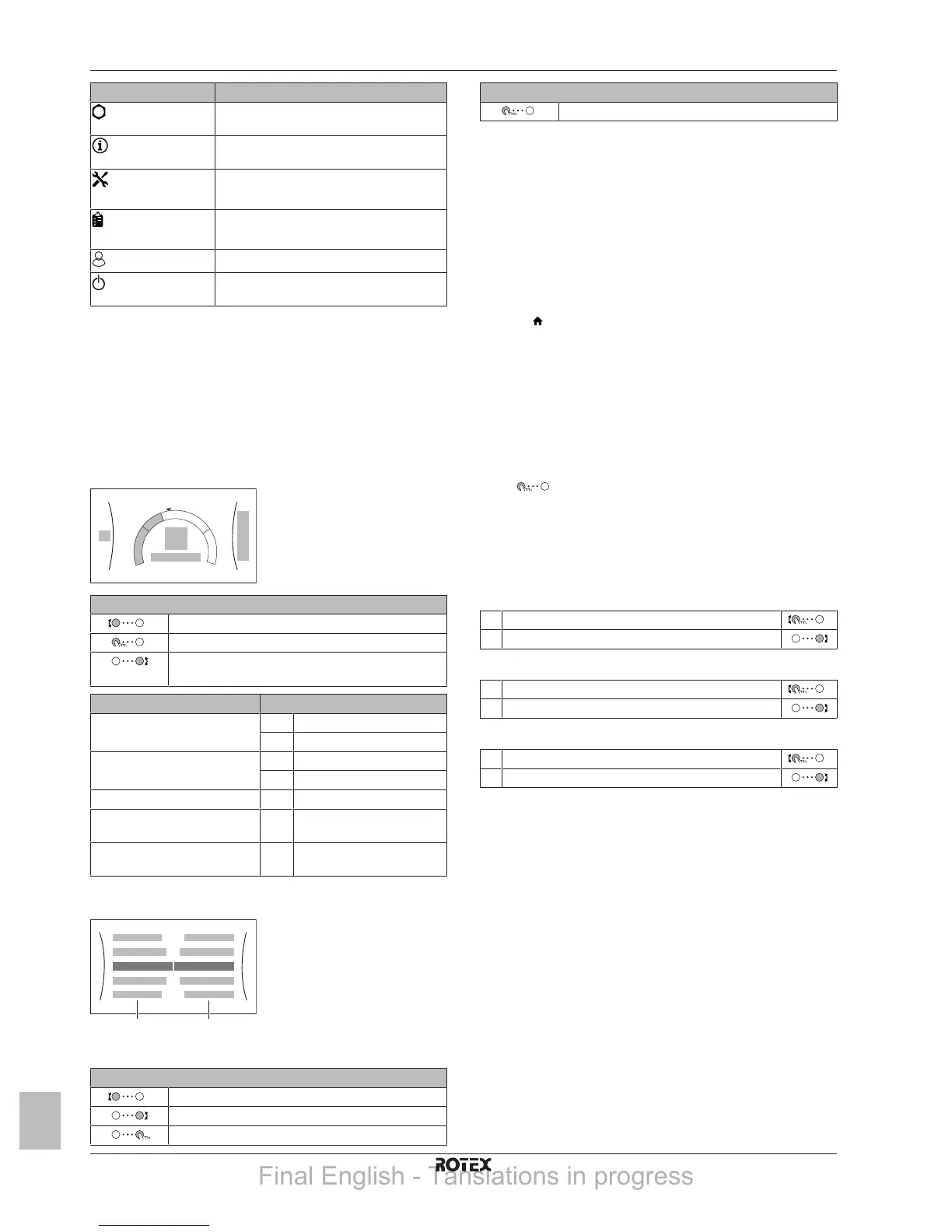
Item Description
User settings
Gives access to user settings such as
holiday mode and quiet mode.
Information
Displays data and information about the
indoor unit.
Installer settings
Restriction: Only for the installer.
Gives access to advanced settings.
Commissioning
Restriction: Only for the installer.
Perform tests and maintenance.
User profile
Change the active user profile.
Operation
Turn heating functionality and domestic hot
water preparation on or off.
4.2.3 Setpoint screen
The setpoint screen is displayed for screens describing system
components that need a setpoint value.
Example:
▪ Room temperature screen
▪ Main zone screen
▪ Additional zone screen
▪ Tank temperature screen
Possible actions on this screen
Go through the list of the submenu.
Go to the submenu.
Adjust and automatically apply the desired
temperature.
Item Description
Minimum temperature limit a1 Fixed by the unit
a2 Restricted by the installer
Maximum temperature limit b1 Fixed by the unit
b2 Restricted by the installer
Current temperature c Measured by the unit
Desired temperature d Turn the right dial to
increase/decrease.
Submenu e Turn or press the left dial to
go to the submenu.
4.2.4 Detailed screen with values
a Settings
b Values
Possible actions on this screen
Go through the list of settings.
Change the value.
Go to the next setting.
Possible actions on this screen
Confirm changes and proceed.
4.3 Basic usage
4.3.1 Using the home screen
About the home screen
On the home screen, you can read out the most important settings
that are meant for daily usage. The setup of the unit is displayed in a
schematic way. See "4.2.1 Home screen" on page 5 for more
information.
To go to the home screen
Press the
button to return to the home screen.
4.3.2 Using the menu structure
About the menu structure
Go to the menu structure to change the settings of the unit and read
out values such as the current temperature. For an overview of the
settings available to the user, see "4.9 Menu structure: Overview
user settings"on page14.
To go to the menu structure
Press
to go to the menu structure.
4.3.3 Turning operation ON or OFF
Certain functionalities of the unit can be enabled of disabled
separately. If a functionality is disabled, the corresponding
temperature icon in the home screen will be greyed out.
To turn room temperature control ON or OFF
1 Go to [C.1]: Operation > Room.
2 Set operation to On or Off.
To turn space heating operation ON or OFF
1 Go to [C.2]: Operation > Space heating/cooling.
2 Set operation to On or Off.
To turn tank heating operation ON or OFF
1 Go to [C.3]: Operation > Tank.
2 Set operation to On or Off.
4.4 Space heating/cooling control
4.4.1 About space heating/cooling control
Controlling space heating/cooling typically consists of the following
stages:
1 Setting the space operation mode
2 Controlling the temperature
Depending on the system layout and installer configuration, you use
a different temperature control:
▪ Room thermostat control (linked or NOT linked to leaving water
temperature)
▪ Leaving water temperature control
▪ External room thermostat control
4.4.2 Setting the space operation mode
About space operation modes
This unit is a heating only model. The system can heat up a space,
but NOT cool down a space.
Final English - Tanslations in progress



 To Next Page