9. Transferring Images to a computer
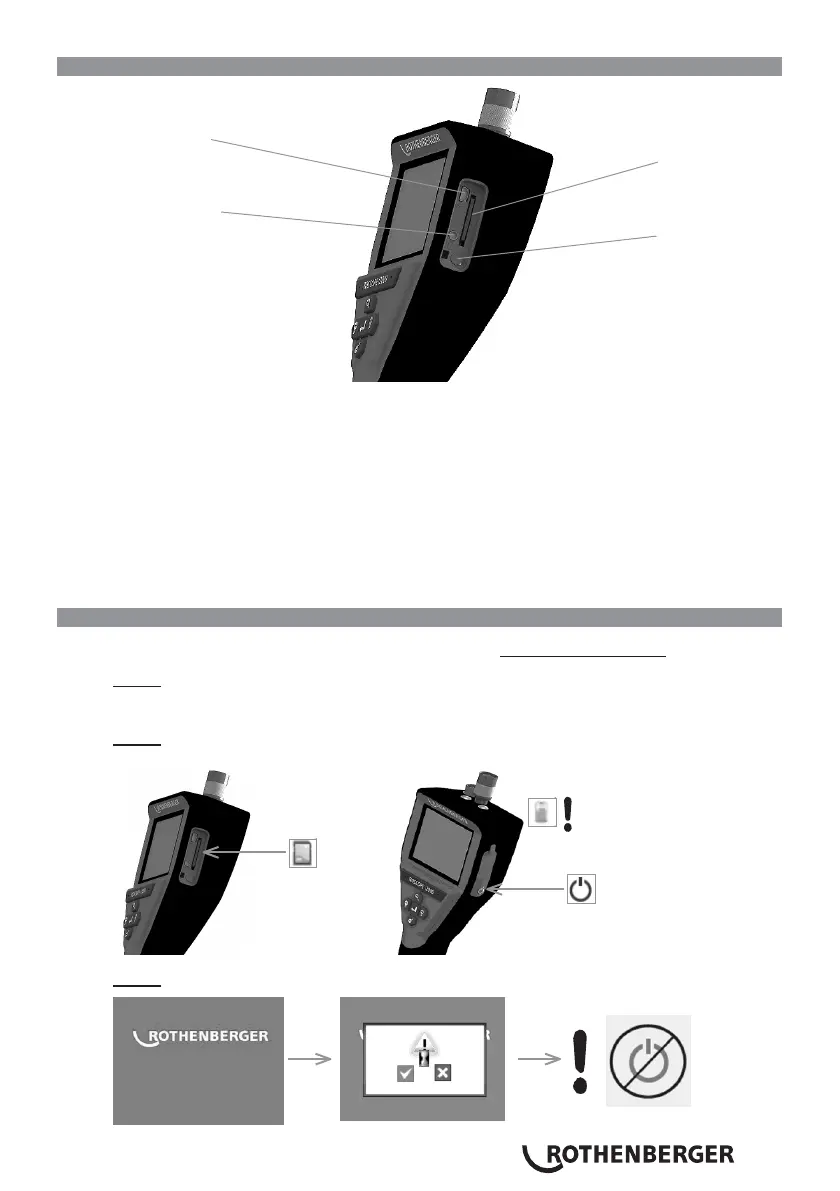
Mini USB Port
SD Card Slot
Video Out Port
Power Button
Figure No. 14 – USB Connection for Transfer
1.
Use the Mini USB cable to connect the ROTHENBERGER handheld device to the computer
(Figure No. 14).
2.
Power the device ON, a splash screen saying “USB Connected” will appear on the LCD
screen - follow the appropriate prompts from your computer (platforms and / or versions
may vary)
3.
You may also remove the SD Card memory storage device and load directly into your
computer - follow the appropriate prompts from your computer (platforms and / or versions
may vary).
10. How to update
Periodically check for the latest version of firmware on www.rothenberger.com.
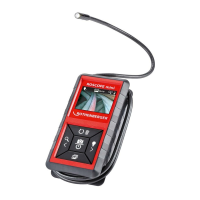
Step 1
Copy folder DCIM on an empty SD card.
Step 2
Insert SD card and start the unit. Make sure that battery level is at least 50%.
Step 3


 To Next Page