CD and Radio Digital Audio
13
6
7
8 9
10
ICE0124A
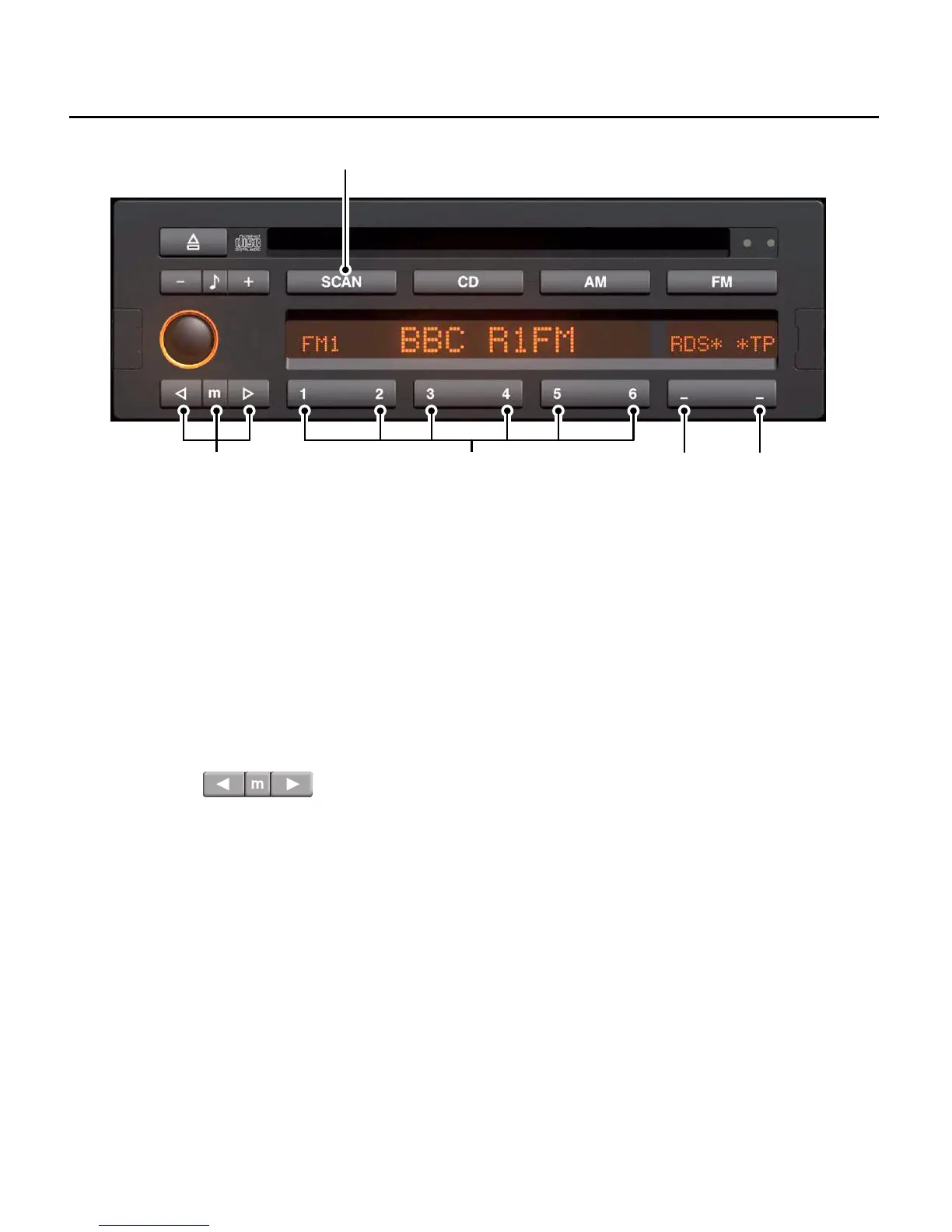
RADIO TUNING - MANUAL
Use manual tuning when you know the
frequency of the radio station, or for
selecting stations that are too weak to
be found by automatic tuning.
Select the required waveband (FM1,
FM2, FMA, MW or LW - See ’OPERATING
MODES’).
To select manual tuning, press the
central ’m’ tuning button (6); ’MAN’ is
shown in the display window. Then, briefly
press either the left or right tuning button
(6), the frequency changes (up or down)
in steps of 0.1 MHz for FM, 9 kHz for MW
and 1 kHz for LW.
Fast manual tuning
Select manual tuning by pressing the
central ’m’ tuning button (6); ’MAN’ will
be shown in the display. Then, keeping
either the left or right tuning button (6)
depressed, the waveband is scanned
rapidly (up or down) until the button is
released.
Automatic tuning returns if:
•
The tuning buttons are not used
for approximately 8 seconds.
•
The radio is switched off and on
again.
•
One of the waveband selector or
pre-set buttons is pressed.


 To Next Page