CD and Radio Digital Audio
15
RADIO DATA SYSTEM (RDS)
Your radio is equipped with RDS (Radio
Data System). RDS operates on the FM
waveband only. The system enables the
radio to receive the programme service
name (the set display shows the radio
station name instead of the frequency).
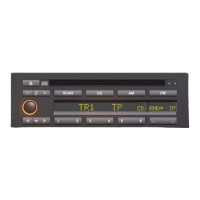
To turn on RDS, press the left side of the
switch below the RDS display.
Receiving RDS stations
The radio is in RDS mode whenever the
FM waveband is selected with RDS
active. If a station transmitting RDS
information is received, the display shows
the station name, after the RDS signals
have been evaluated. When RDS is on,
an asterisk is shown after the RDS legend
in the display screen.
The set constantly scans all alternative
frequencies on which that station can be
received, and automatically switches to
the strongest signal it can find. This is
useful on long journeys when the vehicle
may travel through several different
transmitter areas which serve the same
radio station.
The RDS data can only be picked up if
reception conditions are good. If
reception is poor or if there is
considerable interference, it may take
some time for the station name to
appear in the display.
If the display shows ’SEARCH’, this
indicates that the vehicle is outside the
reception area for that station. The set
searches for the last tuned station, or
frequency.


 To Next Page