Roxio Creator User Guide
www.roxio.com
156
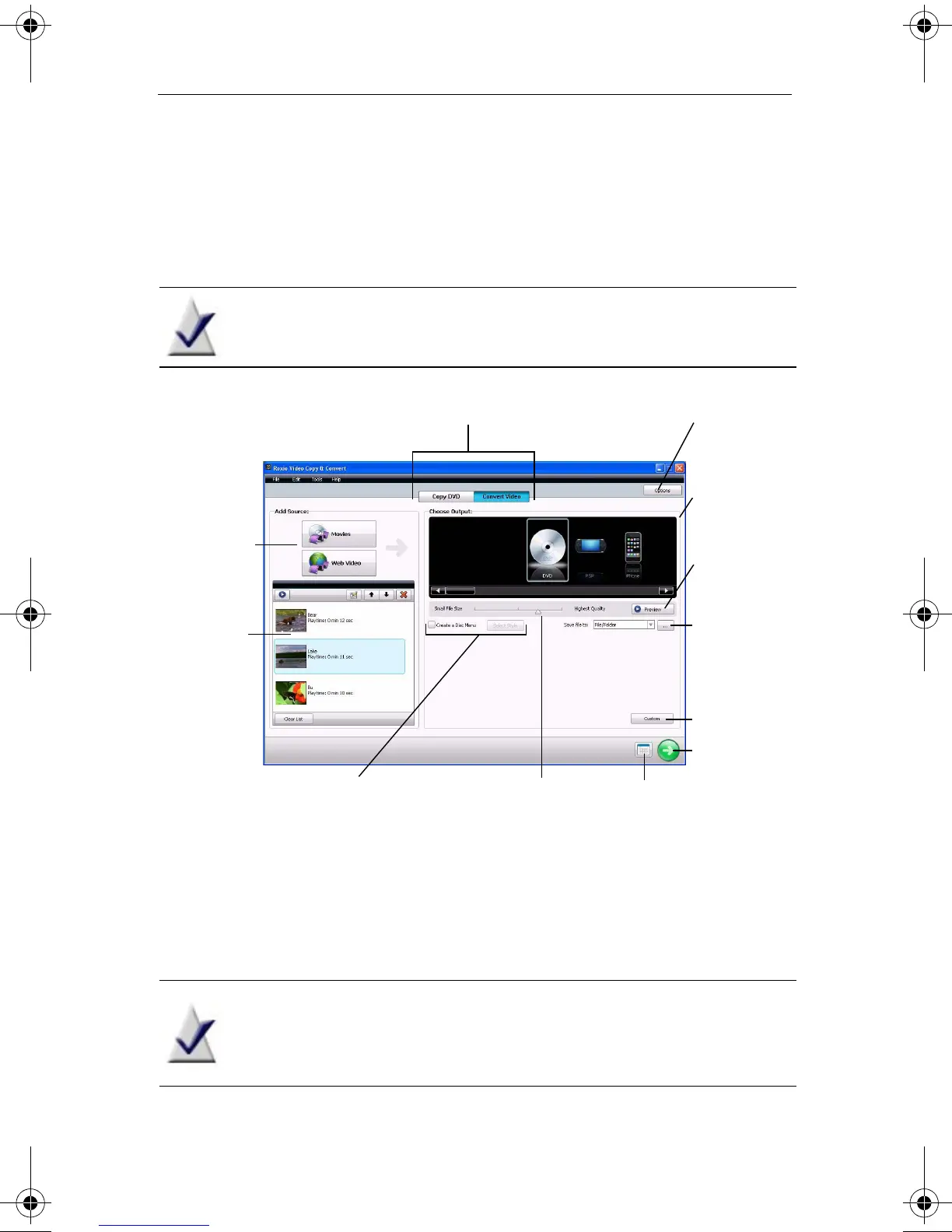
Creating a video compilation
To add and edit movies:
1 Click the Convert Video button.
Note Versions of Video Copy & Convert with a single copying
mode do not have mode selection buttons.
2 Choose your source material by clicking Movies or Web Video.
3 Use the Media Selector dialog to select movies or video files.
As you add movies, thumbnails representing each movie appear on the
left side of the project window.
Note In Convert Video mode, you can only select individual
movie titles, not the full DVD with original menus and
navigation.
Mode selection buttons
Destination
Options
button
Go button
Scheduler
button
Source
Source
list
Disc menu and style selections Video quality
slider
Conversion
formats
Custom
button
Preview
button
C12_UserGuide.book Page 156 Friday, July 31, 2009 9:21 AM



 To Next Page