Roxio Creator User Guide
www.roxio.com
40
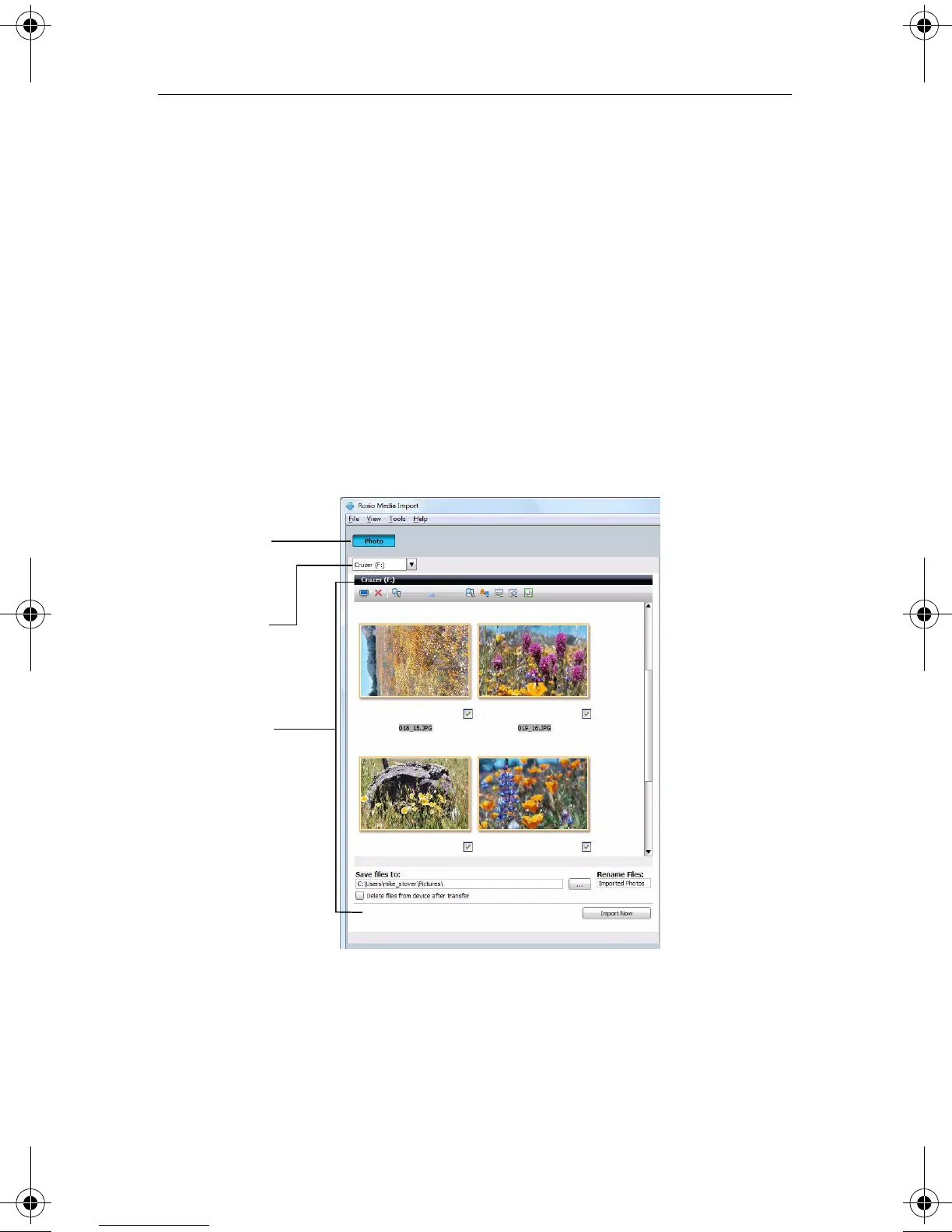
Getting to know the Media Import window
The Media Import Home page provides an easy-to-use interface with which
you can transfer media files to your computer from any attached digital
media devices.
Media type buttons
At the top of the Media Import window are buttons that allow you to
choose the type of media to import (Photo or Video). When you open
Media Import using the Windows AutoPlay dialog, both buttons are
displayed. When you open Media Import from Roxio Home, only the
button corresponding to the project you selected is displayed.
Device drop-down list
At the top of each media Home page is a drop-down list containing the
devices from which you can import files. With some exceptions, the list
only includes devices that are currently connected to your computer and
that contain media files in formats supported by Media Import.
Media Type
button
Device drop-
down list
Media- and
device-specific
dialog
C12_UserGuide.book Page 40 Friday, July 31, 2009 9:21 AM



 To Next Page