Roxio Creator User Guide
www.roxio.com
174
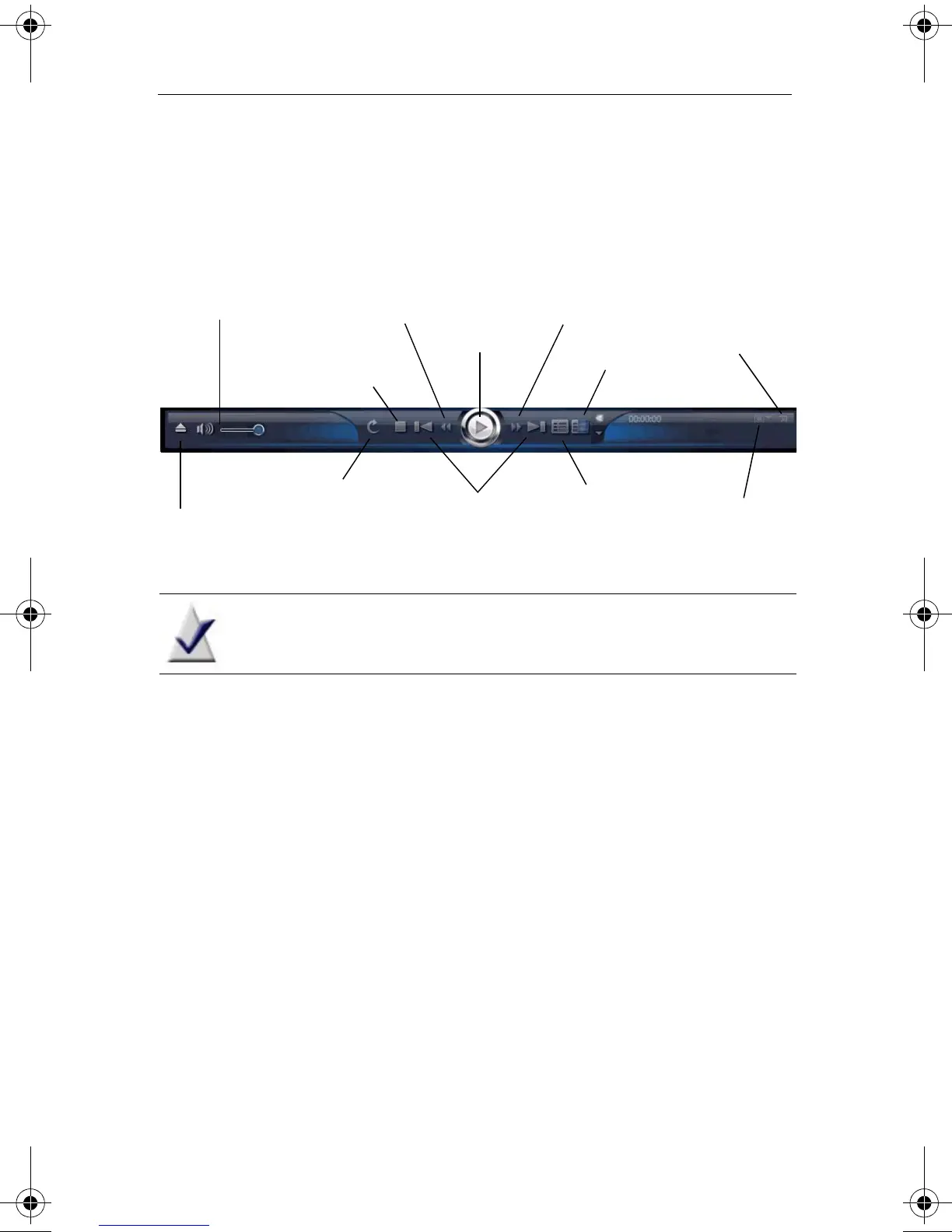
Volume, playback controls, disc settings
Use the following buttons to control volume and playback, and to display
the disc settings. The disc settings let you choose from the available disc
features, such as subtitles, language options, angles, and so on.
Note Depending on the software version you are running, some
of the features described above may not be available.
Playing discs
The basic versions of CinePlayer can play these disc formats:
■
DVD-Video
■
DVD-VR
■
DVD Slide Show
■
VCD
■
VCD Slide Show
■
SVCD (Super Video CD)
Blu-ray versions of CinePlayer can play unprotected content in these
additional formats:
■
BDMV and BDAV
■
AVC H D
Mute/Volume
Previous/Next
chapter
Stop
Pop-up menu
Turn On/Off
looping
Play/Pause
Eject
Video scaling
Full screen
Rewind
Fast forward
Disc menu
C12_UserGuide.book Page 174 Friday, July 31, 2009 9:21 AM



 To Next Page