Creating video productions
Getting to know the VideoWave window
179
Getting to know the VideoWave window
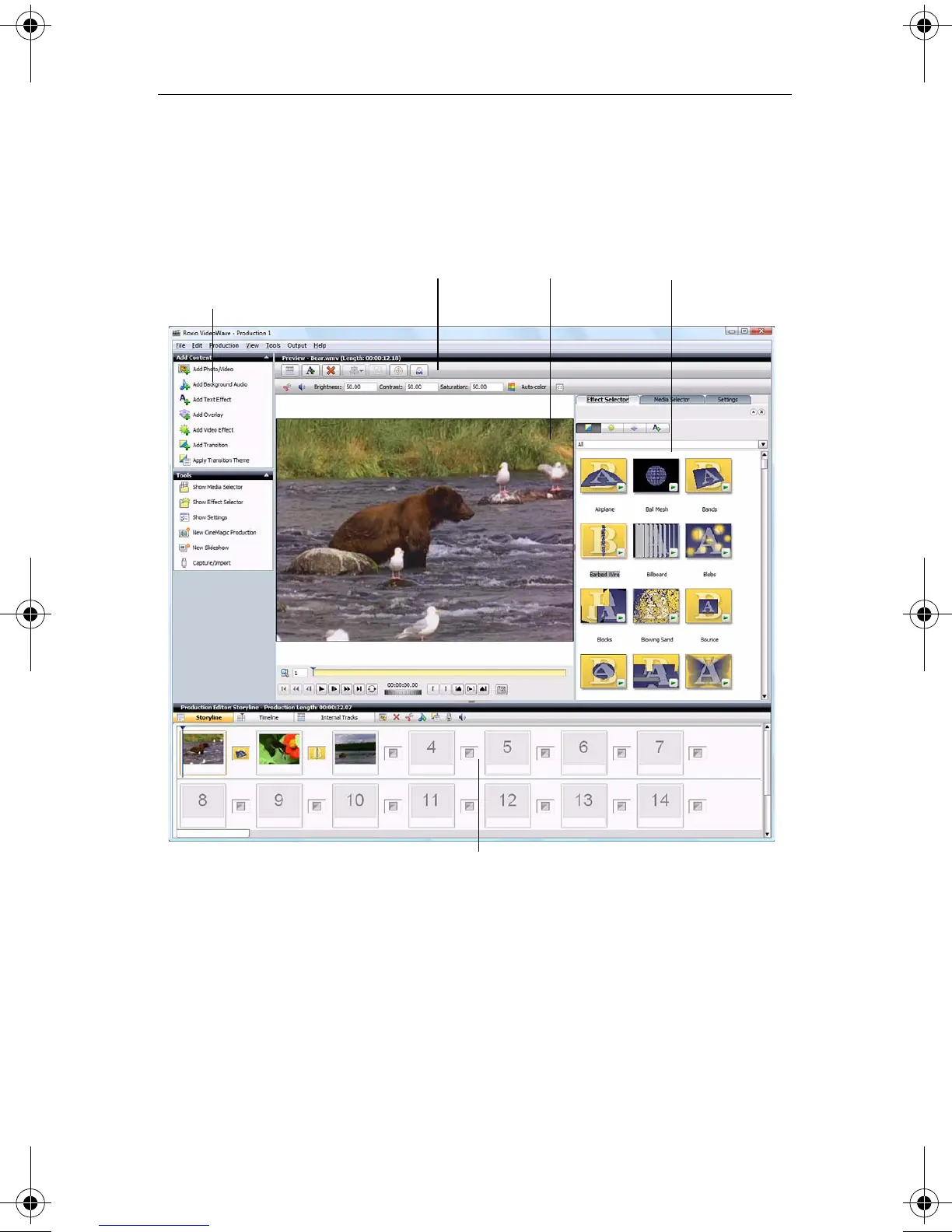
This section describes the main areas of the VideoWave window.
Task Pane
The Task Pane contains the Add Content and Tools areas.
Add Content area
The Add Content area contains buttons that let you add movies, photos and
video, background audio, text, overlays, video effects, and transitions to
your production.
Production Editor
Preview areaToolbar
Task Pane:
Add Content & Tools areas
Dock
C12_UserGuide.book Page 179 Friday, July 31, 2009 9:21 AM



 To Next Page