EasyManua.ls Logo

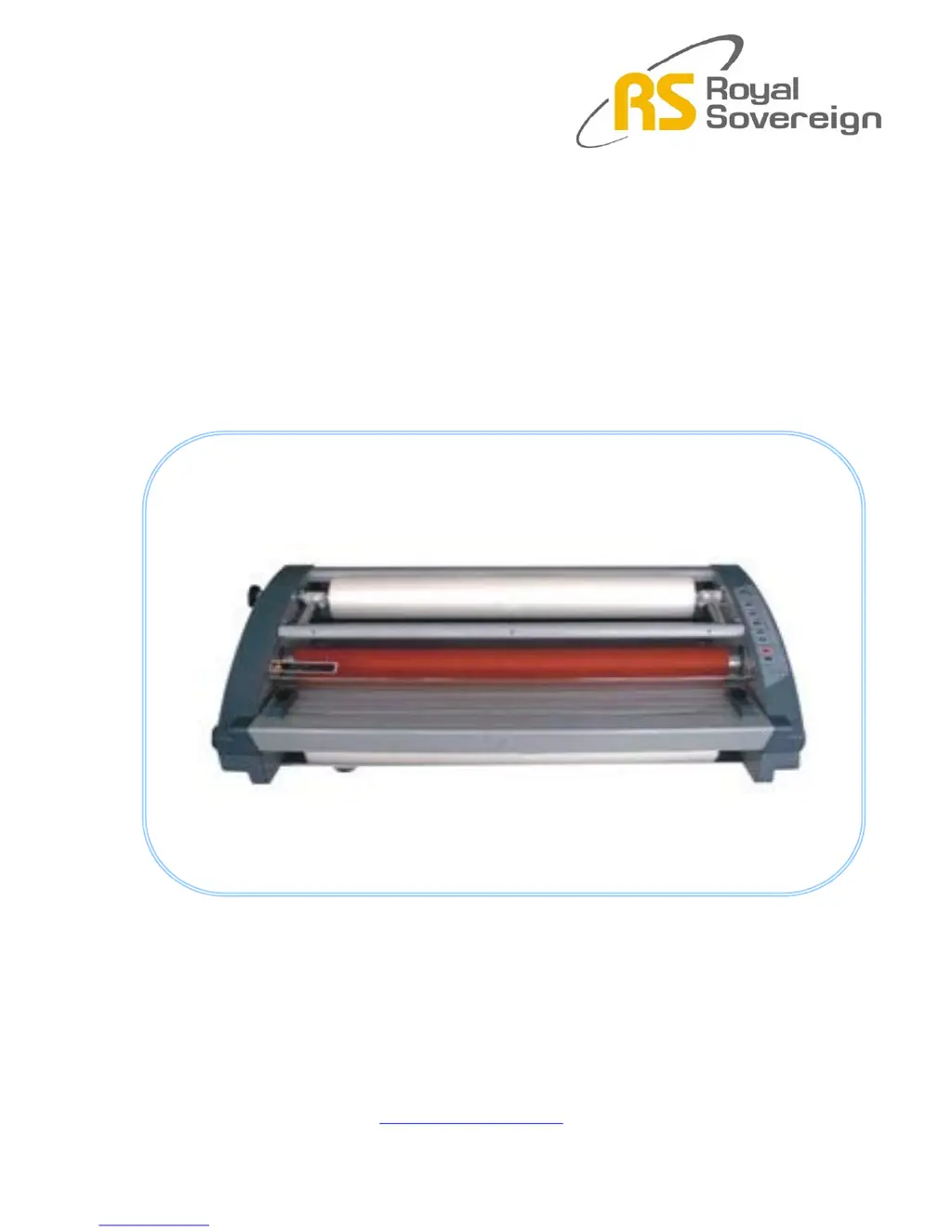
Royal Sovereign RSL-2701 - User Manual

Royal Sovereign RSL-2701
42 pages
Print Icon
To Next Page IconTo Next Page
Loading...
MODEL: RSL-2701
RSL-2701U
RSL-380
ROLL LAMINATOR SERVICE MANUAL
www.royalsovereign.com

Other manuals for Royal Sovereign RSL-2701

Questions and Answers

  • C
    Christopher LopezJul 30, 2025
    What to do if Royal Sovereign Laminator rollers are not running?
    • M
      Matthew MerrittJul 30, 2025
      If the rollers on your Royal Sovereign laminator aren't running, there could be several reasons: * Ensure the safety cover is correctly positioned so that its edge presses the micro switch lever completely. * Check that the motor wire connectors are properly connected. * If film is jammed, press the reverse button and gently pull the film backward. If it jams again, stop reversing, press the run button, and continue pulling the film backward. * A defective main motor may be the cause. In this case, replace the motor. * A defective Main PCB may be the cause. In this case, replace the Main PCB only when all of the above mentioned Emergency switch, Frame paper guide, Safety cover switch, motor wire connectors, main motor and film are normal.
  • K
    Kyle BurchAug 4, 2025
    What to do if the Royal Sovereign RSL-2701 rollers do not operate?
    • S
      Stephanie DiazAug 4, 2025
      If the rollers on your Royal Sovereign Laminator aren't working after pressing the RUN/STOP button, there are a few things to check: 1. Make sure the safety cover is completely closed. 2. Verify that the power cord is securely plugged in. 3. Ensure that the machine is turned on.
  • B
    bjohnsonAug 9, 2025
    Why is my Royal Sovereign RSL-2701 Laminator producing poor lamination quality?
    • J
      Jennifer OrozcoAug 9, 2025
      Poor lamination quality from your Royal Sovereign laminator can stem from several factors: * If there's excessive front roller pressure, try loosening it. * For excessive rear roller pressure, loosen the rear roller pressure. * If the rear roller pressure is insufficient, tighten it. * If there's insufficient pressure on the rear left or right side roller, tighten the respective side. * Excessive heat at the nip rollers can cause issues, so lower the roller temperature. * Insufficient heat at the nip rollers may also lead to poor quality, so raise the roller temperature.
  • T
    Teresa PerkinsAug 19, 2025
    How to troubleshoot Royal Sovereign Laminator with no main power?
    • M
      Michelle HaleAug 19, 2025
      If your Royal Sovereign laminator has no main power, consider these potential causes: * Verify that the main power wires are correctly connected to the main switch. * Check the main fuse with a multi-tester to see if it's disconnected. If it is, replace it with a new one. * Ensure the Wire-AC IN is correctly connected to the Main PCB. * The transformer might be defective. If so, unfasten the screws, separate the connectors, detach the transformer, and replace it.
  • A
    Andrew MclaughlinAug 25, 2025
    Why is my Royal Sovereign Laminator laminating poorly?
    • F
      fpenningtonAug 25, 2025
      If you're experiencing poor lamination quality with your Royal Sovereign Laminator, consider the following: 1. Adjust the film tension to ensure it's balanced. 2. Make sure the lower idler bar is correctly positioned. 3. Check that you're using the recommended temperature and speed settings.
  • G
    grahamjessicaNov 13, 2025
    What to do if Royal Sovereign RSL-2701 rollers are not heating?
    • C
      clarkmichelleNov 13, 2025
      If the rollers on your Royal Sovereign laminator aren't heating, here are some potential causes and solutions: * A disconnected wire connector from the heater to the MAIN PCB. Test the connector with a multi-tester and replace it if disconnected. * A disconnected Wire-Temp Fuse. Test the fuse with a multi-tester and replace it if disconnected. * A disconnected MAIN FUSE. Test the fuse with a multi-tester and replace it if disconnected. * A defective Bi-metal. Disconnect the heater wire, unfasten the screws, and replace the Bi-metal. * A defective heater in the roller. Test the heater with a multi-tester and replace it if disconnected. * A defective Main PCB. Replace the Main PCB only when all of the above mentioned heater wire, wire thermal fuse, heater and Bi-metal are normal...

Summary

Safety Precautions

Troubleshooting

Rollers Not Heating

Troubleshooting steps for when the laminator rollers are not heating up.

Rollers Over Heating

Troubleshooting steps for when the laminator rollers are overheating.

Rollers Not Running

Troubleshooting steps for when the laminator rollers are not moving.

No Main Power

Troubleshooting steps for when the laminator does not power on.

Poor Lamination Quality

Troubleshooting steps for various lamination quality issues.

Replacing Parts

Right Cover Replacement

Procedure for disassembling and replacing the right cover of the laminator.

Left Cover Replacement

Procedure for disassembling and replacing the left cover of the laminator.

Rear Cover Replacement

Procedure for disassembling and replacing the rear cover of the laminator.

Main PCB Replacement

Procedure for removing and replacing the main printed circuit board.

Sub PCB Replacement

Procedure for replacing the sub printed circuit board.

Heaters Replacement

Procedure for disassembling and replacing the heater components.

Cross Cutter Replacement

Procedure for disassembling and replacing the cross cutter assembly.

Motor Replacement

Procedure for disassembling and replacing the main motor.

Adjustments

Adjusting Front and Rear Roller Pressure

Steps to adjust roller pressure using a screwdriver and scale.

Exploded Views

RSL-2701;2701 U Exploded View Diagrams

Overall exploded view illustrating all components of the RSL-2701/2701U.

RSL-380 Exploded View Diagrams

Overall exploded view illustrating all components of the RSL-380.

Wire Diagrams

AC 100-120 V Wire Diagram

Electrical schematic for 100-120V AC power configuration.

AC 220-240 V Wire Diagram

Electrical schematic for 220-240V AC power configuration.

Component Layouts and Connections

Main PCB, Sub PCB, and Power Cord Layouts

Layouts illustrating the physical placement and connections of PCBs and power cord.

Frame Layouts and Connections

Diagrams showing physical layouts and wire connections within the machine's frames.

Royal Sovereign RSL-2701 Specifications

General IconGeneral
BrandRoyal Sovereign
ModelRSL-2701
CategoryLaminator
LanguageEnglish

Related product manuals