24
ADDING SERVICES (continued)
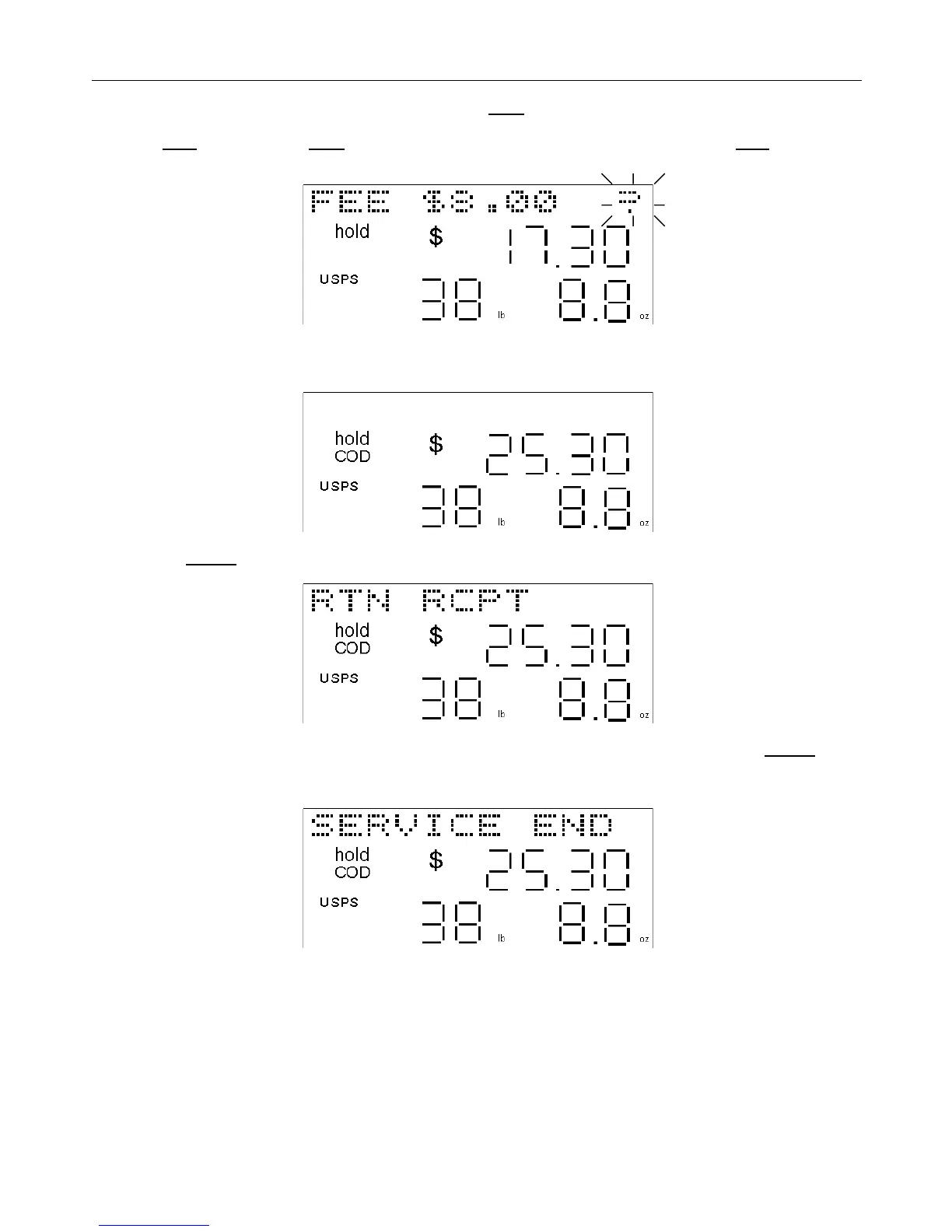
• The fee for the selected service will be displayed. Press enter to accept the fee and the service.
• Press clear before pressing enter to decline the service and cancel the operation. Pressing clear will back you
out of the “additional services” function one step at a time.
The fee for the optional service will be added to the existing shipping rate and the total price for shipping the parcel,
including all added services, will be displayed.
• Press the service key again to add any additional services available, and follow the instructions above.
If no additional services are available, the scale will display “SERVICE END” for one second. If the service key is
pressed again, after “SERVICE END” has been displayed, all the optional services that may have been selected for
that parcel will be removed and the basic shipping price only will be displayed.


 To Next Page