19
DETERMINING A SHIPPING RATE ON THE SCALE
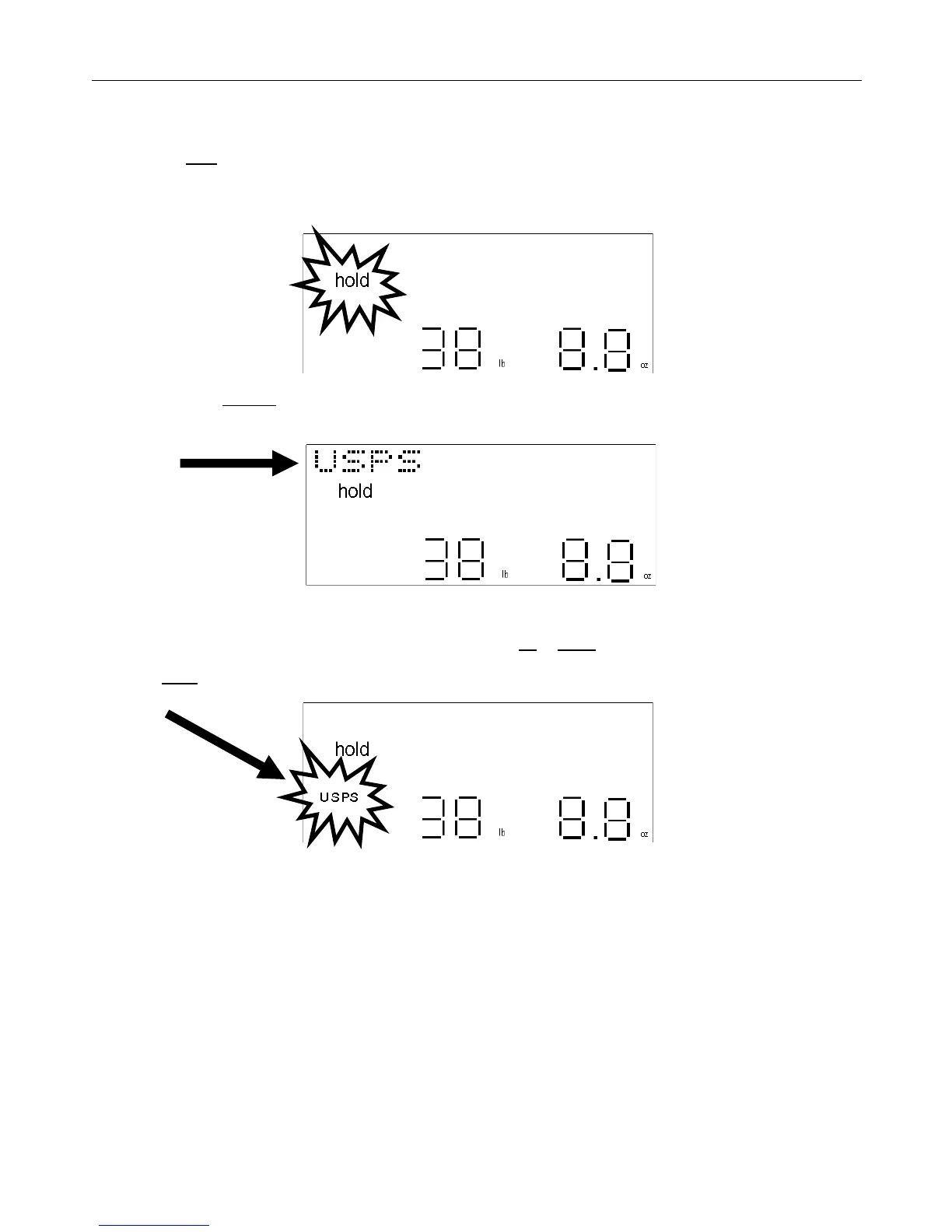
1) Place a parcel on the scale to get a weight reading of the parcel.
2) Press the hold key.
If the parcel is not there to be placed on the scale platform and weighed, then follow the procedures for “MANUAL
WEIGHT INPUT” (page 18).
3) Next, press the shipper key. A carrier name will show on the display. The last carrier selected will display first. If
there was no carrier selected the display will show the first carrier in memory.
4) Scroll through the various carriers in memory by pressing the up or down arrow keys.
5) Press enter to select the carrier. The selected carrier’s icon will turn-on.
When the carrier icon is on, the name of one of that carrier’s services will appear on the display. The service last
selected will appear first; otherwise the first service in memory will appear if the selected carrier was not used since
the scale was powered on.


 To Next Page