26
PRICE COMPARISON (continued)
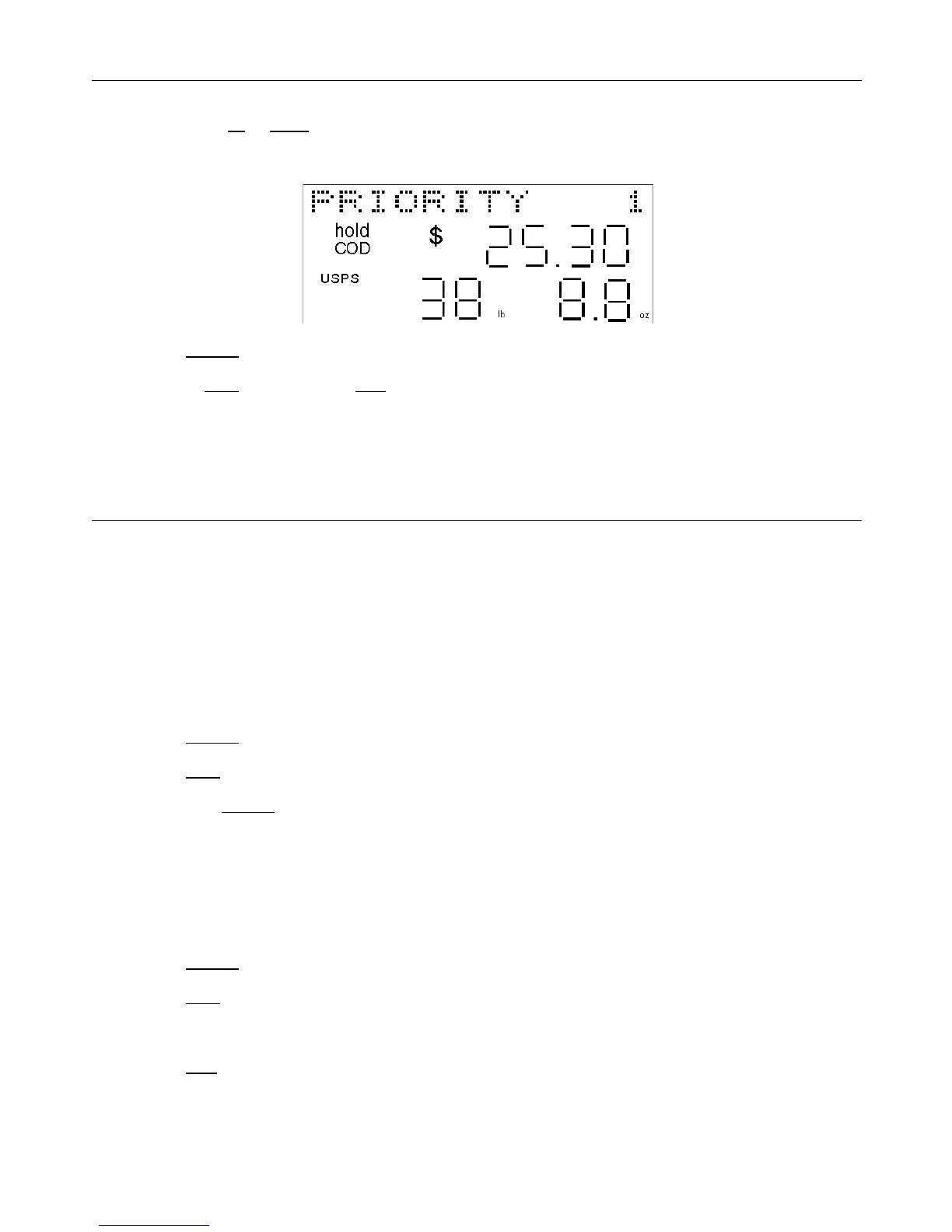
• Then press the up or down arrow keys to scroll through the saved data on the display. The carrier, shipping
method, weight, price and whether COD and/or insurance were added will all appear on the display. The memory
location will also appear in the upper right-hand corner of the display as either the number “1”, “2”, or “3”.
• Press the shipper key to exit from memory and determine another shipping rate.
• Or press the clear key and then the hold key to completely exit the memory and rate calculating modes of the
scale.
EXITING THE “SHIPPING RATE” MODE / CLEARING THE SCALE
If you were calculating a shipping rate and simply want to clear the scale to either start over or determine the shipping
rate of another package; the instructions below will exit you from the “Determining a Shipping Rate” mode of the scale
WITHOUT saving the shipping rate or shipping information to the scale’s memory.
If you want to save the shipping information and rates to memory for future comparison, see the instructions for “SAVE
TO MEMORY” previously.
EXIT WITHOUT SAVING TO MEMORY & DETERMINE ANOTHER SHIPPING RATE:
To exit the “Shipping Rate” mode without saving the shipping rate information to memory, but to keep the same weight
on the scale display and be able to determine another shipping rate with a different shipping method or carrier for the
same package:
• Press the shipper key. The display will show “SAVE TO Mx ?” (x=memory location number 1, 2 or 3).
• Press the clear key.
• Then press the shipper key.
• You may now select the carrier and determine the shipping rate for that same package or weight using a different
carrier and/or shipping method. See page 19, starting with Step 4 for “Determining a Shipping Rate”.
EXIT ALL MODES & COMPLETELY CLEAR THE SCALE DISPLAY:
The simplest way to completely clear the scale is to exit the “Shipping Rate” mode without saving any shipping rate
information to memory and to return the scale display to zero (the default display):
• Press the shipper key. The display will show “SAVE TO Mx ?” (x=memory location number 1, 2 or 3).
• Press the clear key.
• Remove the package or item from the scale platform, if anything was physically on the scale platform.
• Press the hold key to release the weight shown on the scale display and return the scale to zero.


 To Next Page