HangZhou RuiDeng Technologies Co., Ltd
1.3 The Core Function:
·PC Bluetooth Communication
·
Android Phone APP Control
·Quick Charge Recognition
·Data Record and Store
·Capacity/Energy Detection
·Differential Voltage Method Measurement Data Connection Cable Impedance
Voltage/Current/Power Detection
·
Load Connecting Detection Function (Screen Auto Off, Plug The Load, Screen Auto Lighting)
1.4 Device Layout
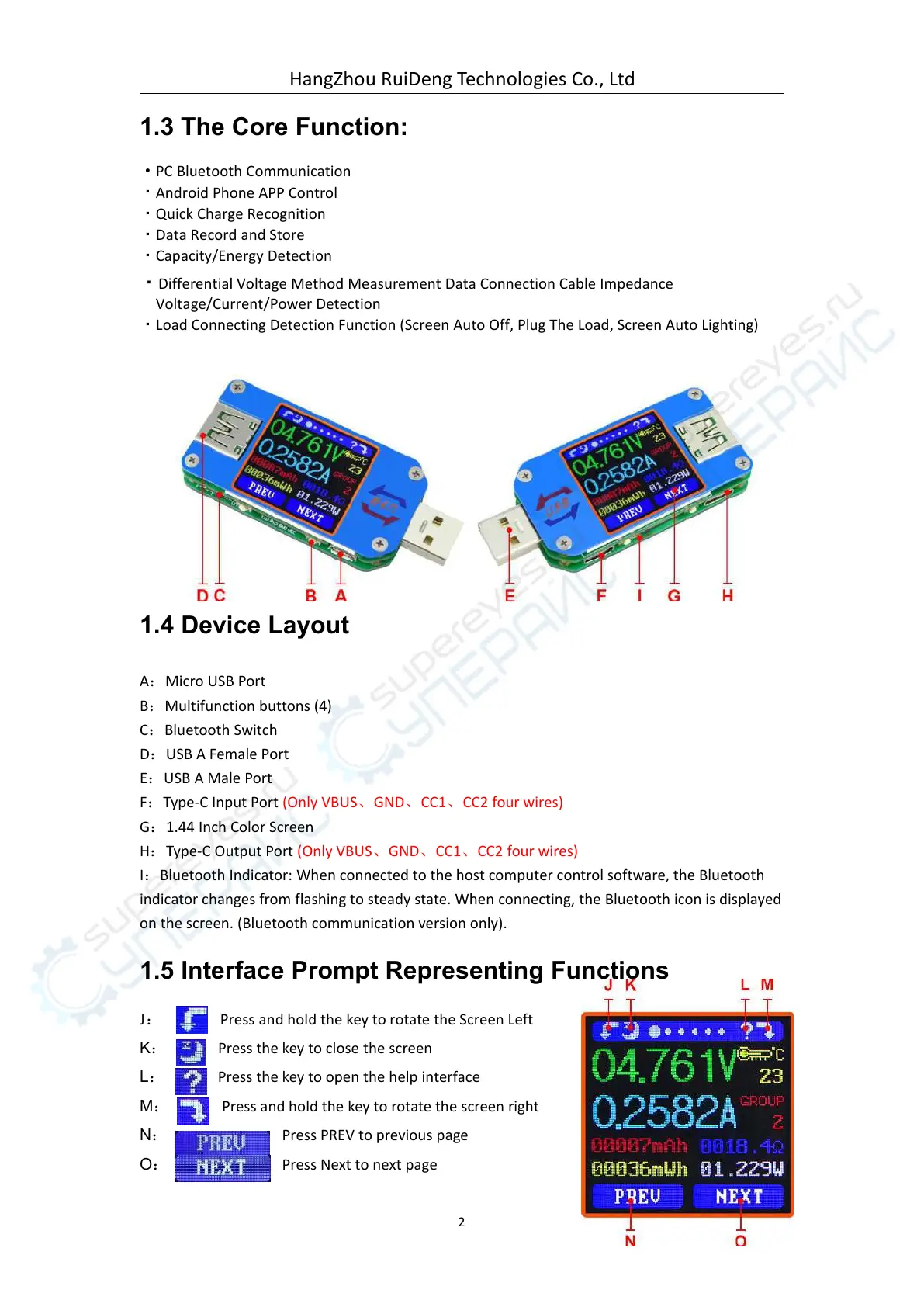
A:Micro USB Port
B:Multifunction buttons (4)
C:Bluetooth Switch
D:USB A Female Port
E:USB A Male Port
F:Type-C Input Port (Only VBUS、GND、CC1、CC2 four wires)
G:1.44 Inch Color Screen
H:Type-C Output Port (Only VBUS、GND、CC1、CC2 four wires)
I:Bluetooth Indicator: When connected to the host computer control software, the Bluetooth
indicator changes from flashing to steady state. When connecting, the Bluetooth icon is displayed
on the screen. (Bluetooth communication version only).
1.5 Interface Prompt Representing Functions
Press and hold the key to rotate the Screen Left
Press the key to close the screen
Press the key to open the help interface
Press and hold the key to rotate the screen right
Press PREV to previous page



 To Next Page