Copyright ©2022 Ruko All Rights Reserved.
27
F11GIM User Manual
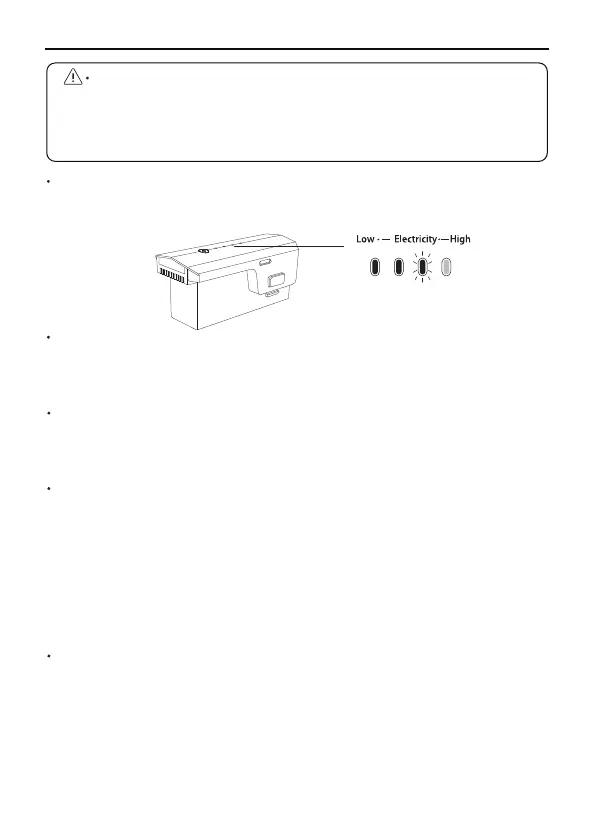
Checking Battery Level
Press and hold the power button, after the indicator light turns on to
the fourth, release the power button to check the current battery level.
Do not install the battery into the Aircraft or remove the battery from
the Aircraft when the battery power is turned on. Otherwise, the
poor contact of the battery interface during the operation may cause
the battery to short-circuit and burn the Aircraft. The battery must
be installed or removed with the battery power turned off.
Powering On
Press and hold the power button for 3 seconds, release the power
button after the indicator light turns on to the fourth. When turned on,
the power indicator shows the current battery power.
Powering Off
Press and hold the power button for 3 seconds, release the power
button after all the indicator lights are off; after turning off, the
indicator lights are all off.
Low Temperature Notice
When using the battery in a low temperature environment (0°C to 5°C),
make sure that the battery is fully charged. The discharge capacity of
the battery will be reduced when working in a low temperature
environment.
In a low temperature environment, due to the battery output power
limitation, the Aircraft's wind resistance and flight performance will be
reduced. Please be careful. You need to be extra cautious when flying
in low-temperature and high-altitude environments.
Charging the Battery
Before using the Intelligent Flight Battery, be sure to fully charge it.
Please use a 5V/3A USB charging plug. In the charging state, the
battery power indicator will flash and indicate the current charge level;
when the fourth indicator light is always on, it indicates that the
charging is complete. After charging is complete, please remove the
charger in time.



 To Next Page