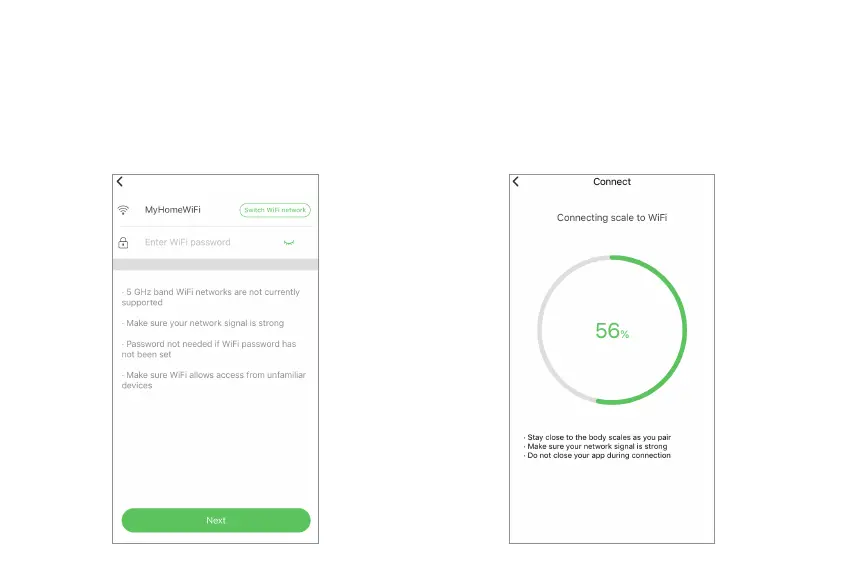
3. Select a Wi-Fi network. By default, your
phone’s currently connected Wi-Fi network is
selected. You can change to another Wi-Fi
network. Type in the network password, and
then tap the “Next” button.
4. Then you will see the Wi-Fi “Connect”
screen. Don’t close your app during the
connection period. Once done, the Wi-Fi
configurations is complete.
Configure Wi-Fi


 To Next Page