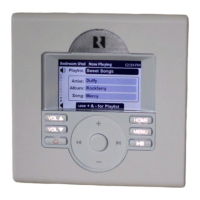
Keypad Conguration
Controller / Keypad Conguration
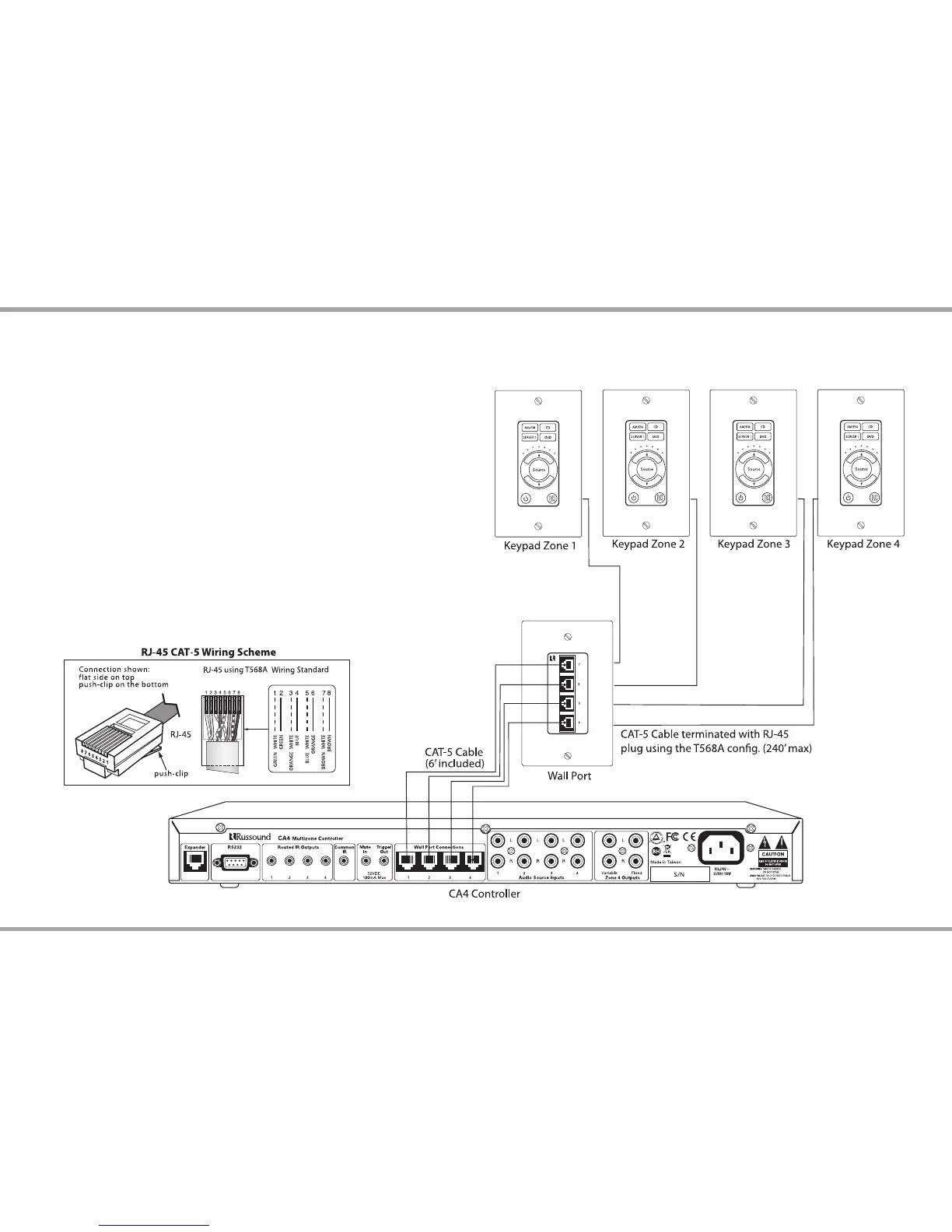
The CA4 Wall Port jacks are located on the rear of the controller. These RJ-45
ports must be connected to the corresponding jacks on the wall port. Each
keypad is then connected to the wall port.
All CAT-5 connections are made with RJ-45 connectors using the T568A
Wiring Standard conguration. For a clean installation use the included RJ-45
CAT-5 pass-through cables to connect from the controller wall port jack to
the corresponding one on the CA4-WP. Using the same wiring conguration
to terminate the ends, route a CAT-5 cable from the wall port to each of the
keypads. Cables from the controller to the wall port should not exceed 6 feet
(2m).
The maximum recommended CAT-5 cable length is 240 feet (73.2m) between
the wall port and the keypad.
Note: All four CAT-5 cables must be connected between the controller and
wall port for proper operation.
Caution: Cables between the wall port and the controller must match
numerically (#1 on Controller to #1 on Wall Port, etc.). Swapping cables to
dierent ports can damage the equipment.


 To Next Page