Need help?
Do you have a question about the Russound CAV6.6 and is the answer not in the manual?
Comprehensive list of safety and operating instructions for appliance use.
Specific warnings and recommended practices for safe operation.
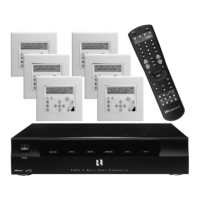
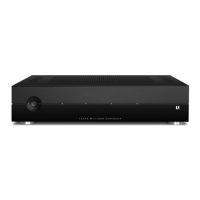
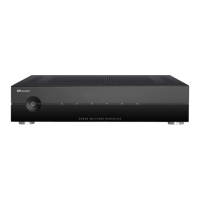
Detailed overview of the front panel features and connections of the CAV6.6.
Explanation of the UNO-S2 keypad's controls, display, and functions.
Description of the UNO-TS2 touchscreen interface and its interactive elements.
Explanation of the UNO-S1 keypad's controls, display, and operational features.
Details the functions and buttons of the SRC2 remote control.
How to use the UNO-S2 keypad for basic functions like room control and source selection.
Customizing room audio properties and control functions via the UNO-S2 menu.
Basic operations for the UNO-S1 keypad, including room and system control.
Adjusting audio properties and control functions using the UNO-S1 user menu.
Navigating and controlling the system via the UNO-TS2 touchscreen interface.
Configuring features and sound control on the UNO-TS2 touchscreen.
Instructions for unpacking components and listing necessary installation tools.
Factors to consider before installation and general connection advice.
Identification of ports and controls on the CAV6.6 controller's front panel.
Detailed diagram of the CAV6.6 controller's rear panel connections.
Description of the port for updating UNO keypad operating system software.
Wiring details for the rear panels of UNO-S2, UNO-S1, and UNO-TS2 keypads.
Guidelines for connecting keypads using RJ-45 CAT-5 wiring standards.
Recommendations for running and connecting speaker wires.
Details on CAT-5 connection and jumper settings for the UNO-S2 keypad.
How to connect an external IR receiver to the UNO-S2 keypad.
Advice on choosing a location and installing the UNO-S2 keypad.
Connecting UNO keypads to the CAV6.6 using CAT-5 wiring.
Connecting audio/video sources to the CAV6.6 inputs.
How to connect speakers to the CAV6.6 amplified outputs.
Using 12VDC triggers for power management and home theater integration.
Connecting multiple CAV6.6 controllers or RNET-enabled components.
Connecting to automation systems and performing firmware updates via RS-232.
Connecting a keypad for programming the CAV6.6 controller.
Procedure for testing hardware functionality before system programming.
Introduction to the programming process and its components.
Configuring source settings, names, and IR commands for basic operation.
Adjusting zone properties like volume, system on/off, and party mode.
Process for learning IR commands for source components not in the library.
Creating sequences of commands (macros) for single-button activation.
Visual guides for navigating source setup procedures.
Graphical representation of the zone setup configuration process.
Visual guide for controller ID and factory initialization settings.
Flow chart detailing the system's power management configuration.
Visual guide for the IR command learning procedure.
Flow chart illustrating the macro creation process.
Running diagnostic checks and verifying firmware on UNO keypads.
Reference list of IR device codes for various TV manufacturers.
Example setup for a basic six-zone, six-source system.
Example of linking multiple CAV6.6 controllers for expanded zones.
Demonstrates expanding zones using a keypad splitter hub.
Illustrates adding sub-zones using A-BUS expansion hubs.
Example of adding external amplifiers for increased power or speakers.
Setting up the CAV6.6 for integration with a home theater system.
Table mapping UNO-S1 keypad functions to TV (HDTV) commands.
Detailed technical specifications for the CAV6.6 unit.
Technical details and dimensions for the UNO-S2 keypad.
Details the two-year limited warranty and its terms.
Instructions for returning the unit for service and obtaining authorization.

 To Next Page

 General