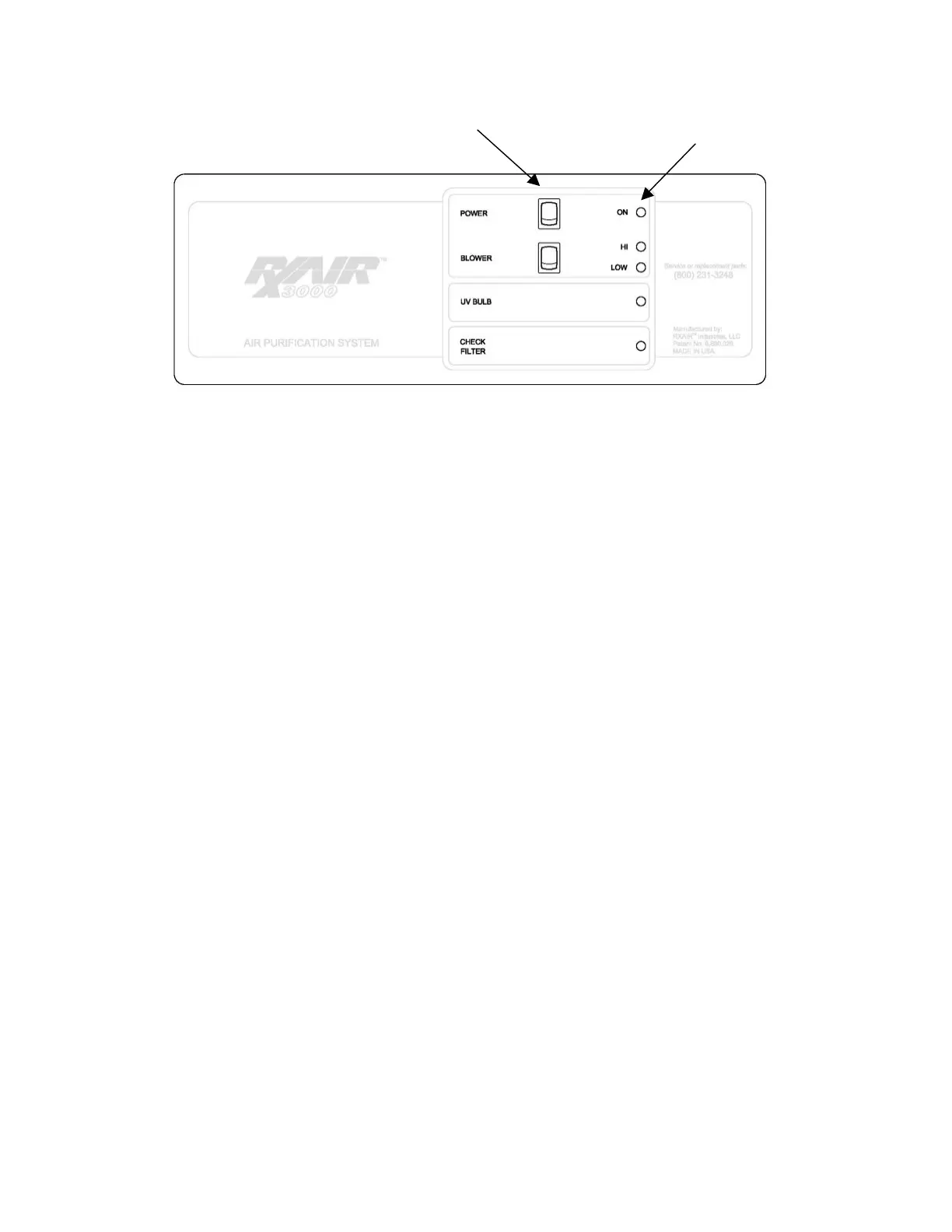
3. Controls and Indicators
Figure 1: Controls & Indicators
Power Switch
Press to turn the unit on or off.
Blower Switch
Press to alternately select Hi or Low blower speeds.
On Indicator
Illuminates when the unit power swtich is in the On position and the unit is plugged in.
HI / LOW Blower Indicators
Illuminates to indicate Hi or Low speed of the blower. The blower indicator is only visible
when the unit power switch is in the On position and the unit is plugged in.
Replace UV Bulb Indicator
Flashes when the UV bulb requires replacement. See maintenance section.
Replace Filter Indicator
Illuminates when the HEPA filter requires replacement. See maintenance section.


 To Next Page