Menu Operation
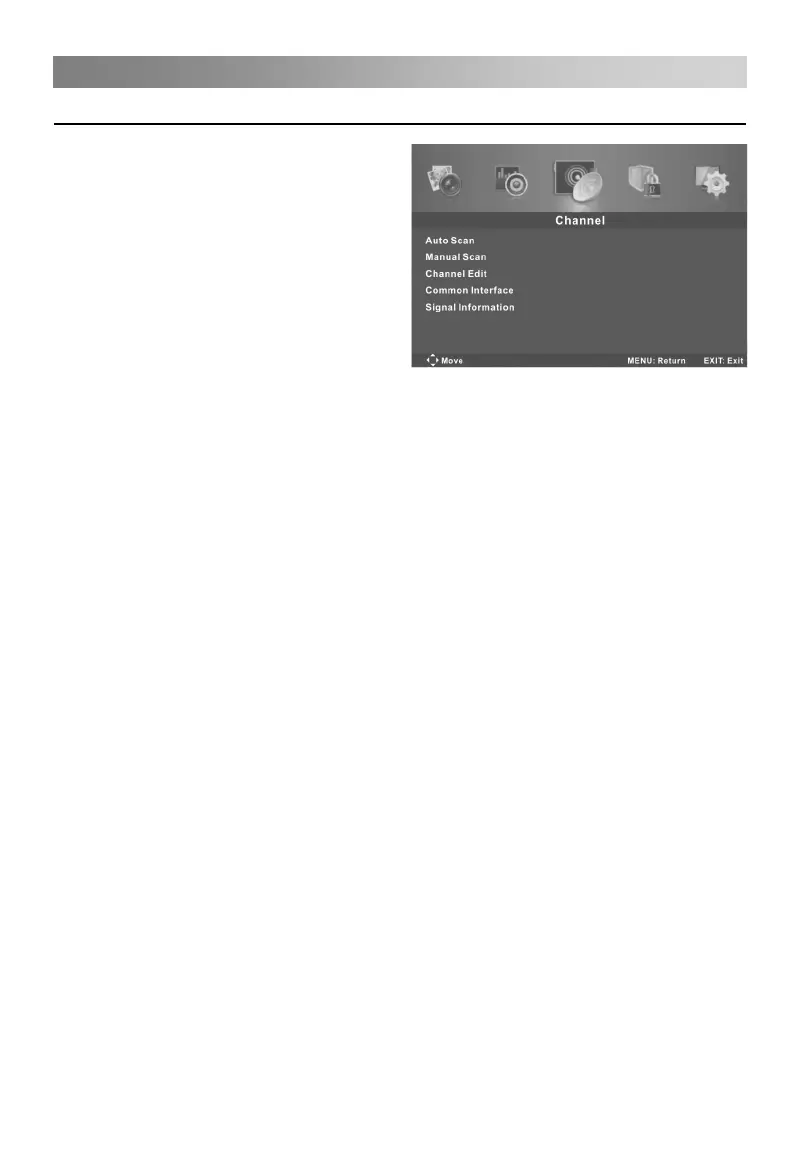
Configuring the Channel Menu
• Auto Scan
Press the ENTER button to enter
sub-menu.
Country: Press the◄/►button to select
country.
Mode: Press the◄/►button to select
Mode: DTV+ATV, DTV, ATV.
Start: Press the ENTER button to start
the auto searching.
• Manual Scan
Press the ENTER button to enter sub-menu.
- Digital Manual Scan: Press the▲/▼button to select the Digital Manual Scan, then
press the ENTER button to enter sub-menu.
Digital Scan: Press the◄/►button to select the channel number.
Start: Press the ENTER button to start the channel searching.
Frequency: Display the frequency of current TV signal.
Strength: Display the quality of current TV signal.
- Analog Manual Scan: Press the▲/▼button to select the Analog Manual Scan, then
press the ENTER button to enter sub-menu.
Analog Scan: Press the◄/►button to select Analog Scan.
Channel to Save: Press the◄/►button to select channel.
AFC: Press the◄/►button to select On or Off.
Start: Press the ENTER button to start the channel searching.
• Channel Edit
First press the▲/▼button to highlight the channel you want to delete, skip, rename or
swap, then: Press the red button to delete the channel.
Press the green button to skip the select channel. (Your TV set will skip the channel
automatically when using CH+/- to view the channels.)
Press the yellow button to rename the channel. (In ATV mode)
Press the blue button to set the channel to moving state, then press the▲/▼button to
move it to the positon you want to put.
Color System: Press the◄/►button to select Color System.
Sound System: Press the◄/►button to select Sound System.


 To Next Page