SaeboStim Pro
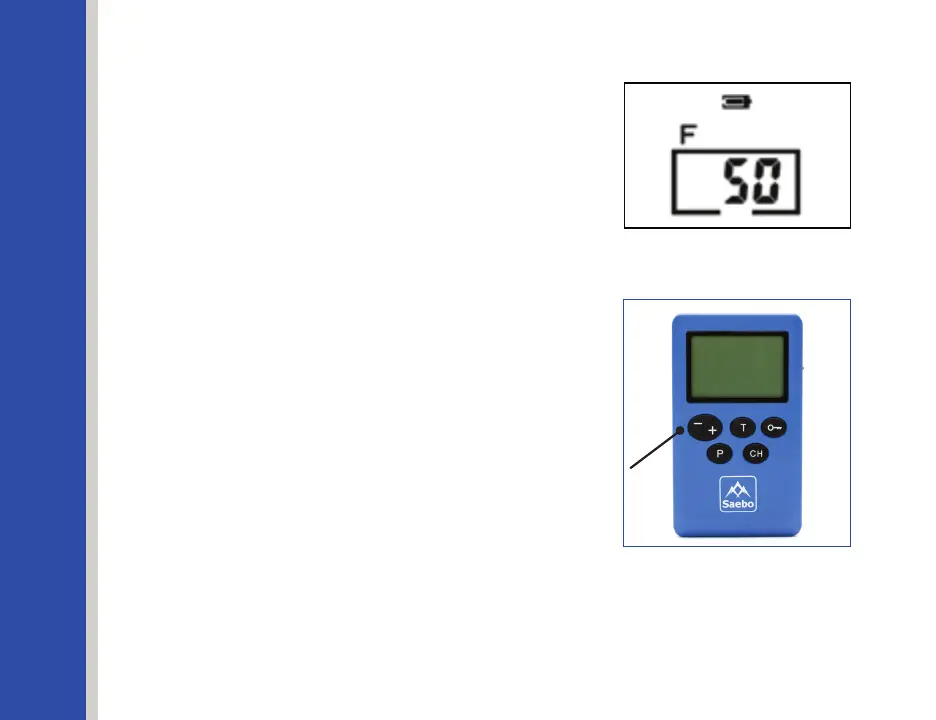
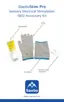
Press the Program Key again to select icon F
(Frequency). The other 4 icons are temporarily
deactivated. This means that the Frequency (F)
is now adjustable. Press the Intensity Keys to
adjust the Frequency. See Figures 27 & 28.
Figure 27
Figure 28
Intensity Key
Icon/Range
F – Frequency, range: 1~125Hz (below 5Hz: with
stepsof1Hz;above5Hz:withstepsof5Hz)
W –PulseWidth,range:100~350μs(±10%,with
stepsof50μs)
S – Contraction time, range: 1~10s (with steps of 1s)
R – Relaxation time, range: 1~10s (with steps of 1s)
T – Treatment time, range: 5-60 minutes (with
intervals of 5 minutes)
34


 To Next Page