SaeboStim Pro
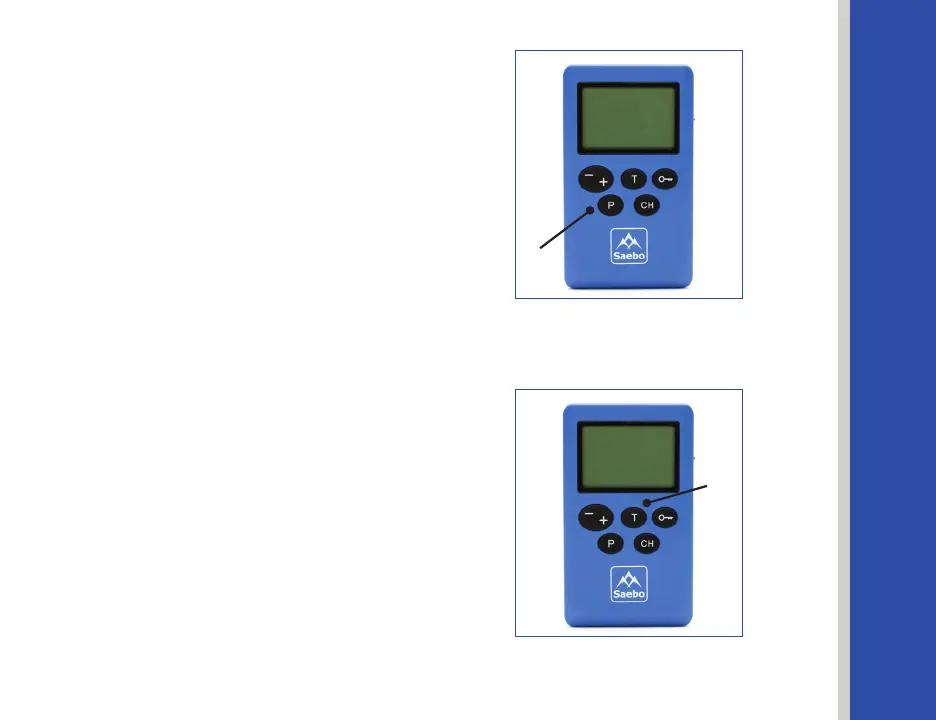
After the Frequency is set, press the
Program Key again to switch to Pulse Width.
See Figure 29.
The icon W is on, and the other 4 icons are
o.PresstheIntensityKeystoadjustthe
Pulse Width. To set the other parameters,
repeat the above steps.
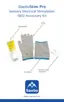
Oncenished,PressthePause/TriggerKey
to exit the parameters setting mode.
See Figure 30.
Note 1: The unit will automatically save
the latest entries. To access the custom
program for future use, select Program 15.
Note 2: To start the custom program, follow
the steps under "Select and Start a Program"
on page 29.
Figure 30
Pause/Trigger
Key
Figure 29
Program Key
35


 To Next Page