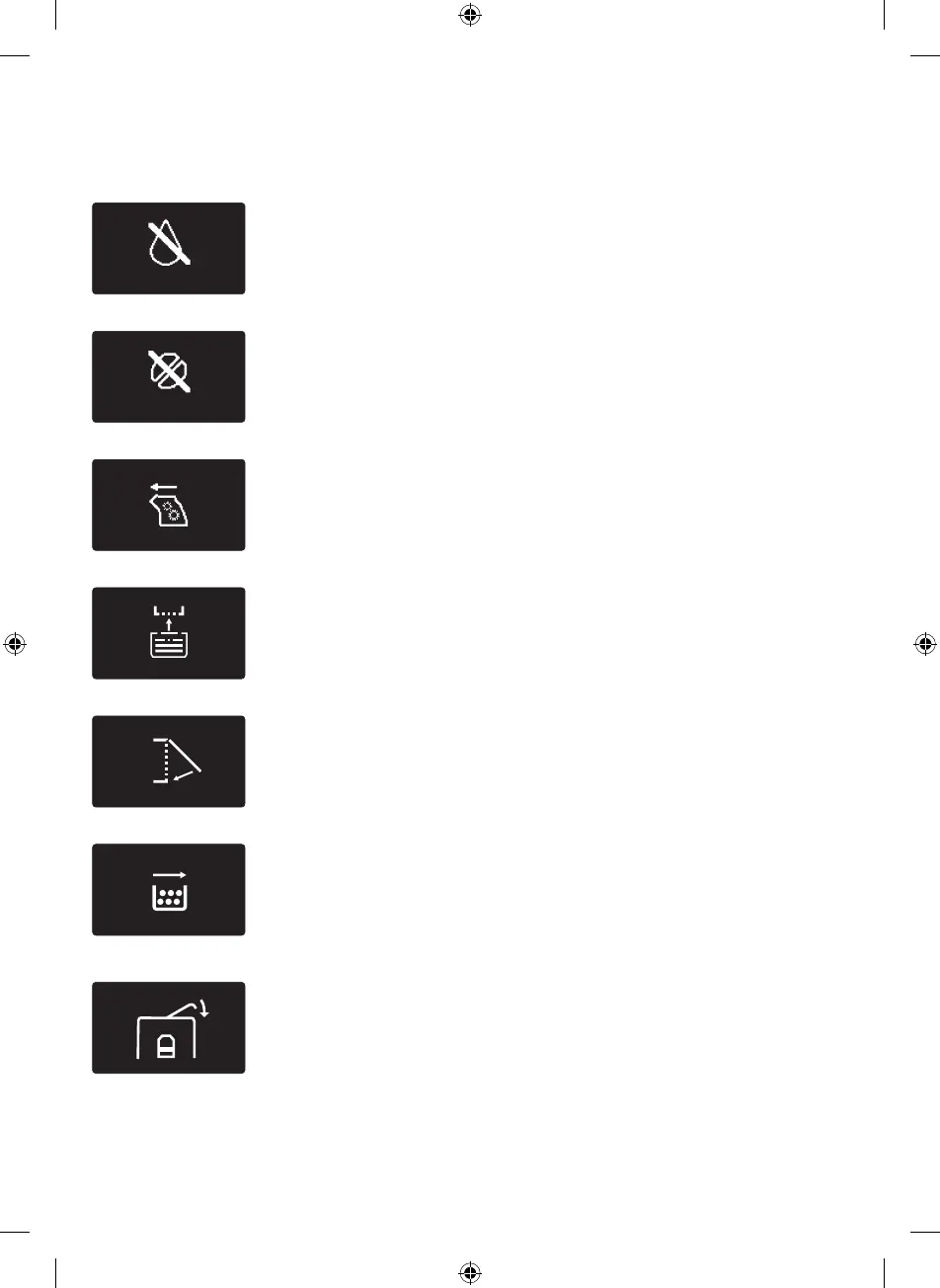
Warning icons and error codes
The warning icons are displayed in red. Below you nd a list of the
warning icons that may appear on the display and their meaning.
- Fill the water tank with fresh water to the MAX level indication.
- The bean hopper is empty. Put new coee beans in the bean
hopper.
- The brew group is not in the machine or it is not inserted
properly. Insert the brew group.
- Insert the drip tray.
- Close the service door.
- Remove the coee grounds container and empty it.
- The lid of the bean hopper is open. Close the lid of the bean
hopper.
English
32
4219_460_3631_2_Lux_Booklet_A5_v2.indd 32 21/07/17 14:30





 To Next Page