English
5
17
5.3 Label application
5.3.1 Product labels
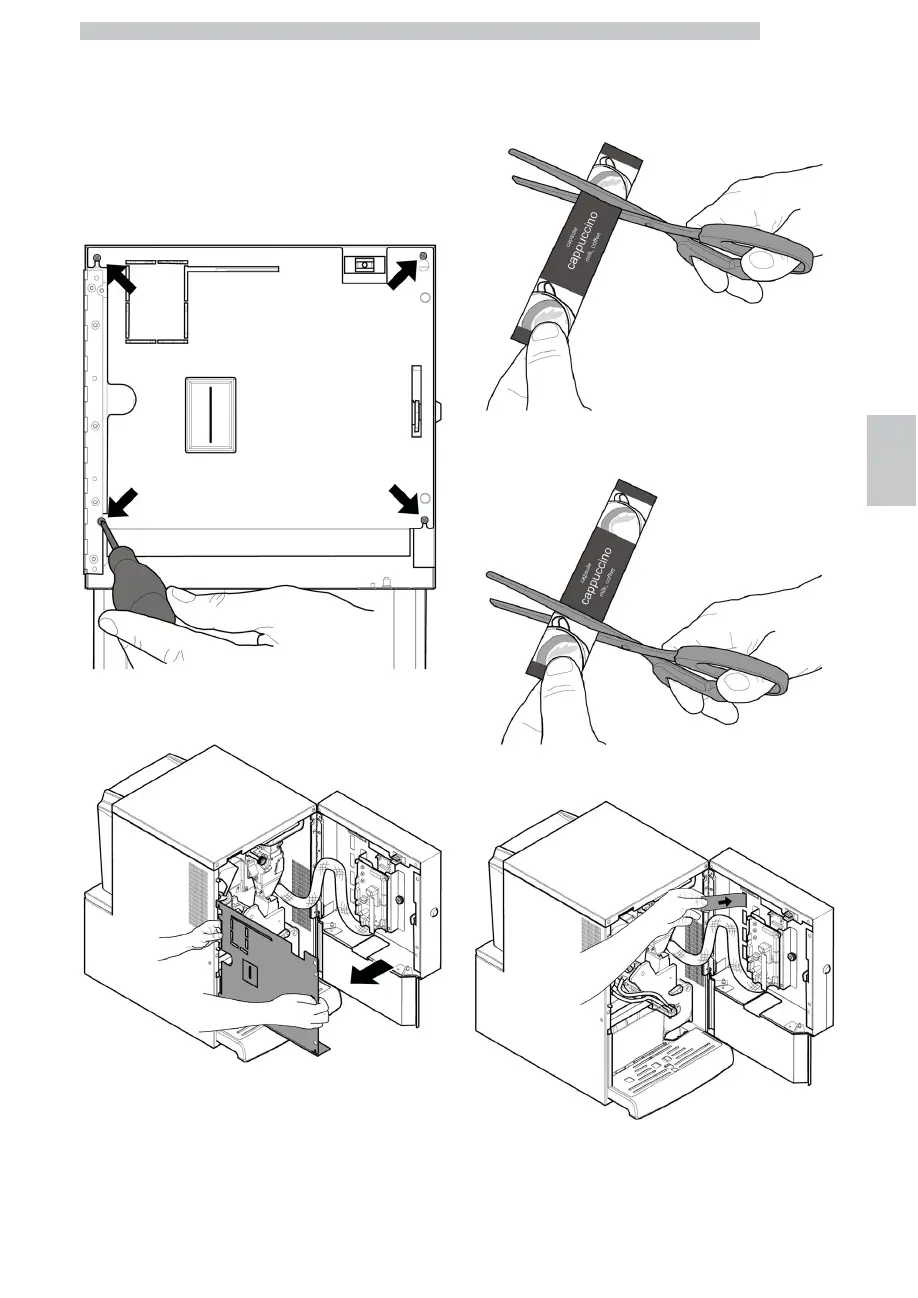
Open the door. By using a screwdriver, unscrew the 4
screws fixing the protection carter to the door.
Remove the carter.
Take out the product label sheet included in the customer
kit.
Remove the labels from the product label sheet by
following the pre-cut line.
Cut the labels as shown in the figure to make the left ones
or the right ones.
Left labels
Right labels
Insert the product labels.
Check the exact position of the labels against the selection
key. Insert the door protection carter back into place.
Tighten the 4 screws previously removed.











 To Next Page