English
8
26
8 PROGRAMMING AND MAINTENANCE MENU
This section illustrates how
to set up or modify the
vending machine
programming and
maintenance settings.
It is therefore necessary to
read it carefully, and
intervene only when the
correct sequence of
operations to be performed
is fully understood.
8.1 Key description of programming
and maintenance phases
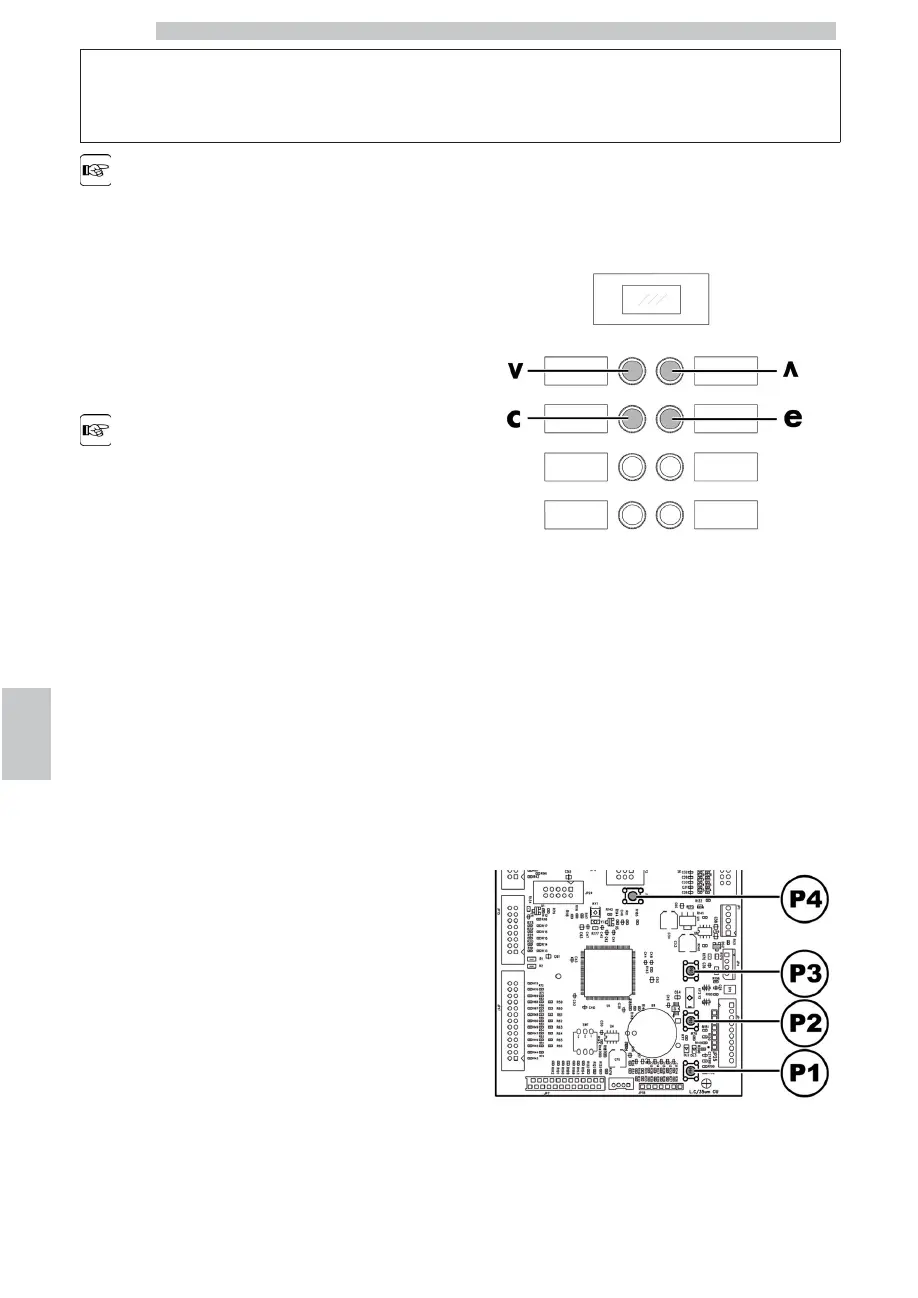
To scroll through the vending machine menu, the keys
described below are used.
“e” Key: ENTER
By pressing this key it is possible to enter the following
programming or maintenance level. It is also possible to
modify or confirm the values set in the entries of the
programming or maintenance menus.
“c” Key: CANCEL
By pressing this key it is possible to go back to the
previous level of the programming or maintenance menu.
It is also possible to avoid storing the previously modified
values.
“v” Key: DOWN
Pressing this key it is possible to access the previous entry
inside the same level. If used after a setting modification
request, the value of this setting decreases.
“^” Key: UP
By pressing this key it is possible to access the next entry
inside the same level. If used after requesting the change of
a setting, the value of this setting increases.
8.2 Programming menu
The structure of the programming menu is indicated in
section “Structure of the Programming Menu”.
The section “Description of Messages in the Programming
Menu” describes all the entries in the programming menu.
8.2.1 Access to the programming
menu
Open the door, disable the safety device (see section
“Safety Devices”) and press the P1 key to enter the
programming menu.
If no password has been assigned, the programming menu
is entered directly.











 To Next Page