English
10
61
10.5 Software update
The vending machine management programme is stored in
the flash memory included in the “Freescale
MC9S12XEP100” microcontroller.
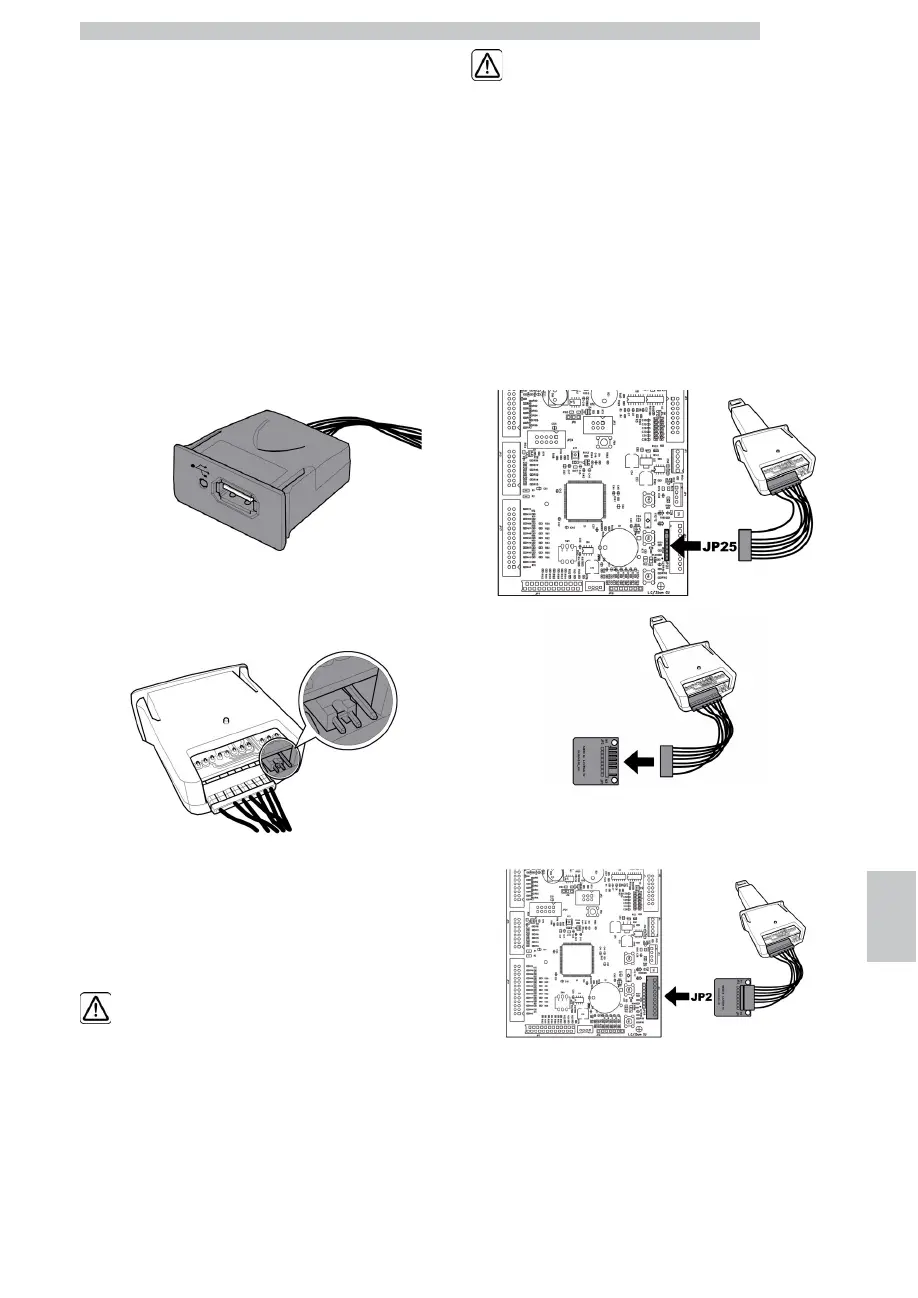
The software update can be performed by using:
• a "VDRIVE2" module;
• a USB key (Pen Drive);
• a file containing the new software to be loaded.
• In case the connector JP25 is not present on the CPU, it is
necessary to use an interface circuit.
There is a jumper on the VDRIVE device. Ensure it is
positioned as shown in the figure.
Update procedure:
• copy the file received for update
“SAE_JEEG_vXXXXX.s19“ (where XXXXX is the version
number) onto a USB key* (the file should be stored on
the device root);
• rename the file as:“SAE_JEEG.s19”.
If the file name is not
correct, the software will
not be recognised (the red
light on the CPU will
remain on).
If the file name contains
empty spaces, the software
will not be recognised (the
red light on the CPU will
remain on).
• switch off the vending machine;
• Insert the USB key into the VDRIVE2;
• Connect the wiring harness of the VDRIVE2 to the CPU board
(connector JP25) or to the interface circuit;
• Insert the interface circuit into the blue connector of the CPU
board (JP2);
• press and hold the P1 button on the CPU;
• Switch on the vending machine;
• After a CPU beep** release the P1 button;
• 3 close beeps and the restart of the vending machine confirm
that the software has been updated.











 To Next Page