English
9
93
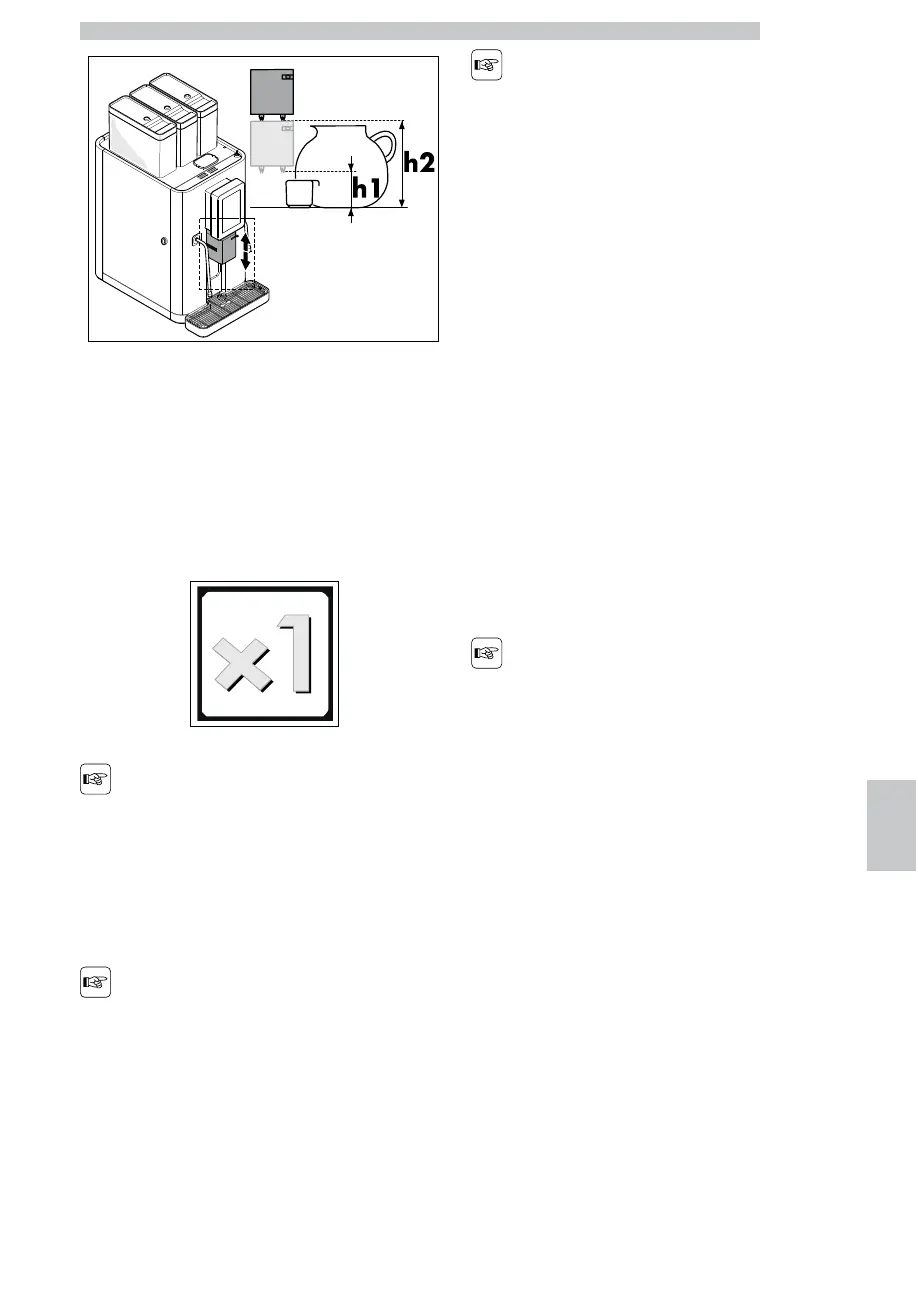
h1 70 mm
H2 200 mm
Beverage Multiplier
This control allows the user to multiply the number of
beverages to be brewed.
Every time the icon shown in the figure is pressed, the
counter increases by 1 unit from a minimum of 1 to a
maximum of 8 beverages.
After pressing the
multiplier icon, only the
beverages programmed for
being multiplied will still be
enabled.
If no beverage icon is
pressed within 5 seconds
after pressing the multiplier
icon, the counter is reset
to 1.
During the beverage
brewing, the number of
the current brewing
process and the total
number of the required
beverages is displayed.
Beverage Brewing
To brew a beverage press the icon corresponding to the
required beverage.
During the beverage brewing, a screen with the following
layout is displayed:
• On the bottom: the product brewing bar.
• In the middle, the picture of the beverage being brewed in
that moment.
• On the top left side: a button to stop the beverage
brewing.
• On the top right side: a button which stops the current
phase but allows you to go on with any subsequent ones.
These buttons feature a
protection against
accidental pressing. In
order to activate the stop
function, release the
button when the message
contained in it is green. In
short, you must keep the
button pressed until the
message contained in it
becomes green, and
release it before it turns
red.


 To Next Page