English
15
7.3 Continuous coffee
measures
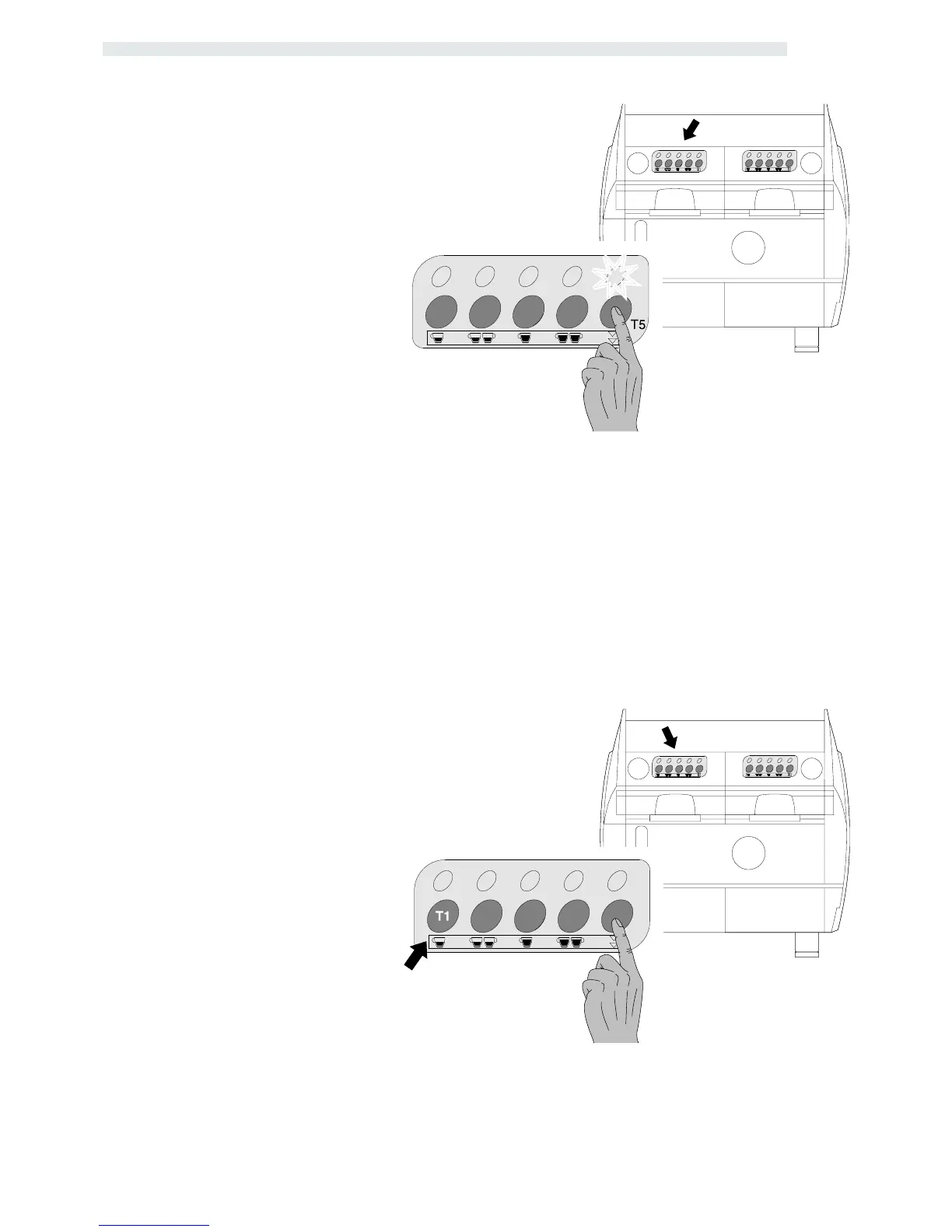
For continuous coffee measure delivery
press key T5 from the keyboard
corresponding to the unit on which one
wishes to operate.
The LED corresponding to key T5 will
remain on for the entire delivery operation.
IMPORTANT ! Avoid keeping it pressed
for more than 5 seconds or it will enter the
programming mode.
Coffee delivery will continue until measure
stop by pressing key T5, or on obtaining
the maximum amount of product which can
be obtained through volumetric control
(6000 impulses) or by means of delivery
Time-out function.
IMPORTANT ! The start of the relative
continuous cycle occurs on the release
(within 5 seconds) of key T5 and not on
pressing of the same. While the STOP
function may be obtained by pressing it a
second time.
T5
Engagement/deactivation
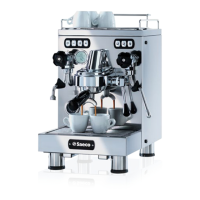
Start the machine by pressing the main
switch keeping key T5 of unit 1 pressed
and wait for the led relative to key T5 to
begin flashing.
Press key T1 in order to engage or
deactivate the PRE-INFUSION.
To escape from this condition and return
to normal functions press key T5 again.
T1 KEY LED ON : PRE INFUSION: ON
7.4 Special functions
Pre-infusion
Our software permits measure
configuration so that the relative delivery
of the COFFEE measures through
volumetric control is preceded by pre-
infusion. Delivery of the coffee measure
after time 1 (ON) is suspended for a time
2 (OFF) and is then resumed for the
completion of selection.
On pressing one of the volumetric control
measure keys, the normal delivery cycle
is preceded by a short timed water jet in
order to dampen the coffee pellets before
actual delivery stage.
This function ensures the optimum use of
the coffee pellets.


 To Next Page