39
English
BEVANDA 01
ACQUA CAFFE: 38
- Instant product:
It defines the quantity of instant product to be
dispensed.
Example:
005 indicates that 5 units of instant product 3
will be used.
The quantity of instant product can be adjusted
from 0 to 250 with steps of 1.
- Instant water:
It defines the amount of water to be mixed with
powder instant product.
Example:
3 indicates that water will be mixed with instant
product 3. 022 indicates that 22 units of water
will be brewed with the instant product.
The amount of water can be adjusted from 0 to
500 with steps of 2.
Coffee beans C
Important
In case the sequence includes more instant
products, the sequence INSTANT - WATER will
appear again.
If parameter programming concerning the
instant product (INSTANT - WATER) is such to
extend powder brewing beyond water brewing,
the vending machine stops powder dosing as to
avoid an insufficient mixer rinsing and emits a
beep. Check again the parameters set, in order
to obtain a correct dispensing. Powder
dispensing must end a few instants before the
water dispensing so as to allow a good mixer
rinsing.
- Coffee Water:
It defines the quantity of coffee to be brewed.
Example:
38 indicates that 38 water units will be brewed.
The quantity of coffee can be adjusted from 0
to 500 with steps of 2.
BEVANDA A
SOLUBILE 3: 005
BEVANDA A
ACQUA SOL.3:
022
- Sugar
It defines the quantity of sugar to be brewed with
the beverage.
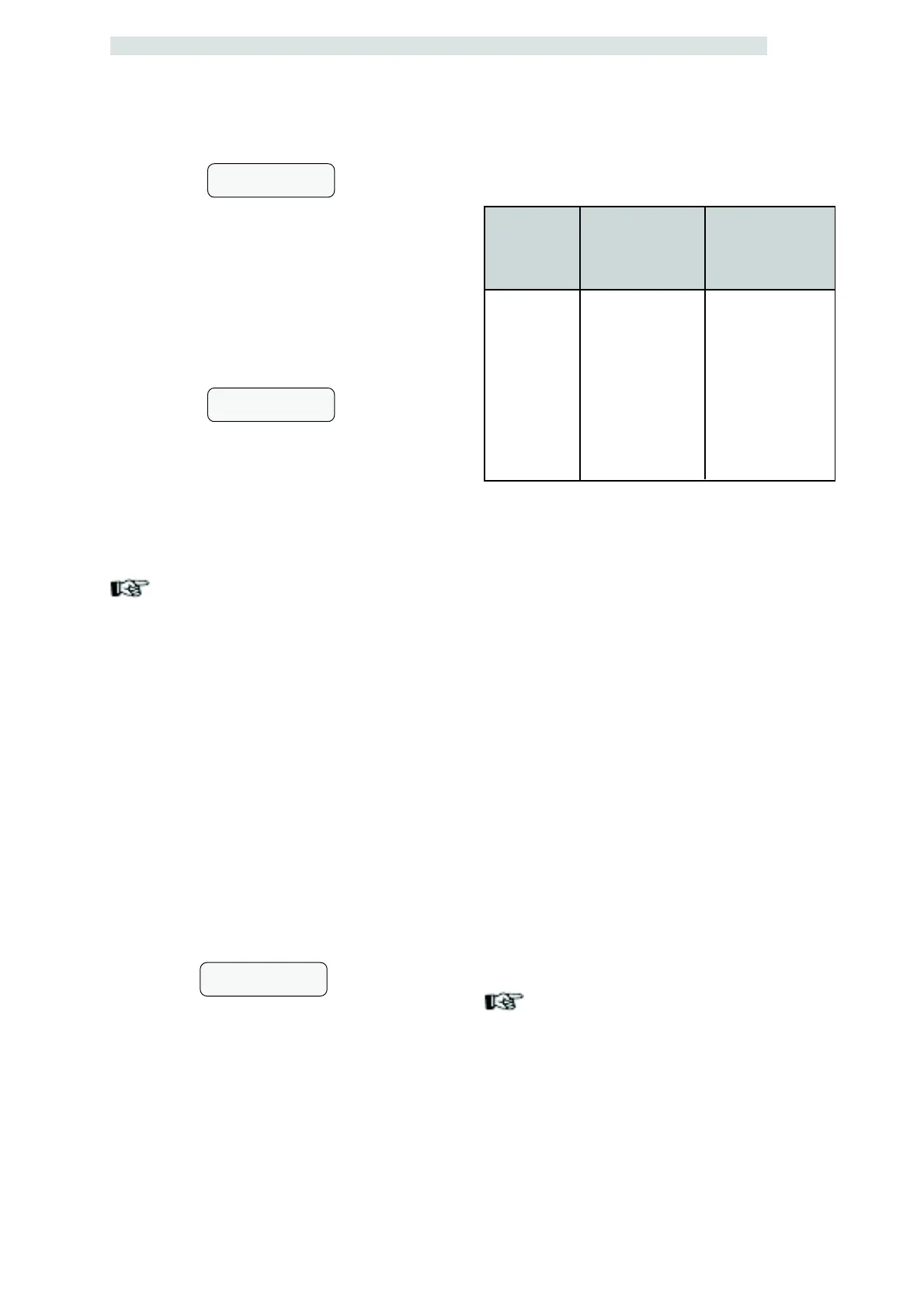
The following table shows the result of the
different settings.
Setting
0
1
2
3
4
NO
Sugar in the
beverage without
preselection
No sugar
1
2
3
4
No Sugar
Sugar in the
beverage with
preselection
Preselected quantity
Preselected quantity
Preselected quantity
Preselected quantity
Preselected quantity
No Sugar
- Beverage check:
It allows you to perform brewing tests on the
beverage just set.
By pressing ENTER the display shows PRESS
KEY and you can choose which key to press
based on the type of brewing test:
- Key 2 Full beverage;
- Key 3 Beverage without cup, sugar and
stirrer;
- Key 4 Only water;
- Key 5 Only powder.
TIMETABLE SETTING
The items of the TIMETABLE SETTING menu
are:
- Never free
Products and beverages supplied should be
paid.
- Always free
Products and beverages supplied are free.
Important
When the Time Keeper module is present, it is
possible to set:
- washing times;
- witching on and off times;
- differentiated pricing times;
- free dispensing times.


 To Next Page