M.HIST.0138.23 R1 Page 6 of 28 October, 06
th
2020
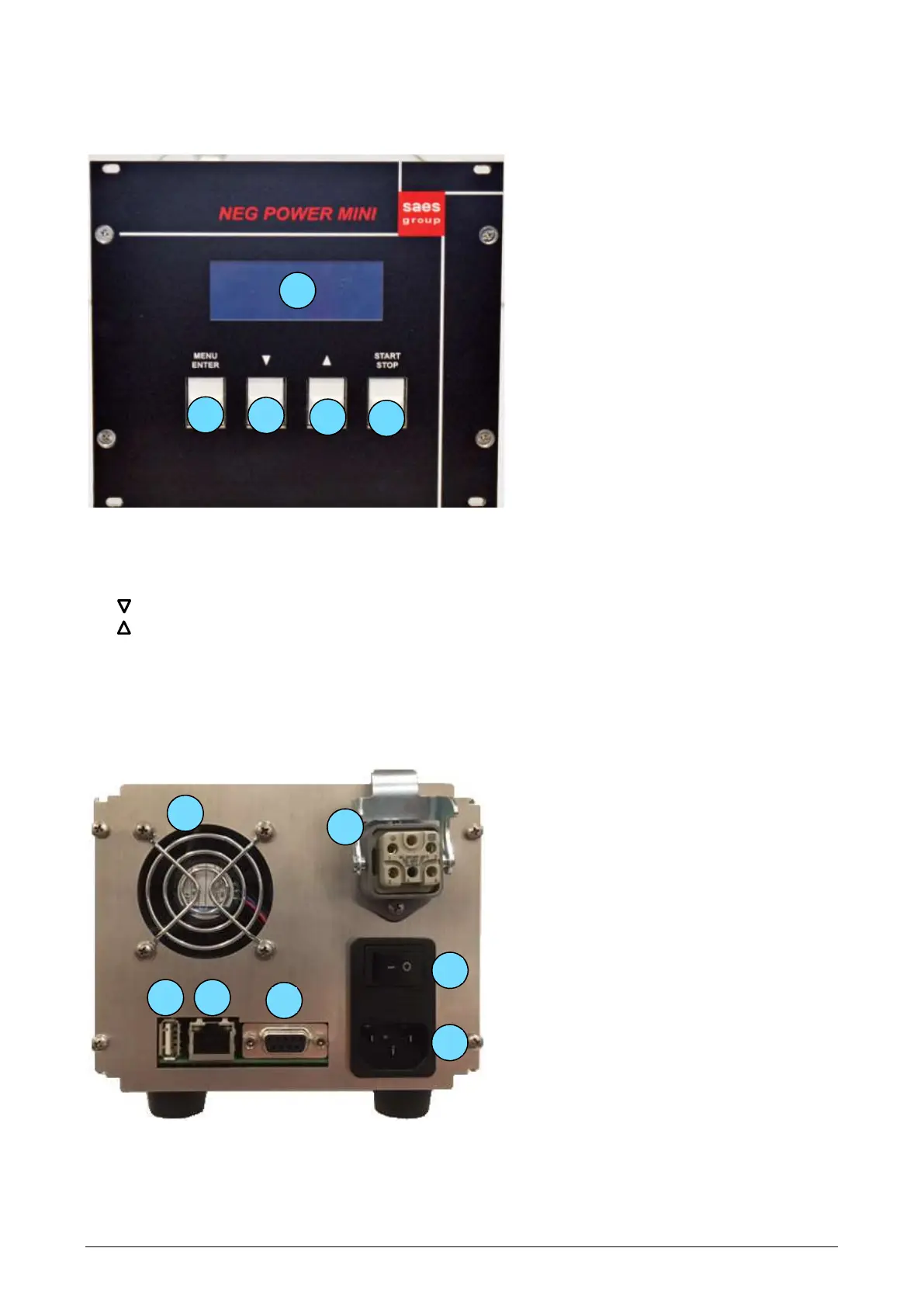
2.4. The front panel of the unit
1. Alphanumeric display
2. MENU/ENTER button to edit the output parameters and to enter the setup menu
3. to reduce the selected value / scroll down in the menu
4. to increment the selected value / scroll up in the menu
5. START/STOP button to switch on/off the output
2.5. The rear panel of the unit



 To Next Page