W www.saferoads.com.au
T 1800 060 672
E sales@saferoads.com.au
June 2020
Page 13
Operation Guide
Solar Panels
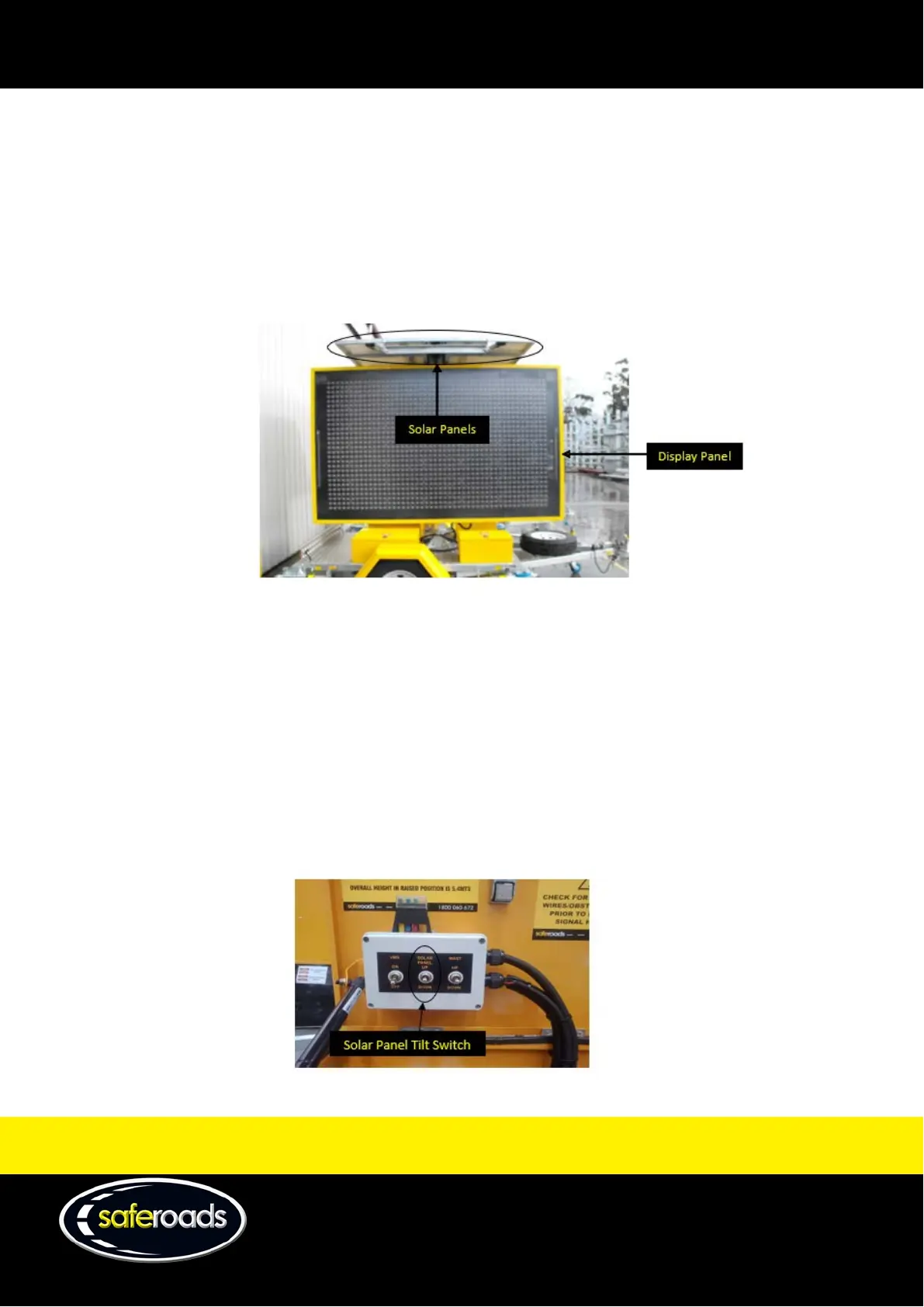
There are two (Essential) or three (Classic) identical Solar Panels located above the Display Panel fixed on
top of the mast that are used to charge the batteries required to power the Display Panel. The Solar Panels
can be tilted and pivoted as a single unit to maximise power production and increase efficiency of the board.
Figure 26
Solar Panel Tilt Switch
The Solar Panel Tilt Switch is located in the rear driver’s side toolbox between the VMS Display Switch and the Mast
Up/Down Switch. It is employed to tilt the solar panels to an angle to gain maximum power production for the
solar panels. The optimum position is to set the panels facing north and tilted up to an angle of 30 degrees,
regardless of the orientation of the trailer.
Operation of the solar panel tilt will require the VMS Display Switch to be in the “ON” position and engage the
Solar Panel Tilt Switch to orientate the solar panels either up or down.
When finished raising or lowering the tilt on the solar panels, ensure the Solar Panel Tilt Switch is returned to its
neutral position to prevent constant driving of the actuator.
Note: The Solar Panel Tilt Switch is only available on the Classic model.



 To Next Page