W www.saferoads.com.au
T 1800 060 672
E sales@saferoads.com.au
June 2020
Page 53
Troubleshooting
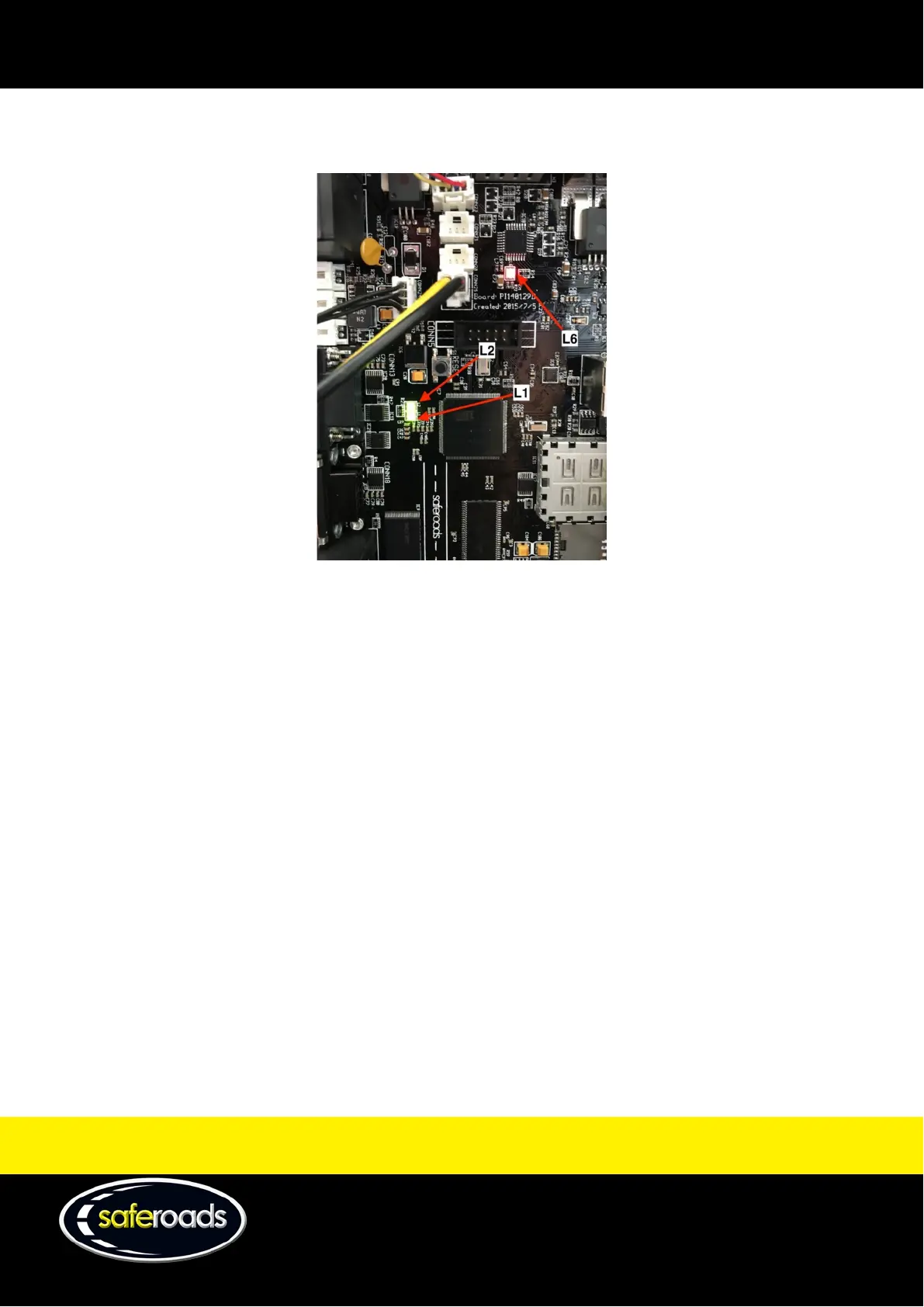
If issues arise with the VMS display, follow the LED indicators on the CPU which will help to determine the fault.
Solar LED indicator (L6)
• RED – indicates issue with solar charge.
o Check solar connections to CPU.
o Check solar voltage readings.
o If voltage present, contact Saferoads support.
o If no voltage present, there is likely to be a wiring or solar panel issue.
• GREEN – solar charge working.
3G connection LED indicator (L2)
• RED – communication issue with modem.
o Possible 3G network issue/unable to connect to Telstra network. Confirm connection to network.
o If network connection OK, contact Saferoads support.
• GREEN – Connection to 3G network OK.
Data communication indicator
• RED – SIM card failure.
o Confirm SIM card plan with Telstra. SIM card needs to be a Telstra M2M (Machine 2 Machine) SIM
card.
• GREEN (FLASHING) – Data communication OK. VMS CPU communicating.



 To Next Page