EasyManua.ls Logo

Sage II - Test Error Display

Sage II
115 pages
Print Icon
To Next Page IconTo Next Page
To Previous Page IconTo Previous Page
Loading...
XI.02 TEST
ERROR
DISPLAY
:
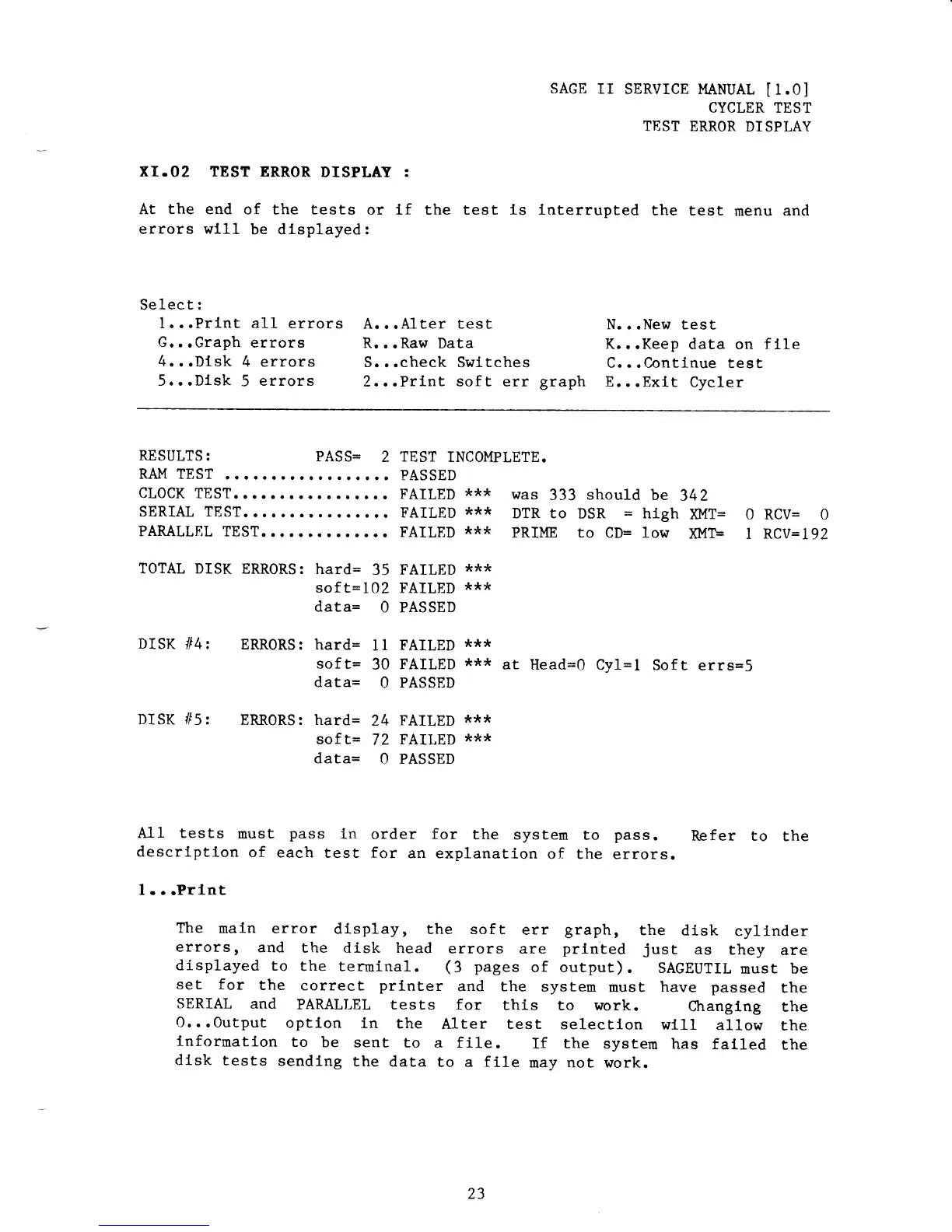
At the end
of the tests
or lf the test is
errors wll1
be dtsplayed:
sAcE
rr
sERvrcE I"IANUAL
[1.0]
CYCLER
TEST
TEST
ERROR
DISPLAY
lnterrupted
the test
menu
and
Select:
1. ..Prlnt al-l
errors
G...Graph
errorg
4..,Dtsk
4 errors
5..,Dlsk
5
errors
A...A1ter test
R...Raw
Data
S...check
Swltches
2...Print
sof t
err
graph
N...New
test
K...Keep
data on
flle
C...Continue
test
E.,.Exit
Cycler
RESULTS
:
PASS=
2
TEST
INCOMPLETE.
RAM TEST
r...r.!
o.o o..o.
t.. PASSED
cl,ocK
TEST..
r....o....
r....
FATLED
***
SERIAL T8ST.
... .. ..
!
.
.. O O
..
FAILED
***
PAMLLEL
TEST..O'O
I"
"
O"'
FAILED
***
TOTAL DISK
ERRORS:
hard=
35
FAILED
***
soft=102
FAILED
***
data=
0 PASSED
was
333
should
DTR to
DSR
=
PRIME to CD=
be
342
htgh
)01T= 0 RCV=
0
low
ruF
1 RCV=
192
DISK
If4:
ERRORS:
hard=
sof
t=
data=
ERR0RS: hard=
soft=
data=
1
I FAILED
***
30
FAILED
:t**
at
Head=Q Cyl=l
Sof
t errs=S
O
PASSED
24
FAILED
***
72
FAILED
***
O
PASSED
DISK If5:
A11 tests
must
pass
ln
order for
the system
to
pass.
Refer to
the
descrlptlon
of each
test for
an explanation
of the
errors.
1.
"
.Prlnt
The
main error
display,
the soft
err
graph,
the
disk
cyllnder
errors
r
and
the disk
head
errors
are
printed
jusL
as
they
are
displayed
to
the
terminal.
(f
pages
of output).
SAGEUTIL
nust
be
set for
the
correct
printer
and
the
system
must have
passed
the
SERIAL
and
PARALLEL tests
for
this
to work.
Changlng
the
0. .
.0utput
option
in
the
.Llter test
selectlon
wl11
a11ow
the
lnformation
to
be sent
to a file,
If
the
system
has falled
the
dlsk
tests
sendlng
the data
to a file
may
not
work.
23