Sagemcom F@st 5260
Chapter 2:
Getting Started
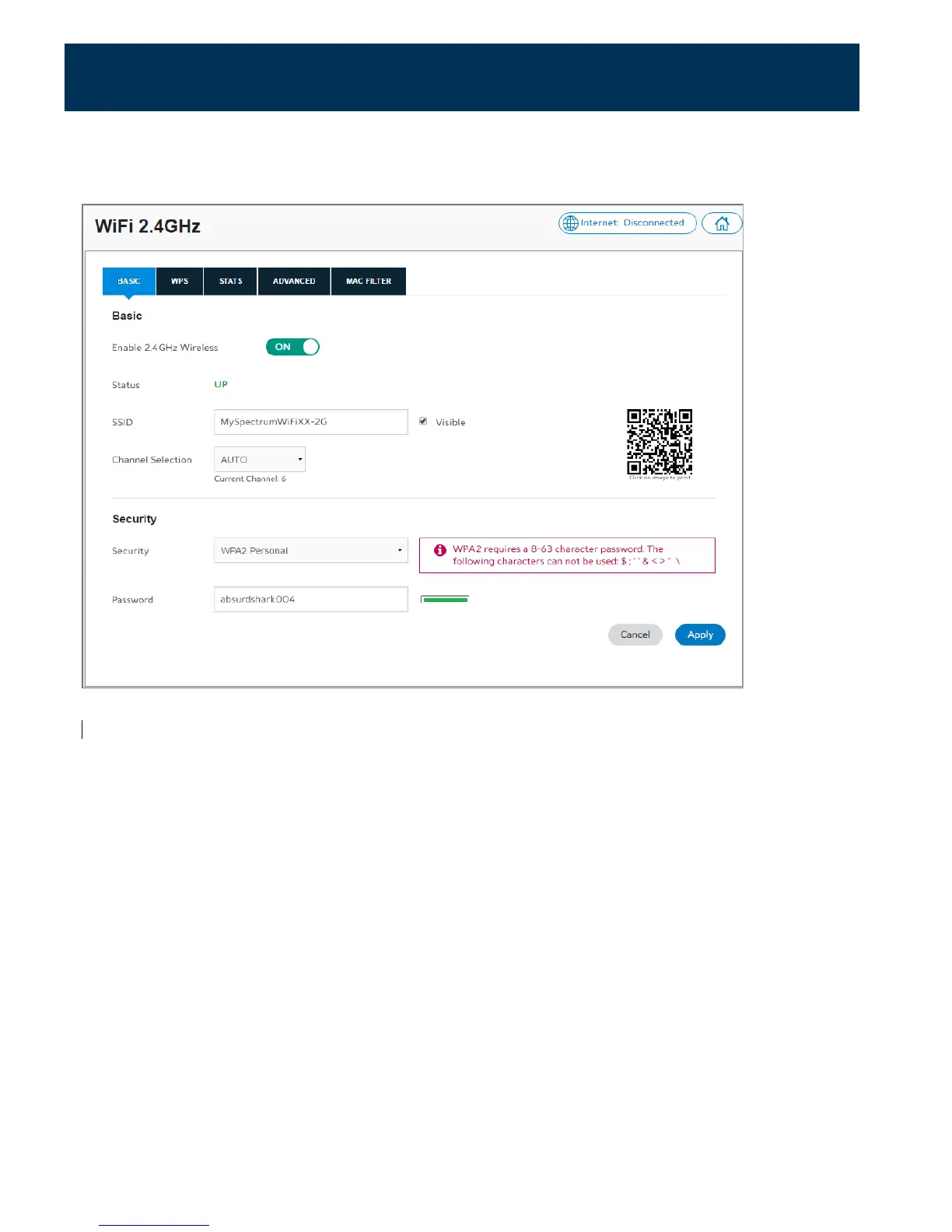
The configuration window for the 2.4 GHz network is shown below. (The 5.0 GHz network
window is similar).
Turn your Wi-Fi ON/OFF
1.
Log in to the web GUI.
2.
Click on the network that you want to turn on or off.
Note: By default, both the 2.4 GHz and 5 GHz Wi-Fi networks are enabled.
3.
Select the Basic tab. In the Basic section:
•
Slide the Enable switch to ON to power the network on; the Wireless indicator light on
the router should turn a solid green.
•
Slide the Enable switch to OFF to power off the network.
17



 To Next Page