MAX QUICK START GUIDE 14
STEP 2:
CUSTOMIZE YOUR MAX
With the page builder, you can customize pages with data that is relevant
to you. During sailing, you can easily switch between pages (press the top
middle button). Go to Menu > Pages
HOW DO YOU SET UP A PAGE?
1. Choose the page you want to set up. You can set up unlimited pages.
2. Choose the layout of the page (hold the top middle button).
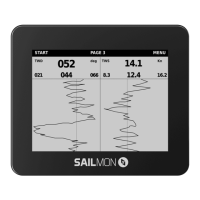
There are 4 standard setups plus windgraph.
3. Choose which section on the layout you want to fill with data.
4. Choose the data variable. Click on Set to save the value.
On the following pages, we will explain the data variables.
5. When you’re finished selecting all the values, press the top
left button to go back. Your page is automatically saved.
DATA EXPLAINED
MAX has a lot of data to show.
- Distance in meters (m)
- Speed in kilometers (km)
- Load in kilogram (kg)


 To Next Page