MAX QUICK START GUIDE 22
FIND OUT MORE | Do you want to know what the VMG is exactly?
Go to sailmon.com/vmg and check out the detailed explanation!
SAIL HIGHER
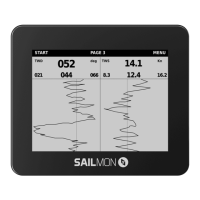
Make sure you sail on lifts and tack on headers. Our header lift indicator
helps you make the right decision and become better every time you go
out sailing.
Fill in your target angles to receive the best VMC to make sure you’re on
the right track while sailing. Go to Menu > Performance >
TARGET ANGLE UP
Fill in your target angle up. Enter a value in degrees between 20 and 60.
TARGET ANGLE DOWN
Fill in your target angle down. Enter a value in degrees between
0 and 180.
SET COURSE AXIS
Fill in the course axis by entering a value in degrees between 0 and 359.
For example, the top wind mark or the course the start vessel is showing.
Are you done sailing? In the next chapter, we will show you how you can
analyse your training or race in the Sailmon App. Make sure to connect
your MAX to the internet first (explained on page 11), so all data can be
sent to the app. You can turn o MAX now (hold top middle button or go
to Menu > Turn O). Please notice your data is always saved on your MAX
so you can switch it o anytime - even if there are still files to transfer.


 To Next Page