11
Installation
C4900/01
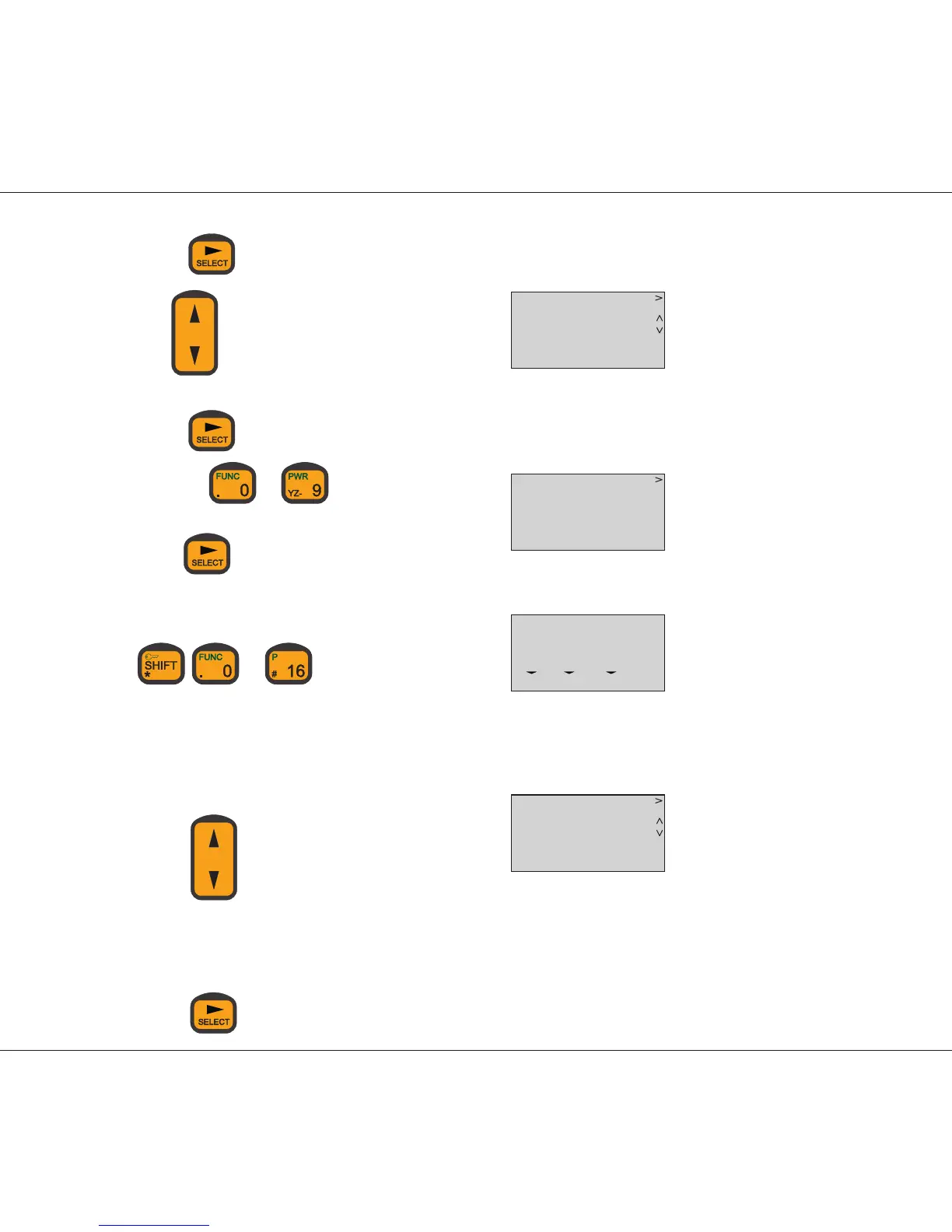
Press
Use to change SPARC-bus location number
Press
Use keys to to
enter/change name of handset.
Press
to step one character
to the right or select the entered name.
After setup enter VHF mode by pushing:
or
4. If an external speaker has to be linked to the handset:
- Enter the function menu and select external speaker as desired.
- Path Func\general\sound\loudspeak\norm\alarm\extspk
- Display:
- Use
to change type of EXT. speaker
0: No external speaker selected
1: External speaker 1 selected
2: External speaker 2 selected
3: Both external speakers selected
- Use
to select the setting
___
LOC NO 1
SELECT
FUNC
___
NAME *
FUNC
16
0 08 05
MEM VOL SQ
___
EXT SPK *
SELECT
FUNC
0010


 To Next Page