Need help?
Do you have a question about the Sailor RT5020 VHF DSC Duplex and is the answer not in the manual?
Describes the manual's purpose, target audience, and recommendation to read before use.
Lists and defines abbreviations used throughout the document for clarity.
Warns about RF energy exposure and specifies safe distances for antenna installation.
Provides instructions for antenna placement to meet RF exposure requirements.
Details the steps for a Mayday call and acknowledging received Mayday transmissions.
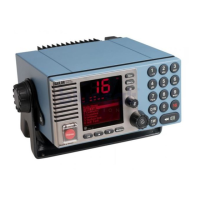
Explains the function of each button, key, and indicator light on the VHF unit's front panel.
Step-by-step instructions for turning the VHF unit on and off.
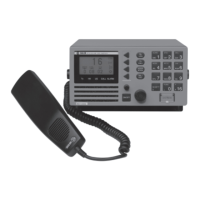
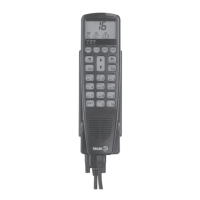
Explains how to use the handset for transmitting and receiving voice communications.
Outlines the procedure for responding to calls received on the primary channel 16.
Details the process for initiating a voice call, preferably using DSC.
Guides on controlling audio output levels for speakers and the handset earpiece.
Explains how to set the squelch control to filter out noise.
Describes methods for selecting VHF channels using the keypad or navigation controls.
Explains the functionality of monitoring two channels simultaneously.
Details the feature to replay the last 90 seconds of received audio.
Covers adjusting the display's brightness and contrast for better visibility.
Explains how to operate the VHF unit using its menu structure.
Describes how incoming DSC calls are indicated and processed.
Outlines the process for initiating various types of DSC calls.
Covers calling ship stations, shore stations, groups, and PSTN via coast stations.
Details the procedure for composing distress, urgency, and safety calls.
Explains how to access, view, and manage the log of DSC calls.
Emphasizes the importance of accurate position data for DSC distress calls.
Describes the VHF's behavior during power interruptions and recovery.
Explains how to set and store squelch levels for individual channels.
Covers selecting channel tables and programming private channels.
Explains the duplex functionality for different radio models.
Details the ATIS system for inland waterways.
Describes how to switch between high and low power output.
Explains how to scan multiple channels for activity.
Guides on configuring user-defined scan tables.
Covers the essential MMSI number programming and its importance for DSC.
Details the use of the 10th MMSI digit for specific addressing.
Explains how to configure and manage group MMSI numbers.
Describes how different call types are identified by distinct audio alerts.
Explains how the VHF suggests a working channel for routine calls.
Covers adding, viewing, and editing contacts for DSC calls.
How to initiate calls using entries from the contact list.
Steps for adding new contacts and viewing existing ones.
Covers DSC settings like special calls and automatic acknowledgements.
Explains how the VHF automatically switches channels for certain calls.
Details DSC transmission behavior and undesignated distress calls.
Covers call verification before transmission and managing received calls with errors.
Explains how DSC operations take precedence over other VHF functions.
Covers idle display modes, date/time notation, and language selection.
Explains privacy features and voice scrambling capabilities.
Describes automatic conditions upon power-on and using the voice scrambler.
Details how to check radio and remote unit software versions.
Explains how system events and errors are logged for review.
Provides general guidance for resolving operational issues.
Guidance on troubleshooting power-related problems, including fuse checks.
Instructions for running built-in self-tests for keys, display, LEDs, and audio.
Addresses issues with GPS input and accessory unit connectivity.
Outlines how to perform regular checks on the DSC installation.
Resolving issues related to missing MMSI identity or incorrect radio time.
Addresses problems with channels not being free or included in DSC calls.
Guidance on what to do when a device failure is suspected.
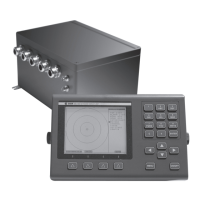
Describes the CU5000 unit and its controls.
Covers basic operation, power, and channel selection on the control unit.
Explains how to adjust the volume on the semi-functional control unit.
Details how to adjust squelch and dimming on the control unit.
Shows how DSC calls are indicated on the CU's display.
Describes alarm muting, replay, and scanning features on the CU.
Explains priority rules when multiple handsets are active.
Details the Alarm Panel and how to initiate distress calls from it.
Describes the installation and use of an optional printer.
Lists international channel numbers and their corresponding frequencies.
Lists US channel numbers and their corresponding frequencies.
Lists BI channel numbers and their corresponding frequencies.
Lists CA channel numbers and their corresponding frequencies.
Describes various ways to mount the VHF unit.
Details for flush mounting the VHF unit, including drilling templates.
Instructions for installing the handset and its mounting cradle.
Describes the installation process for CU units, including single and multiple installations.
Instructions for mounting and drilling for the connection box.
Instructions for mounting and drilling for the extension box.
Instructions for mounting and drilling for the LAN box.
Specifies minimum safe distances from compasses for various components.
Details the various connectors on the rear of the VHF unit.
Diagrams showing the pinouts and connections for the connection and extension boards.
Illustrates the overall system connectivity.
Provides specific diagrams for connecting cables between components.
Details signal designations and cable pin assignments for the VHF SPARC II connector.
Describes Sparc II connections to control units and interface boxes.
Illustrates the system connectivity using an extension box.
Provides specific diagrams for connecting cables, including extension box connections.
General advice for installing VHF and DSC antennas, including cable types and lengths.
Recommendations for optimal placement of RX/TX antennas to minimize interference.
Advice on placing the DSC antenna relative to RX/TX antennas.
Covers channel table regions, private channels, spacing, and contact list capabilities.
Lists technical parameters related to DSC operations.
Detailed technical data for the RT5022 model, including frequency range and modes.
Further technical data for the RT5022 model, covering receiver and transmitter parameters.
Detailed technical data for the RT5020 model, including frequency range and modes.
Further technical data for the RT5020 model, covering receiver and transmitter parameters.
 General
| Brand | Sailor |
|---|---|
| Model | RT5020 VHF DSC Duplex |
| Category | Marine Radio |
| Language | English |


 To Next Page