10
Installation
C4900/01
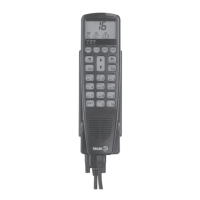
2.7 Installation of Handset
0. VHF system turned off, connect hook and handset to the system according to the above description.
1. When transceiver, SPARC-bus cable and handset hook unit are assembled, connect the handset to the hook
by the 15-pole D-sub connector and place the handset on hook.
2. Turn the VHF system on by pressing the ON/OFF button at the top of the handset.
3. Set up the handset SPARC-bus location number and SPARC-bus handset name by entering the service menu
in the handset:
Press
Press arrow down
Press
Key in the acces code
(Alter the key until the digit appears)
Press
Press
___
TELEPHONY
FUNC
___
SERVICE
FUNC
___
BUS SETUP
FUNC
___
9876>
SELECT
FUNC
___
*
FUNC
___
HANDSET
FUNC
0010


 To Next Page